Case Study

Scout

Scout is in beta. A job radar for one person. It reads company job pages, puts the roles that fit closest to you, and drafts the notes you send. A Mac app and a web version, with no accounts. Built in house in 2026.
Project snapshot
Beta

Scout

Overview

Scout is a personal job radar, now in beta. You tell it your titles, your resume and the companies you care about. It reads their job pages, puts the roles that fit you closest to the center of a radar, and drafts the notes you send. It never sends anything and never asks you to sign in.
  • Product design
  • Mac app
  • Web version
  • Design system
  • Security review
  • Accessibility review

What We Did

Therum designed and built Scout end to end: the matching engine, the radar, the Mac app and the web version, the brand, eleven themes and the install page. Each release went through a security audit, an accessibility review and a design critique, and the findings were fixed.

The Outcome

Scout 1.0.0 is a beta: a 141 MB Mac app for Apple silicon and a web version that runs from any static host. It reads job feeds, sitemaps, careers pages and remote job boards, scores every role out of 100 in four steps, and keeps everything on the device. The build passes 14 test suites.
ClientTherum Creative Studios
Agency partnerNone
StartedSeptember 2026
LaunchedBeta, November 2026
Duration10 weeks to the beta
01. The Ask

Show the roles that fit, and keep the search private
Scout, sample person and companies
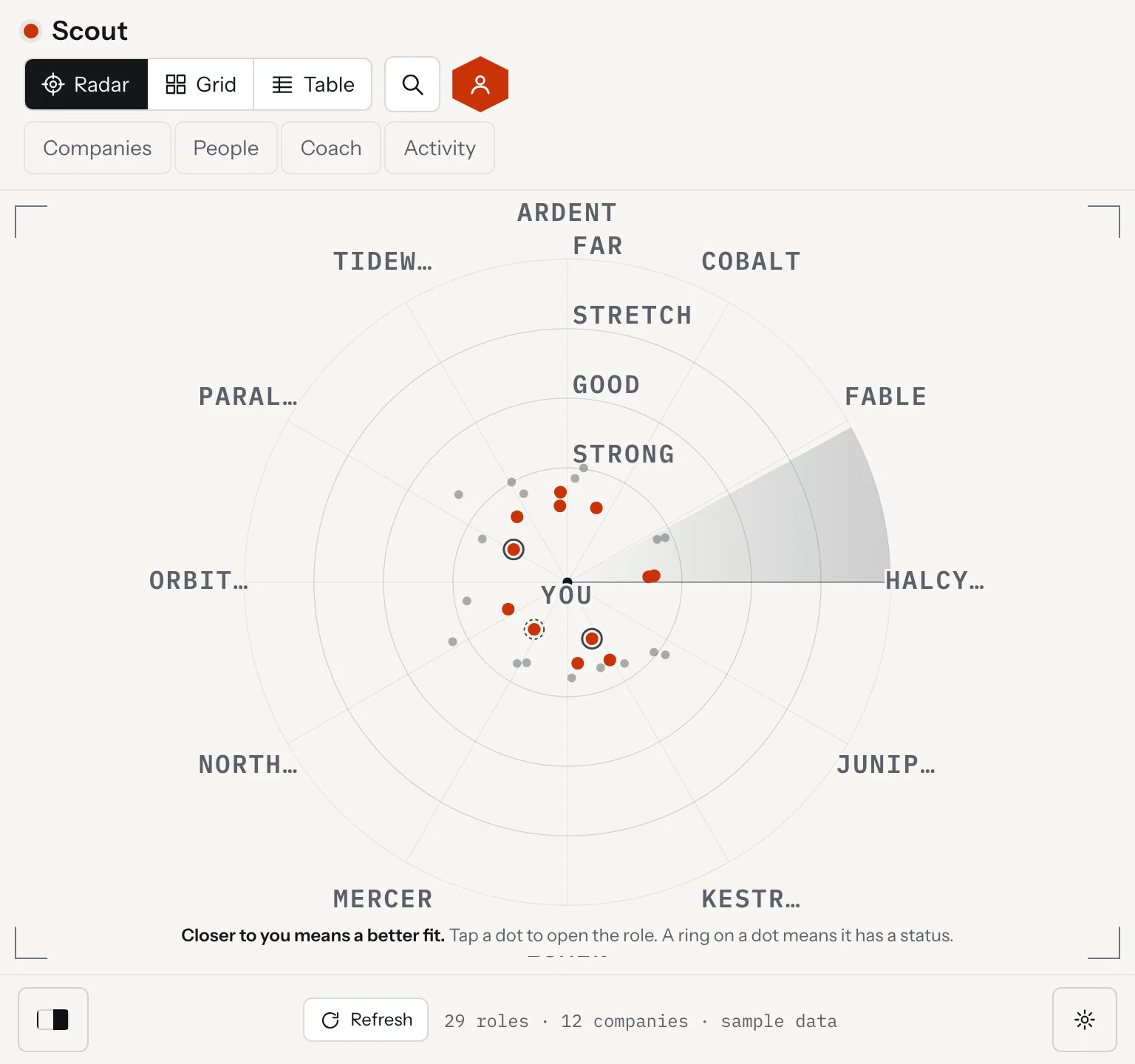
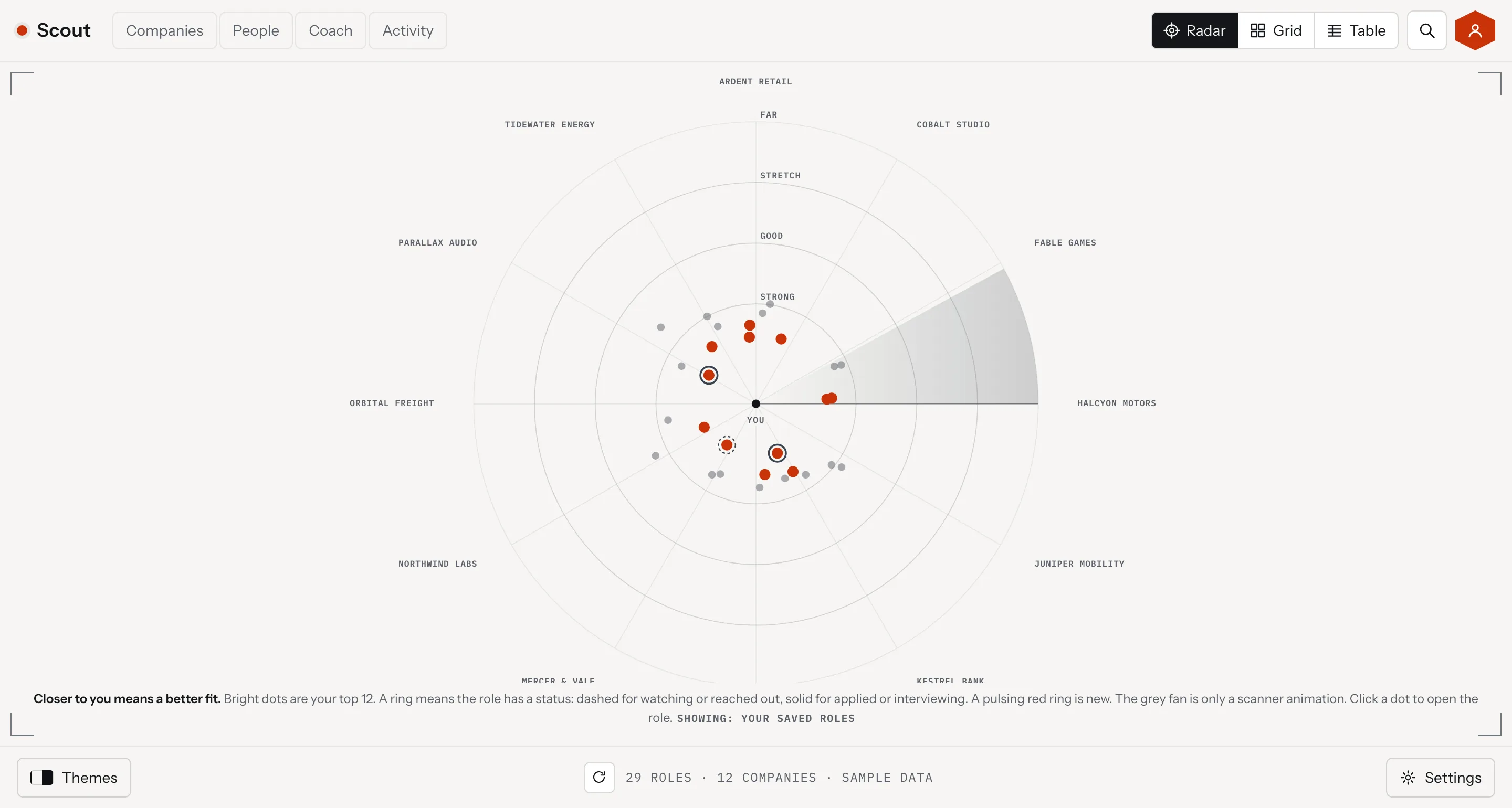
Scout, the radar with a person at the center and roles on four rings, desktop view
Scout, the radar with a person at the center and roles on four rings, tablet view
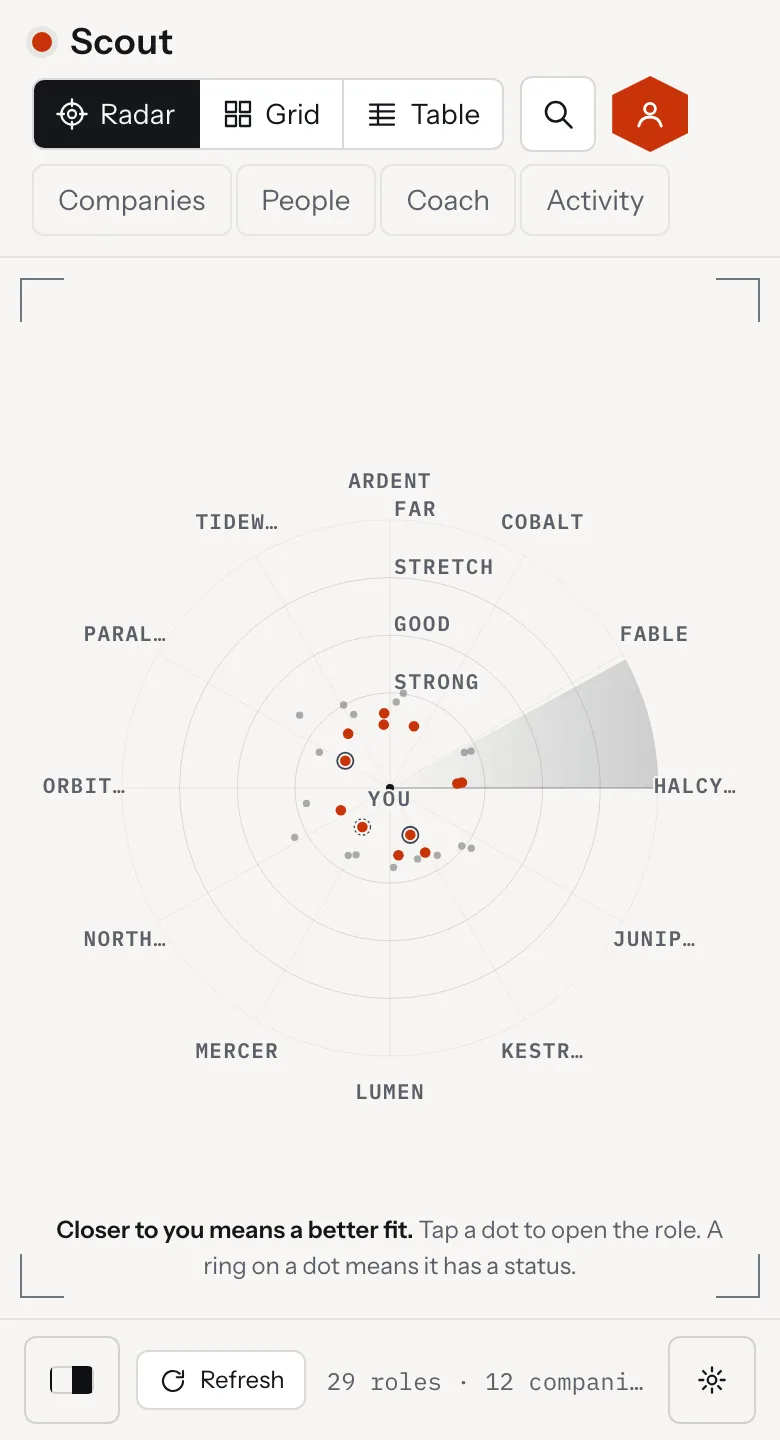
Scout, the radar with a person at the center and roles on four rings, mobile view

The brief was a personal job finder. Find open roles at the companies someone cares about, score how well each one fits, and produce warm outreach that gets a reply.

Three limits came with it. The data stays on the user's own machine, the app drafts but never sends, and nothing needs an account. A tool that holds a resume and a list of target companies is private by nature, so those limits shaped the whole build.
Scout, the first screen
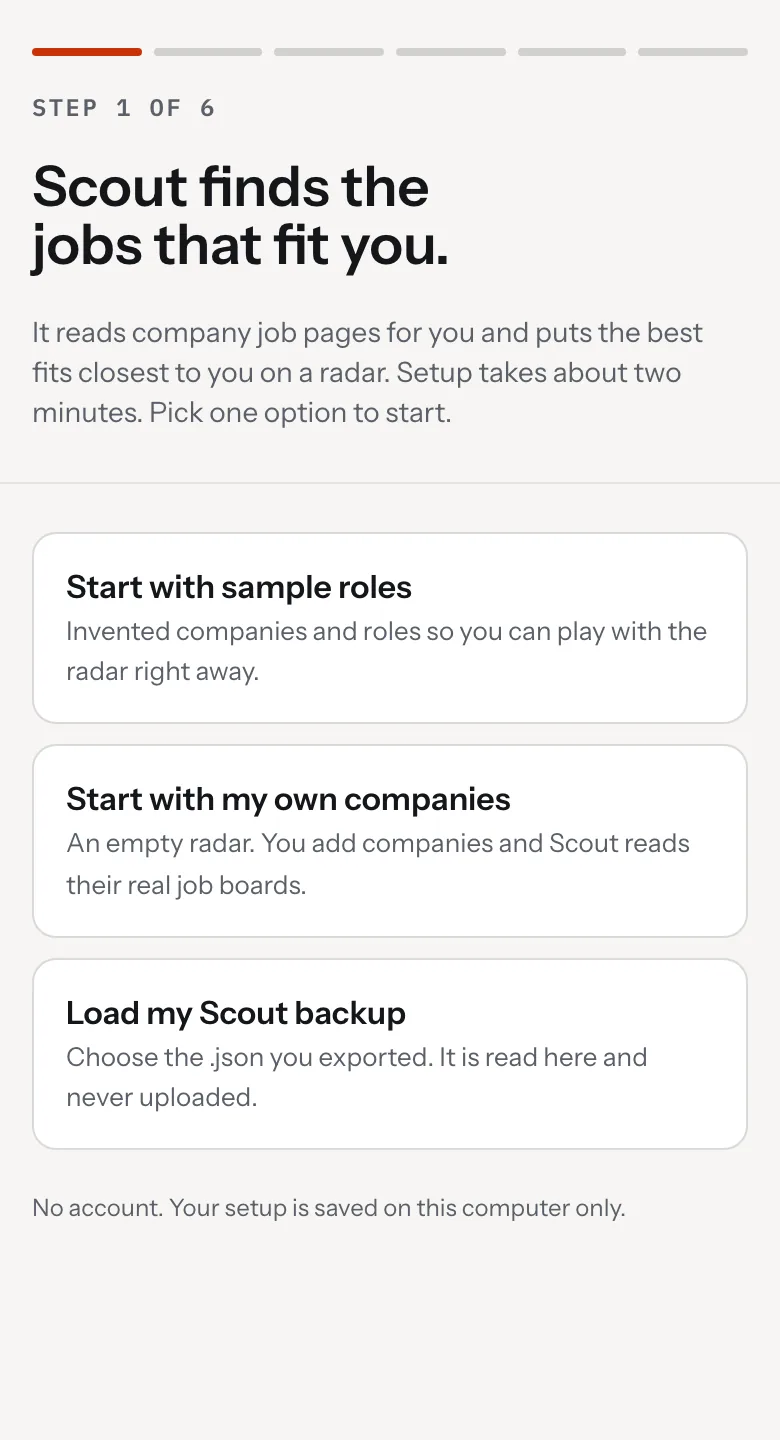
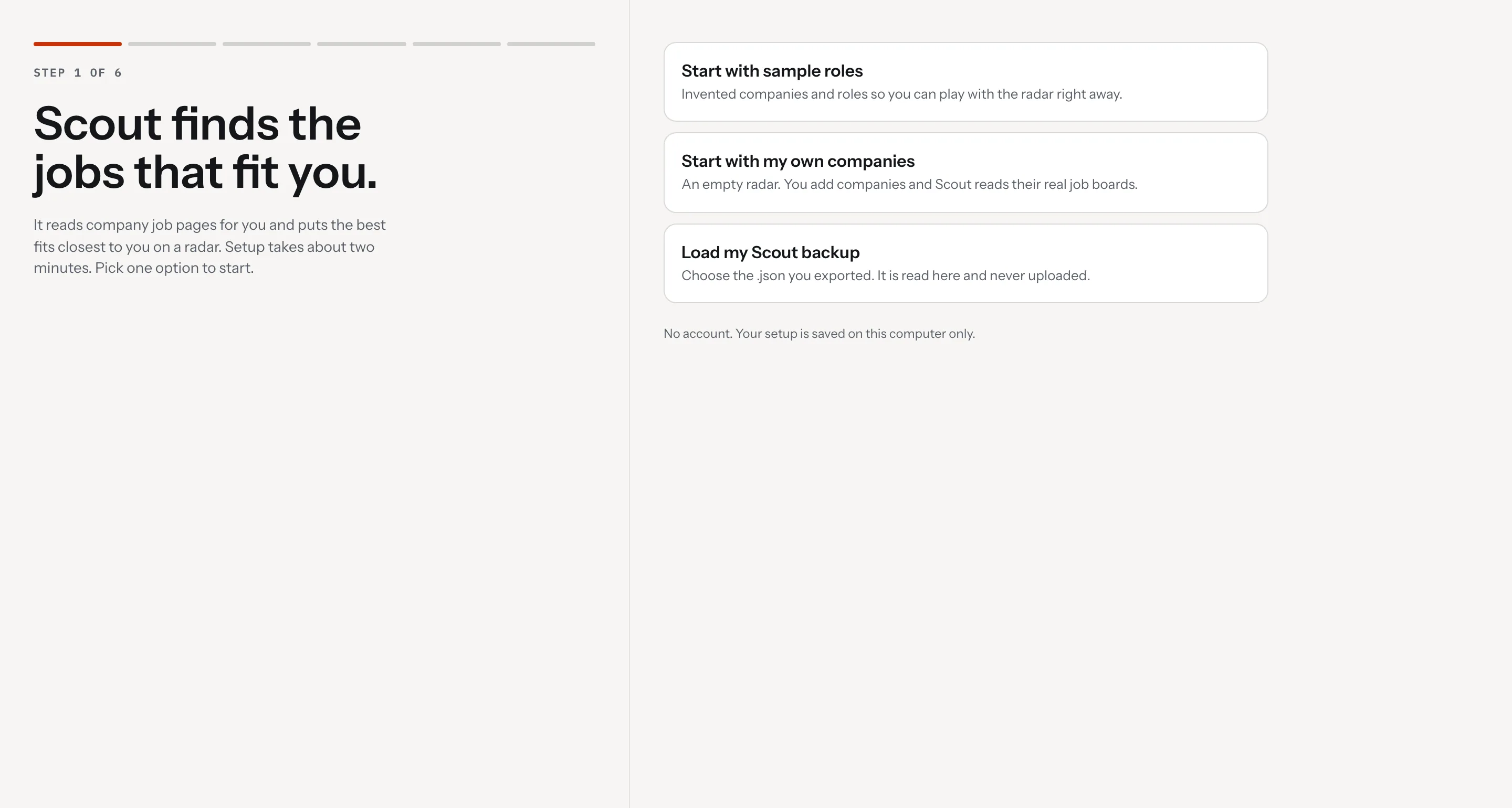
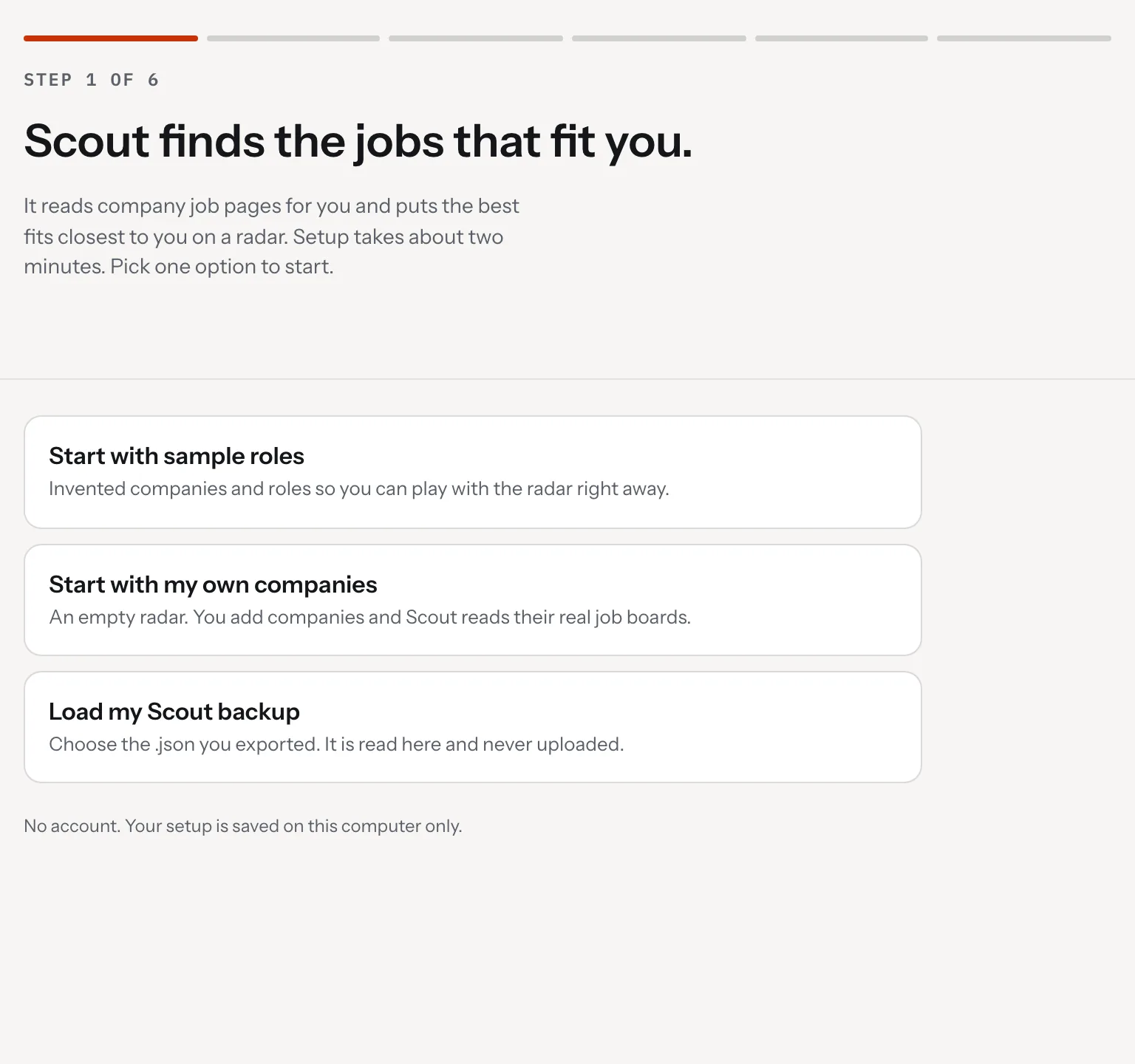
Scout, the first screen with three ways to start and a note that no account is needed, desktop view
Scout, the first screen with three ways to start and a note that no account is needed, tablet view
Scout, the first screen with three ways to start and a note that no account is needed, mobile view
02. Our Role

We were the whole team: product, design and engineering, start to finish
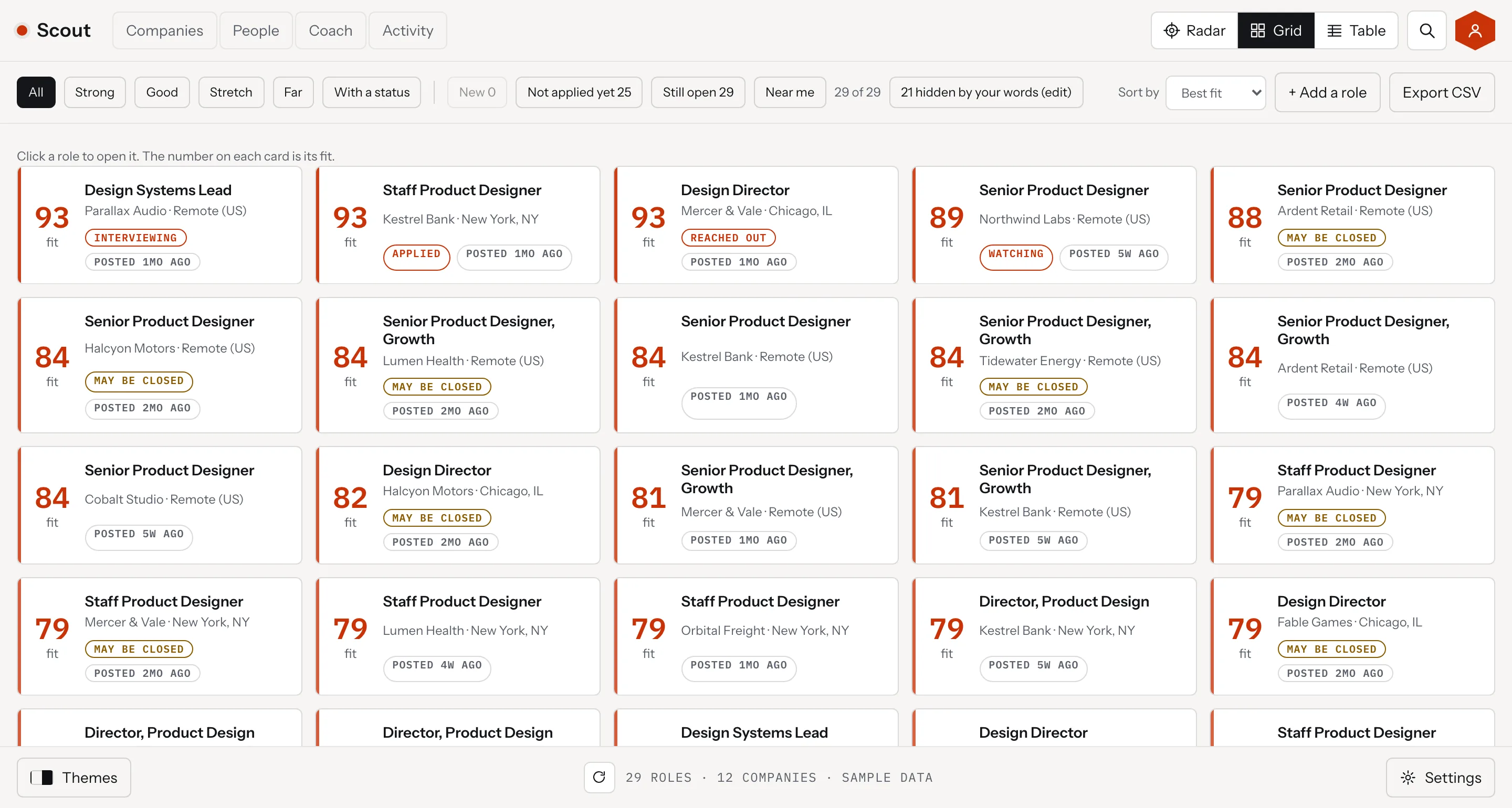
Scout, the Grid and Table views
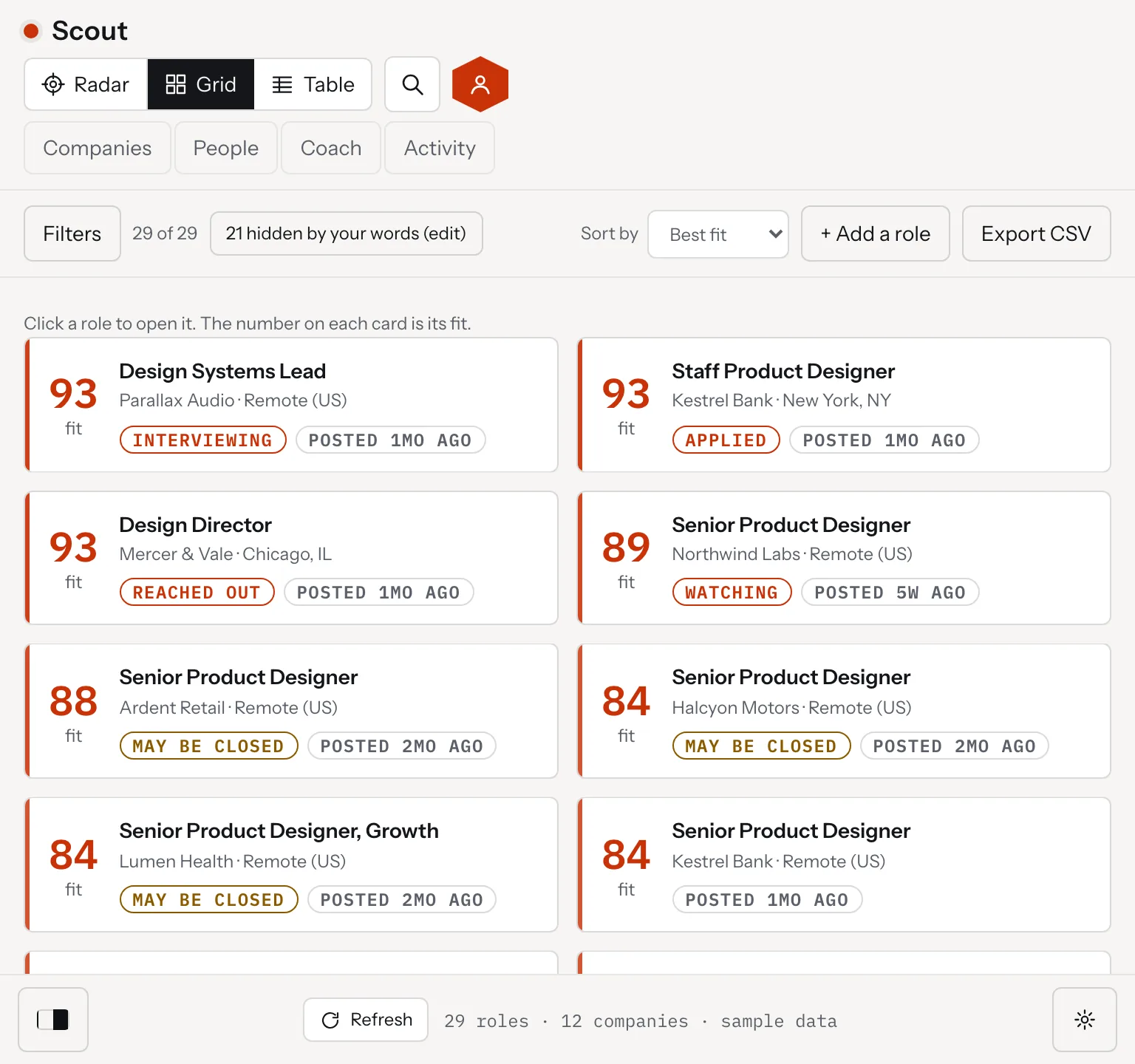
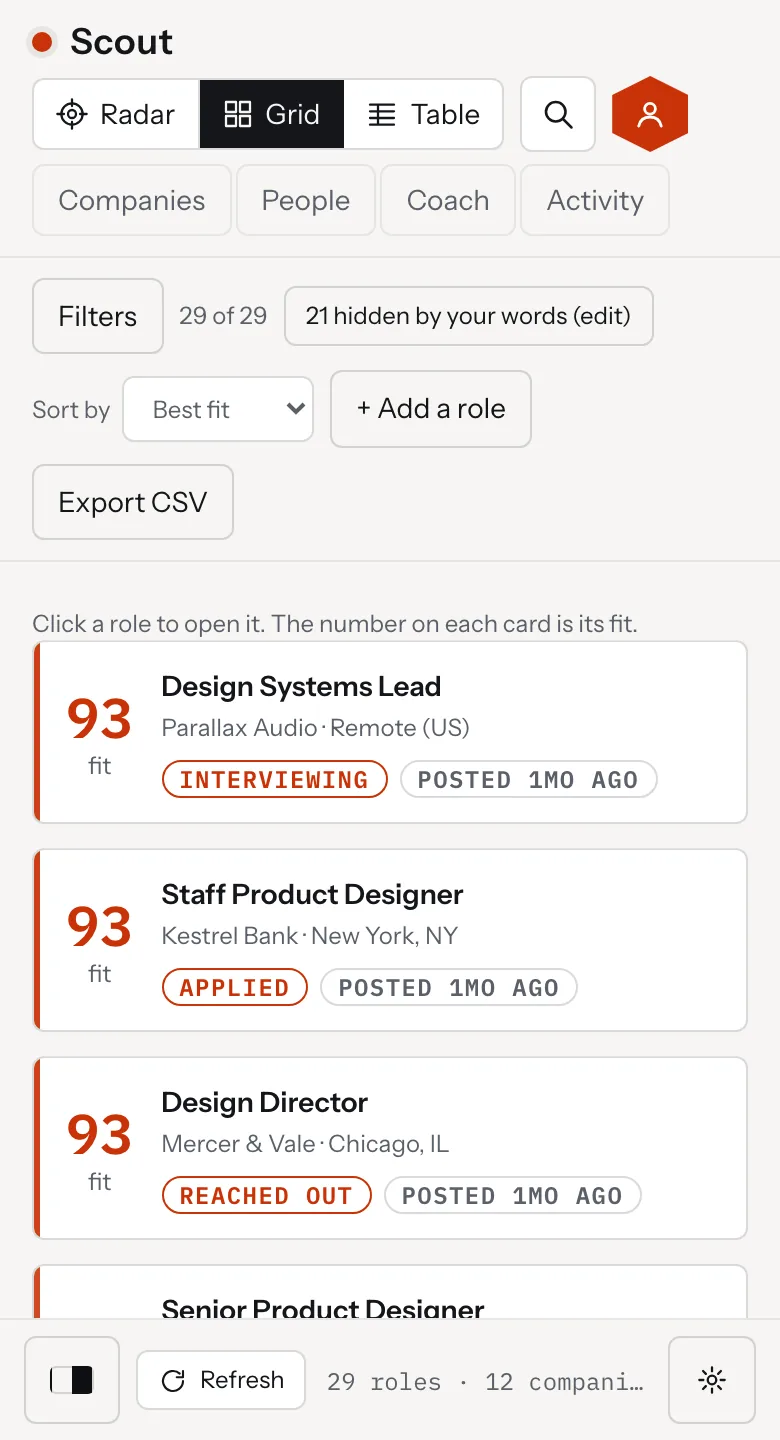
Scout, the Grid view with score led cards and filters, desktop view
Scout, the Grid view with score led cards and filters, tablet view
Scout, the Grid view with score led cards and filters, mobile view
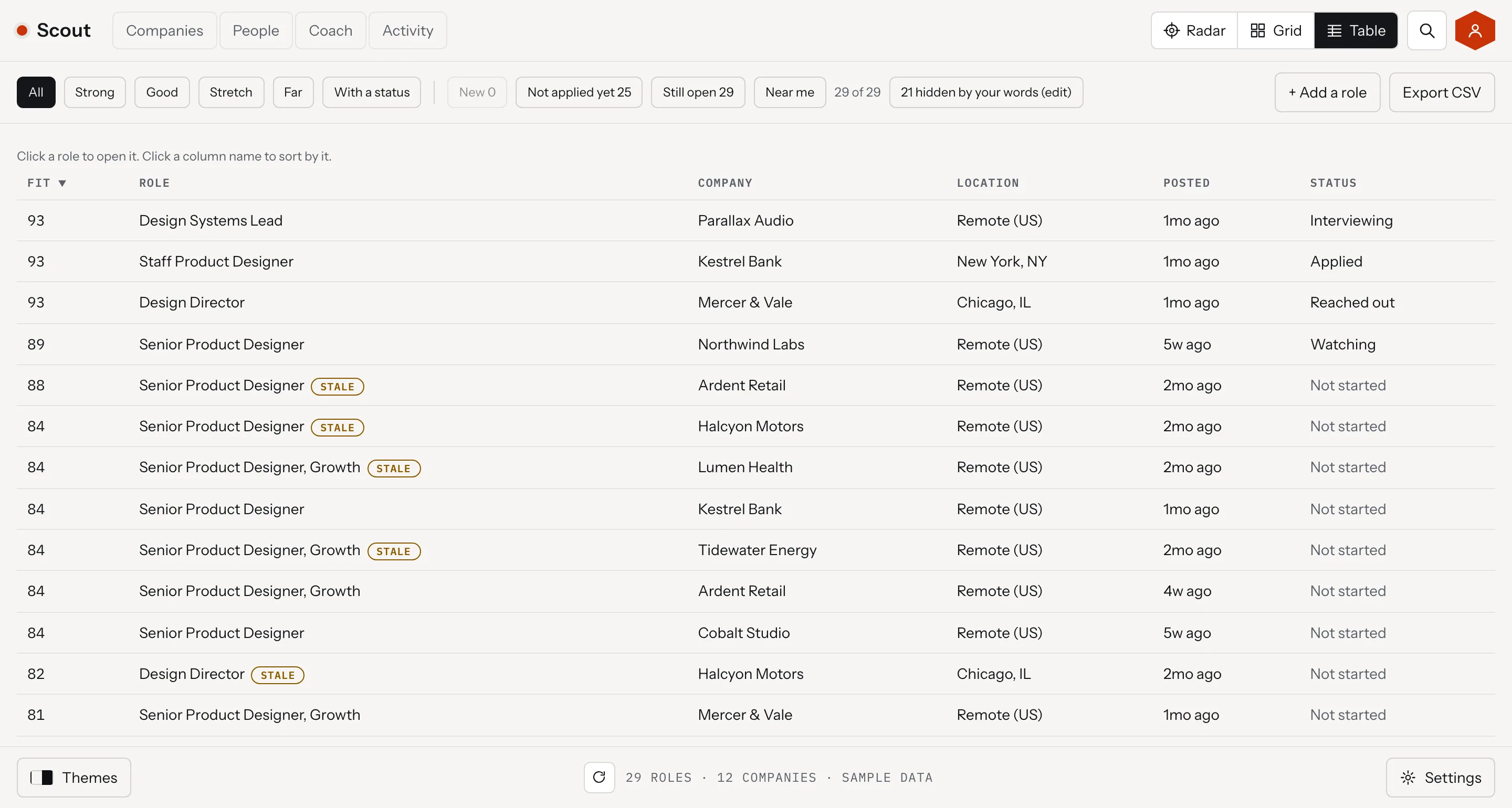
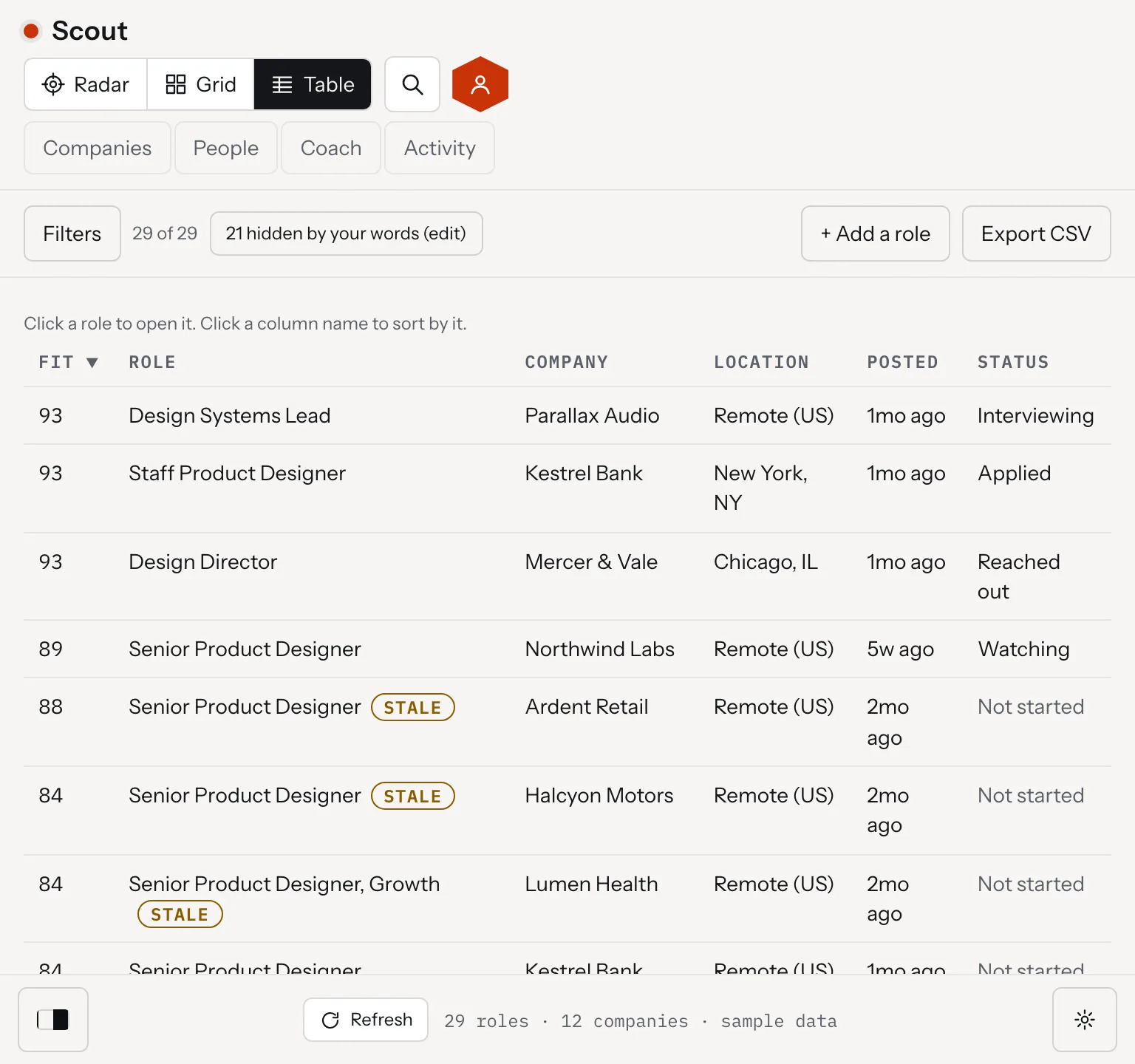
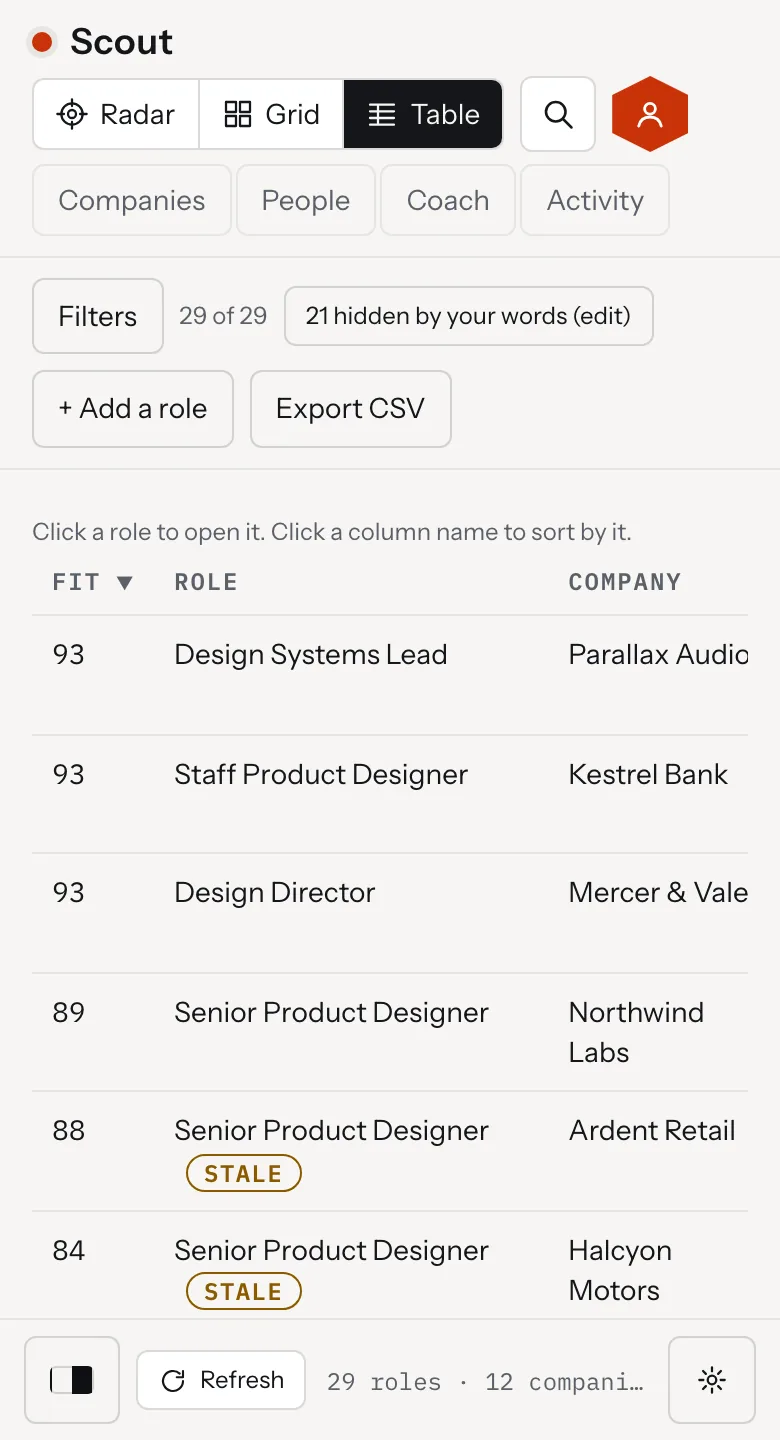
Scout, the Table view with sortable columns and an Export CSV button, desktop view
Scout, the Table view with sortable columns and an Export CSV button, tablet view
Scout, the Table view with sortable columns and an Export CSV button, mobile view

Therum was the whole team. We wrote the design spec and built the matching engine, the radar and the Mac app. Then we built the web version, the brand guidelines, the theme system and the install page. The same roles open in three views: the radar, a grid of cards and a sortable table.

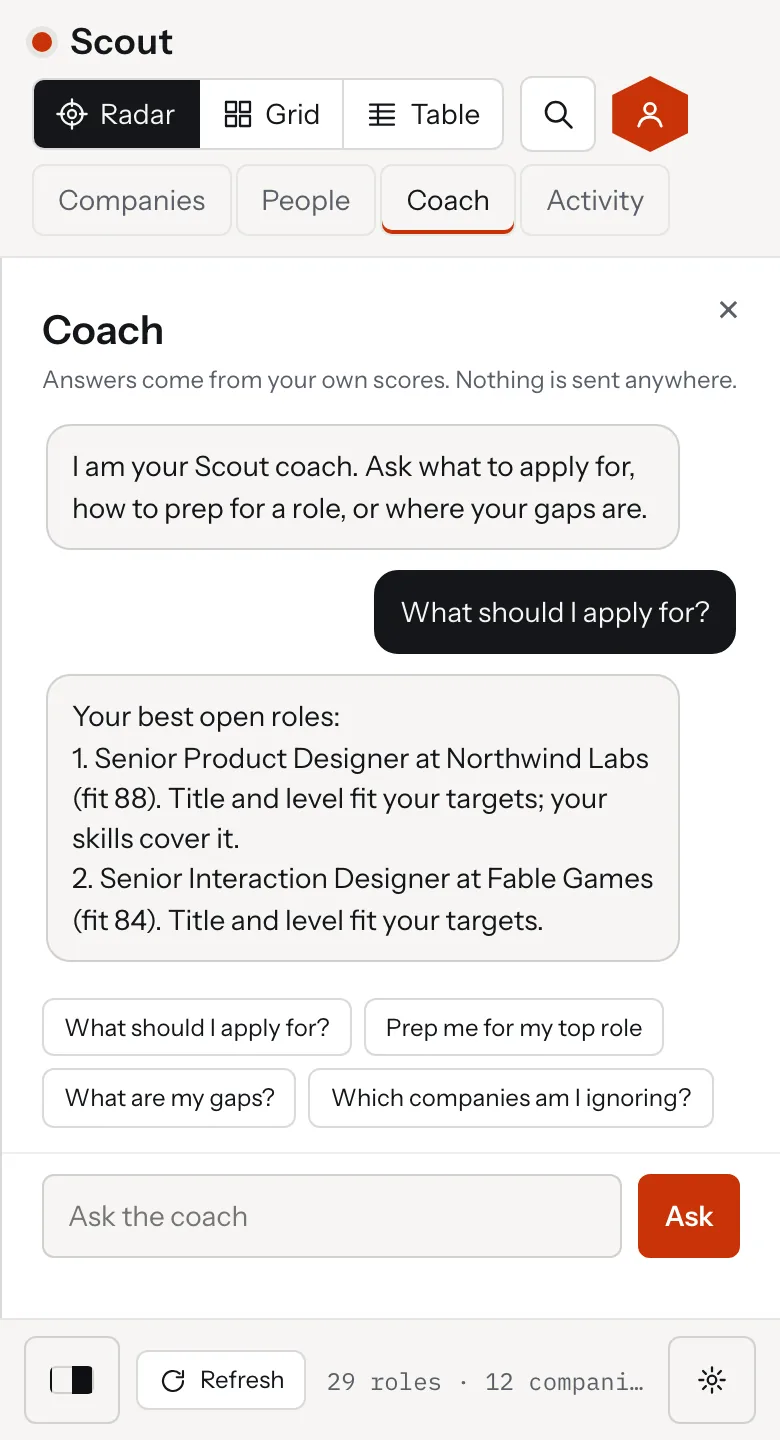
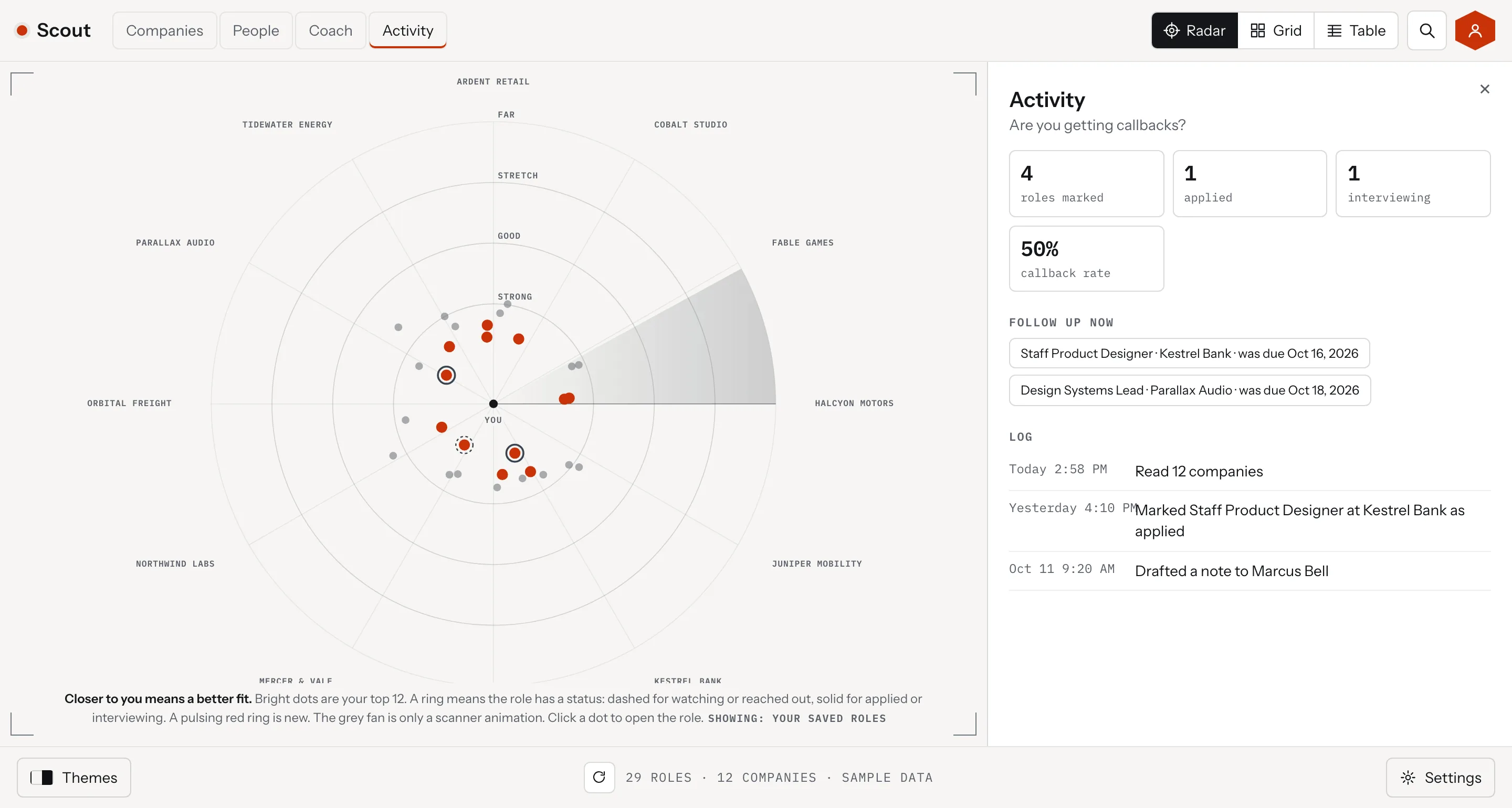
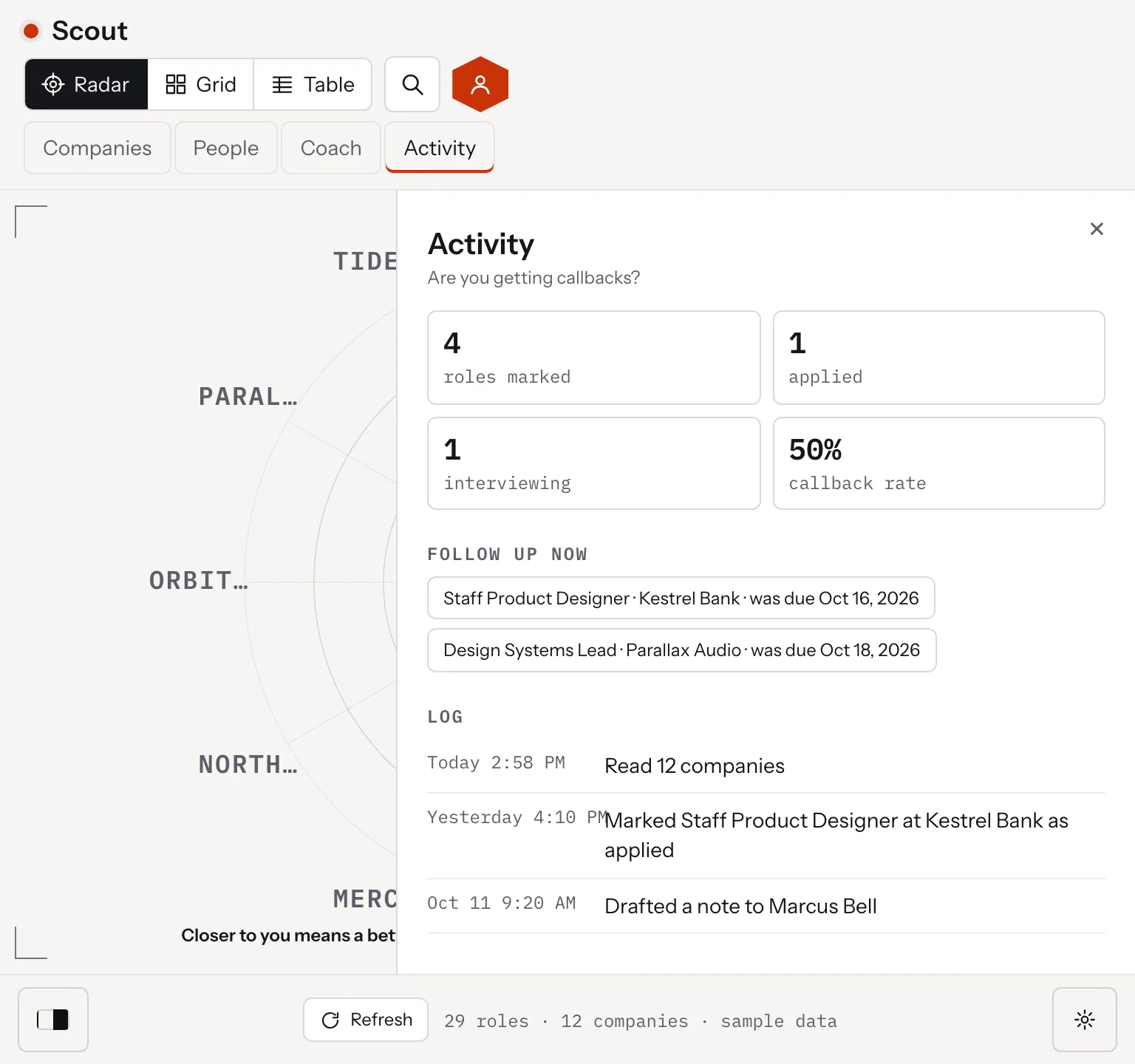
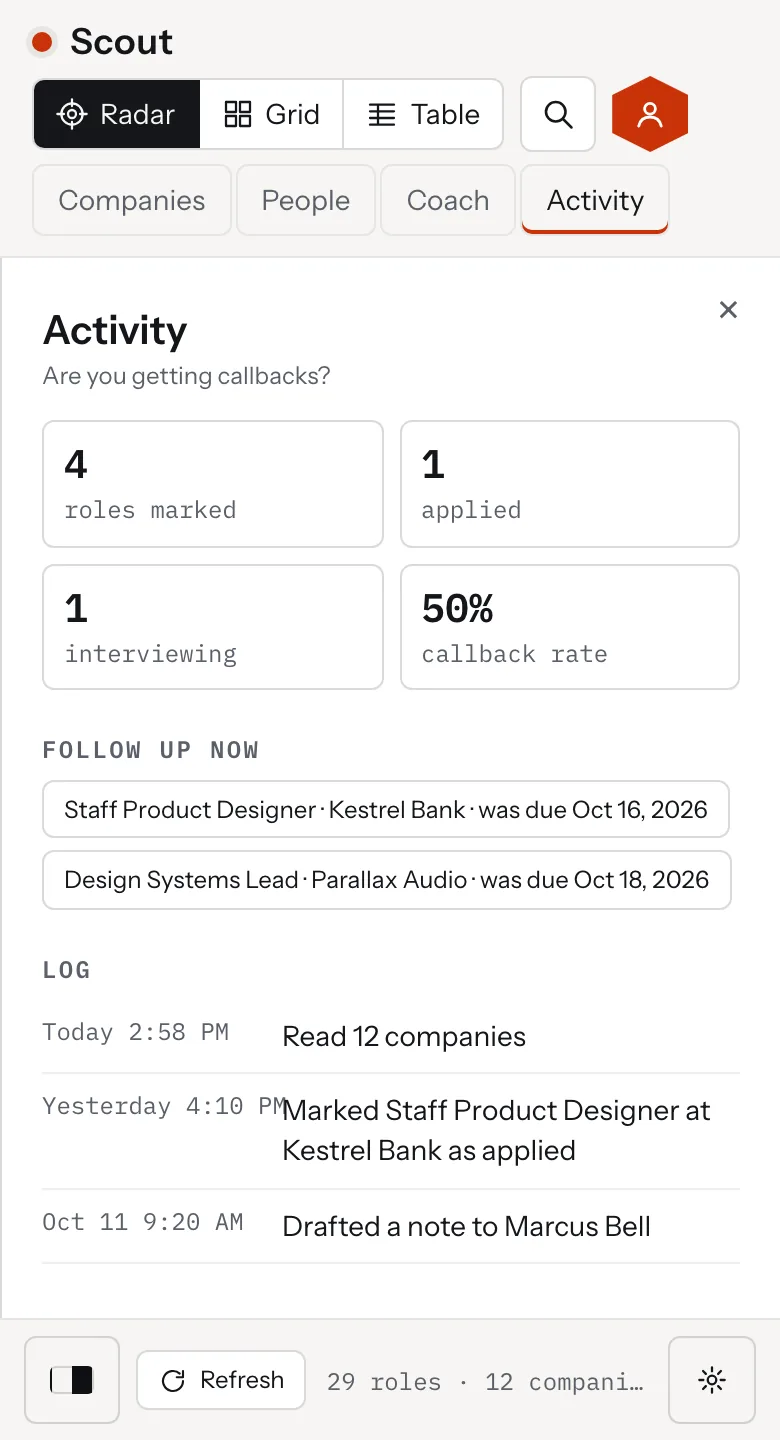
Two more panels sit beside the radar. The Coach answers from the user's own scores, and Activity shows whether the search is getting callbacks. Activity keeps a log of each read, each status change and each draft, and lists the follow ups that are due.

Every release ran through the same checks: automated tests, a security audit, an accessibility review and a design critique. The findings were fixed before the next build.
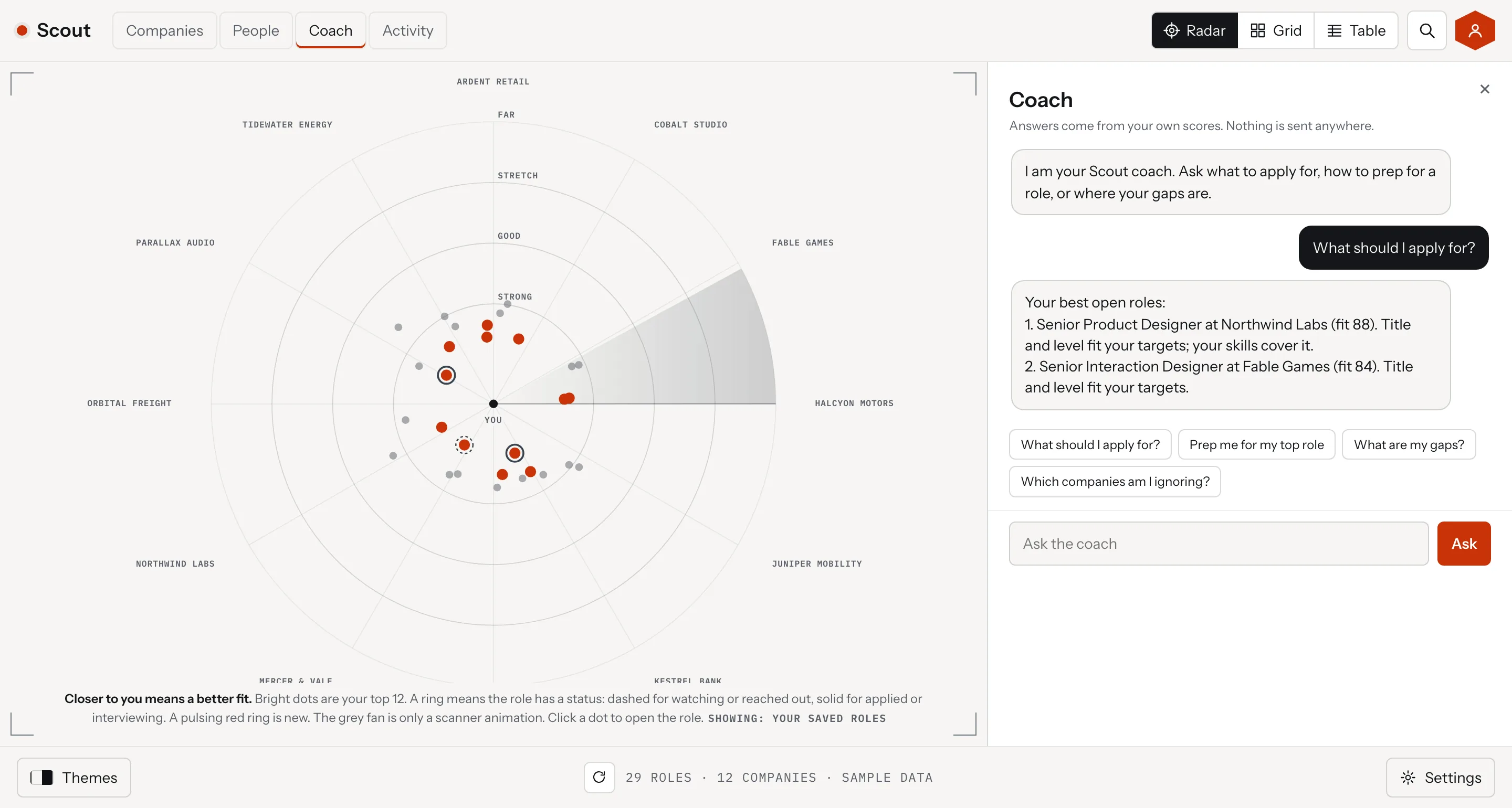
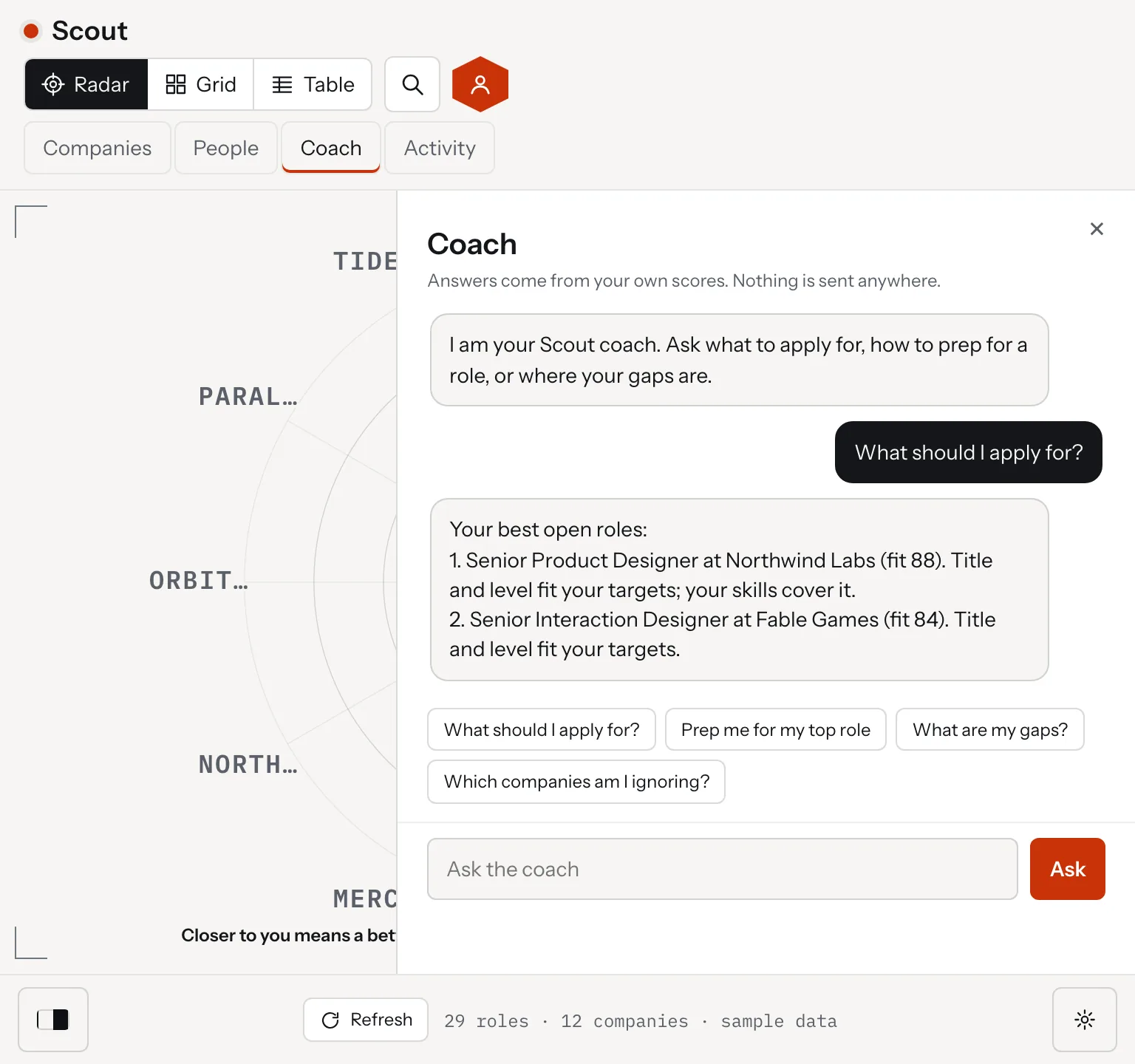
Scout, the Coach and Activity panels
Scout, the Coach panel with a question and an answer built from the user's scores, desktop view
Scout, the Coach panel with a question and an answer built from the user's scores, tablet view
Scout, the Coach panel with a question and an answer built from the user's scores, mobile view
Scout, the Activity panel with callback rate, follow ups due and a log, desktop view
Scout, the Activity panel with callback rate, follow ups due and a log, tablet view
Scout, the Activity panel with callback rate, follow ups due and a log, mobile view
03. Our Approach

Read every source, match on the titles you type, keep it local
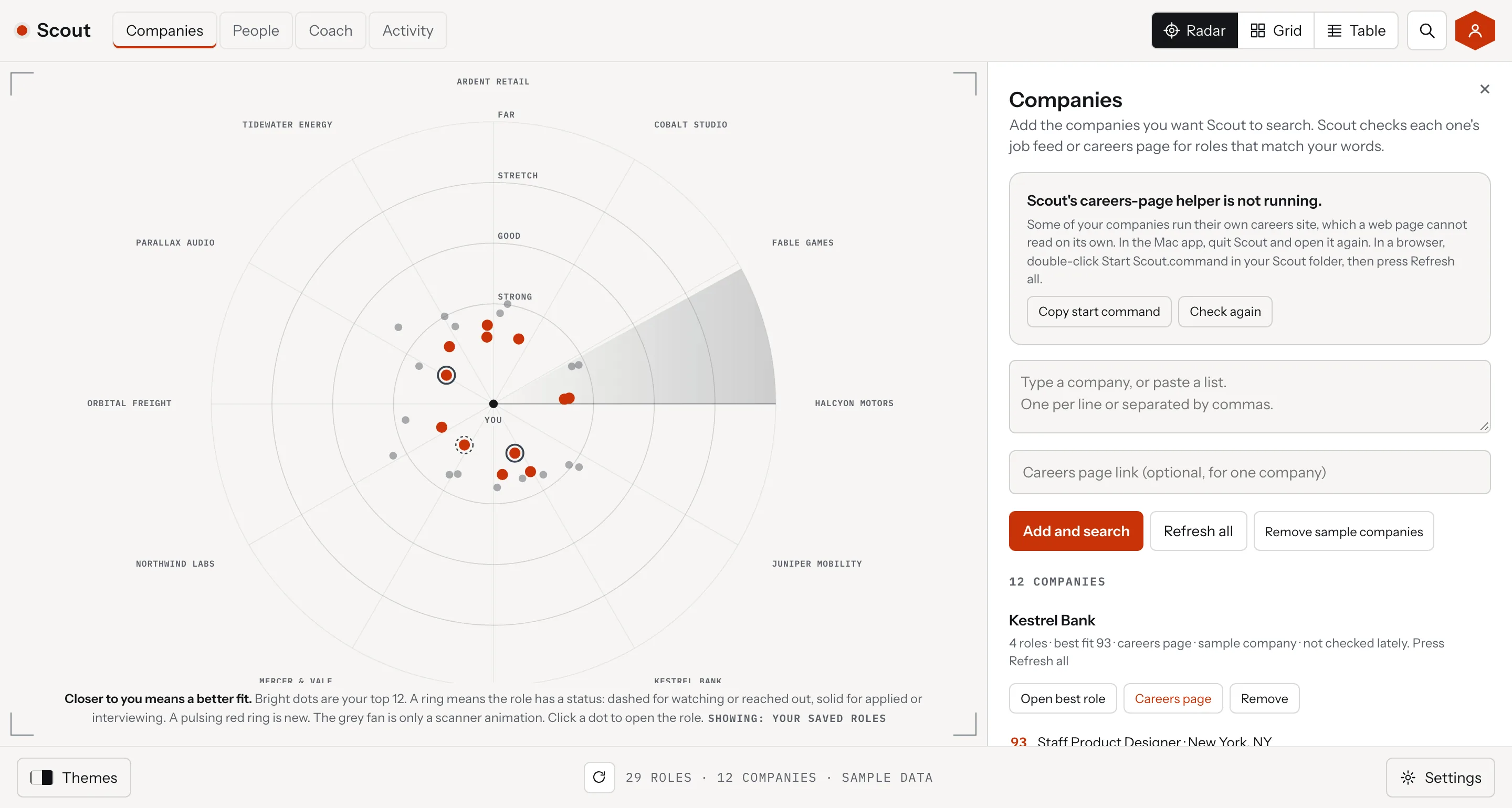
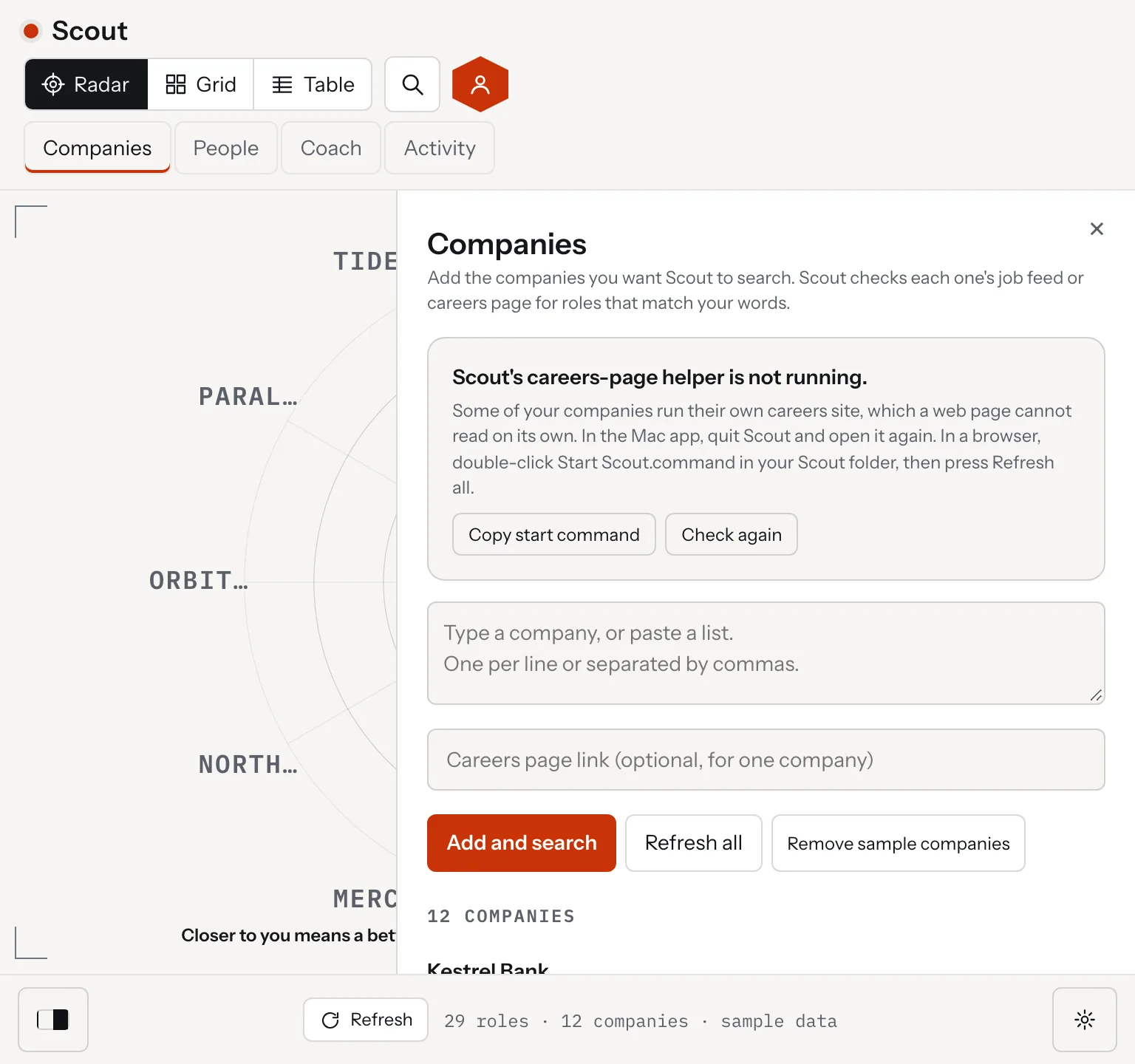
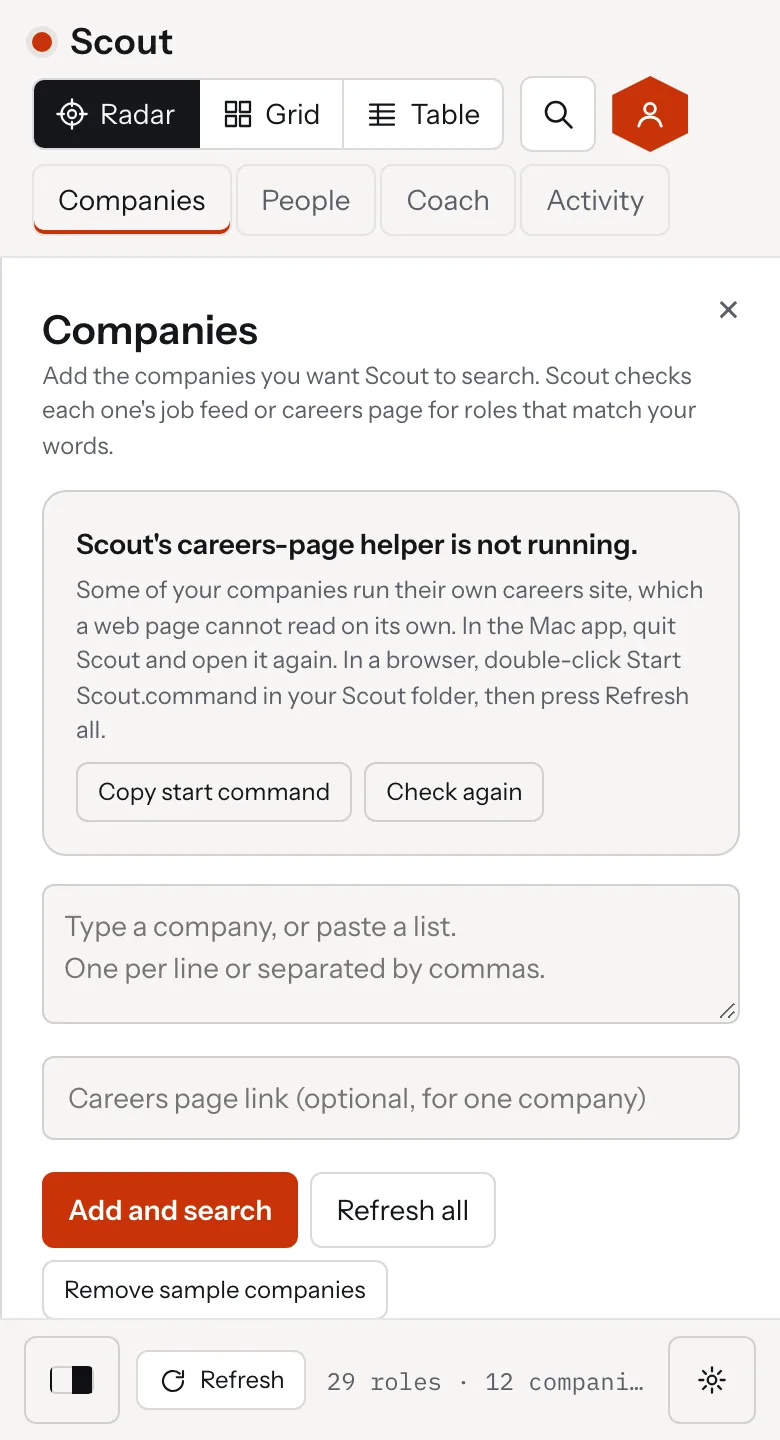
Scout, the Companies and People panels
Scout, the Companies panel listing each company's roles and what each source returned, desktop view
Scout, the Companies panel listing each company's roles and what each source returned, tablet view
Scout, the Companies panel listing each company's roles and what each source returned, mobile view
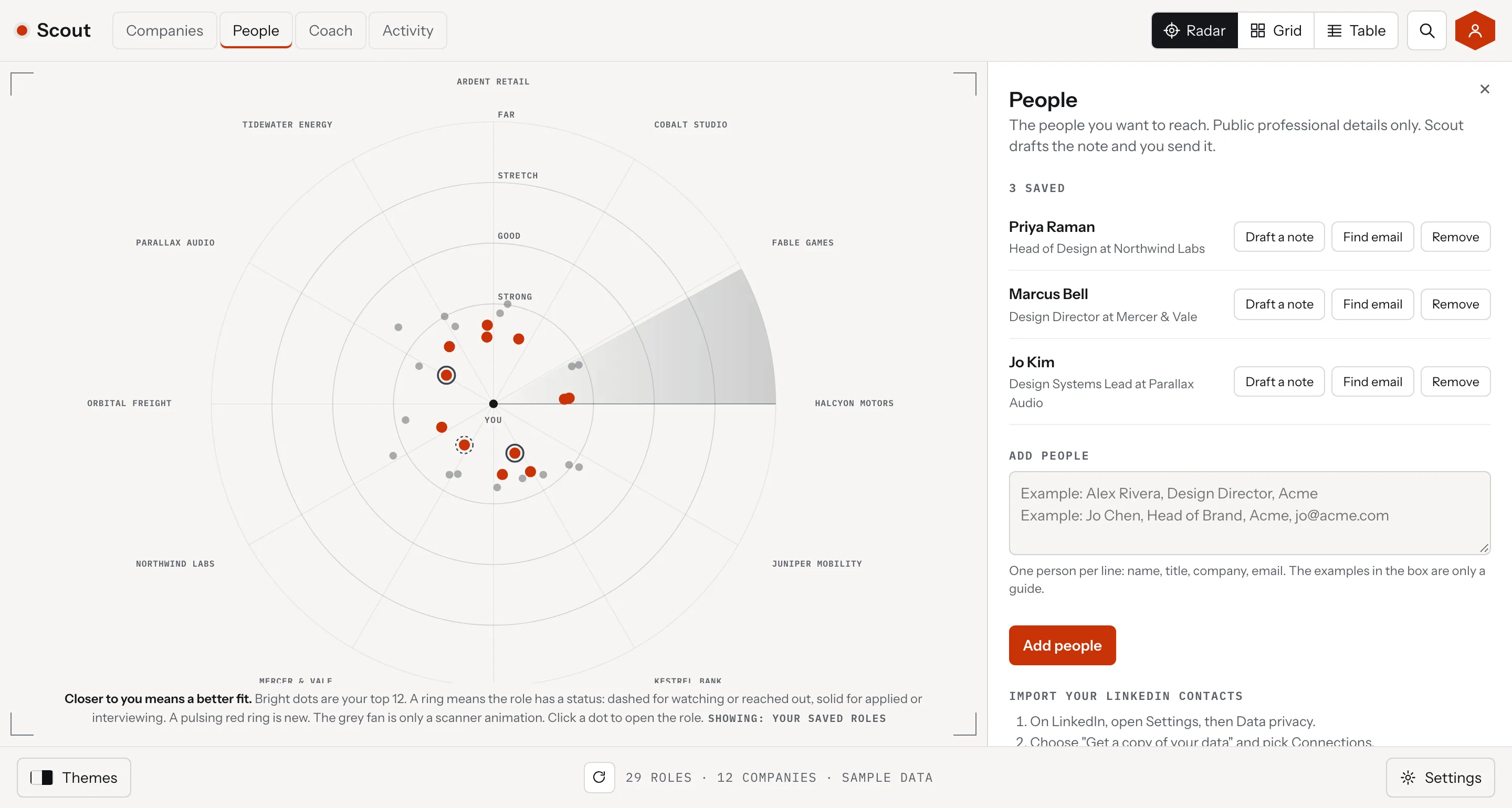
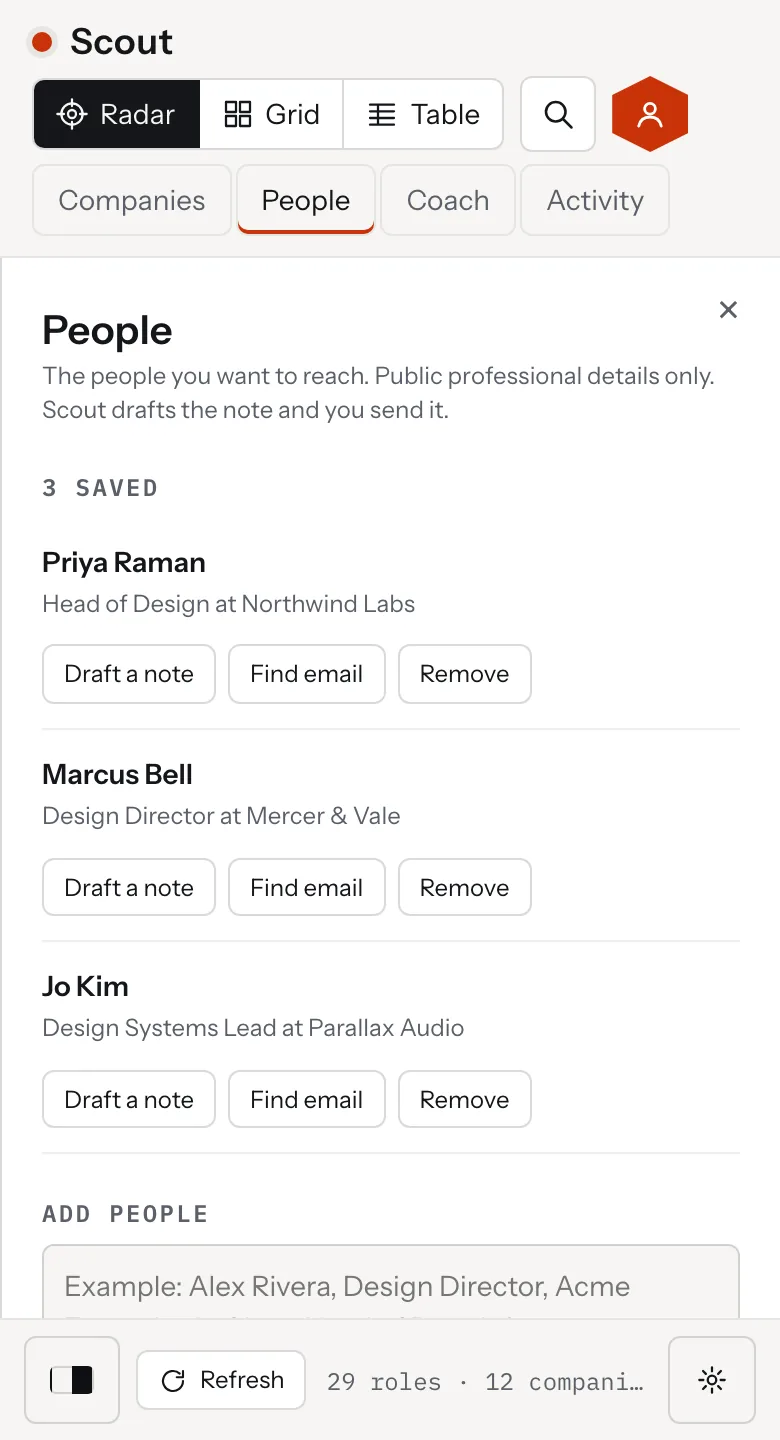
Scout, the People panel with saved people and Draft a note buttons, desktop view
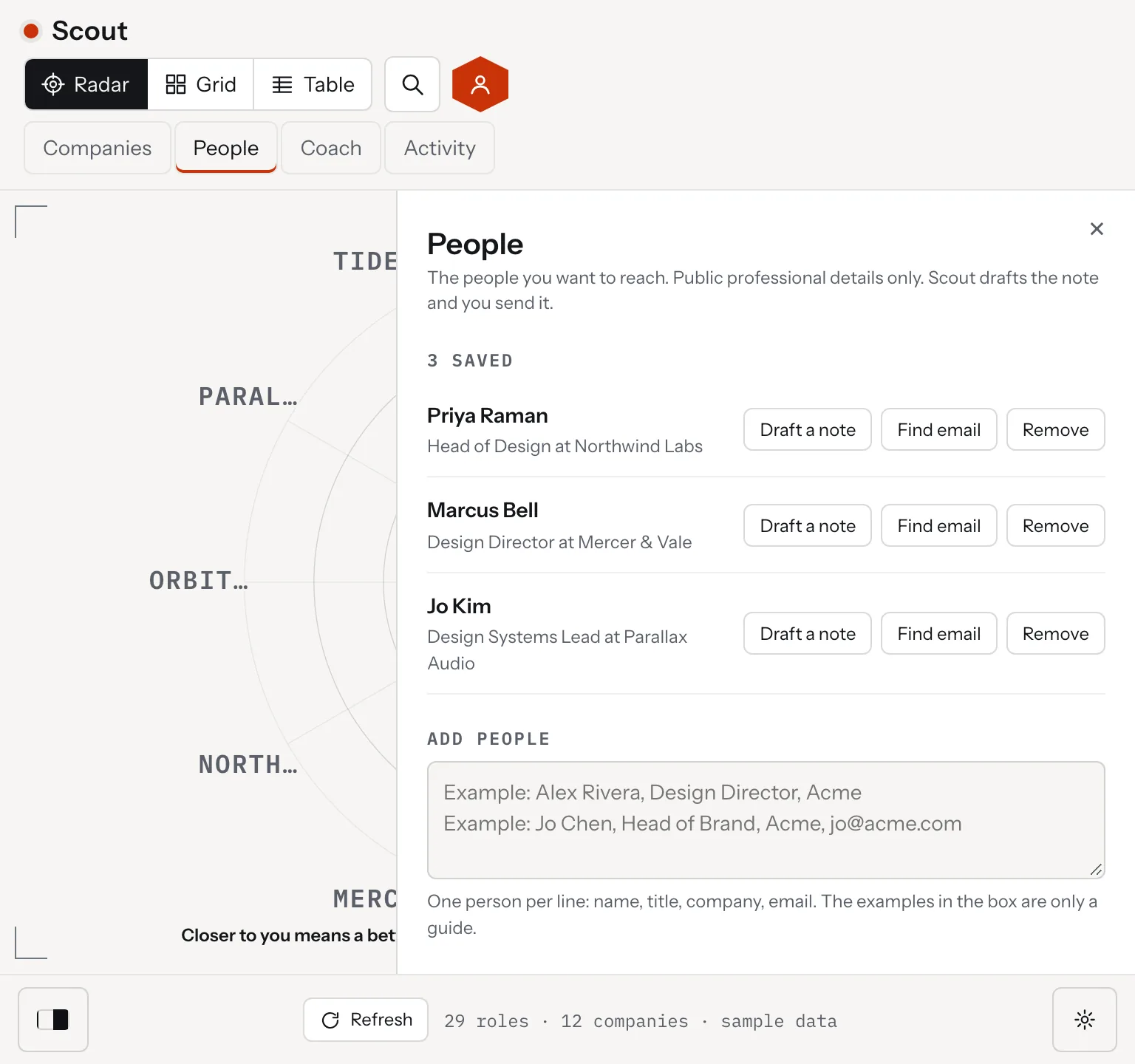
Scout, the People panel with saved people and Draft a note buttons, tablet view
Scout, the People panel with saved people and Draft a note buttons, mobile view

Scout reads the text companies already publish first: job feeds from Greenhouse, Lever, Ashby, SmartRecruiters, Workable and Workday, then company sitemaps, then remote job boards. For a company that offers none of those, the Mac app opens its careers page in the user's own Chrome and collects the listings. A site that refuses is listed by name, so an empty result always has a reason.

A role shows only when its title carries every word of one of the user's titles, in any order, or names one of their specialties. Senior, Lead, Staff and Principal count for each other. A role that shares a single word stays hidden as related until the user turns it on.

There is no account. The Mac app keeps data in a folder on the computer with rotating backups, and the web version keeps it in the browser. A backup file moves a profile to another device. The app drafts notes from the user's headline and the role, and the user sends them.

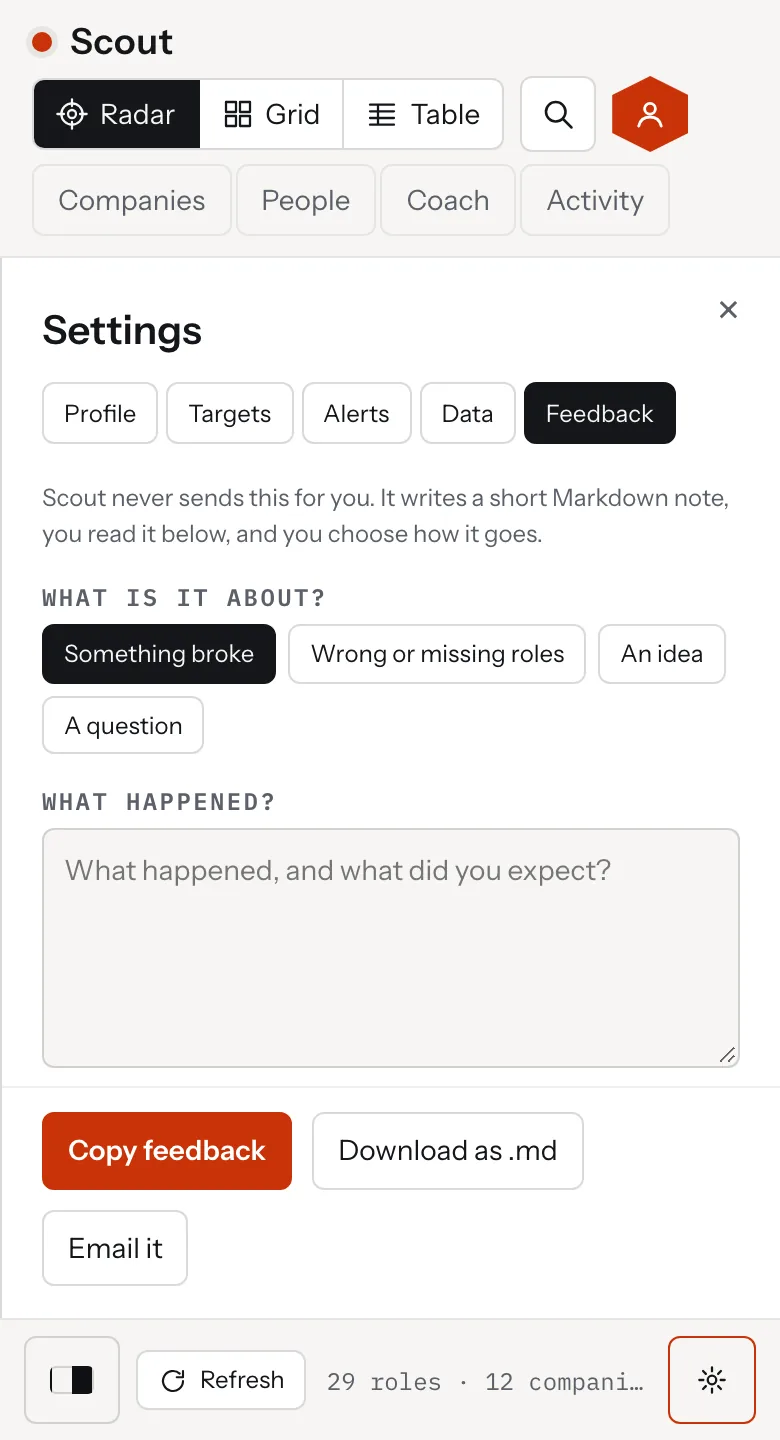
Feedback works the same way. Settings has a Feedback tab that writes a short Markdown note about what happened. The person reads it, then copies it, downloads it or emails it to Therum. Scout sends nothing itself, and the note never holds the resume, people, notes or links.
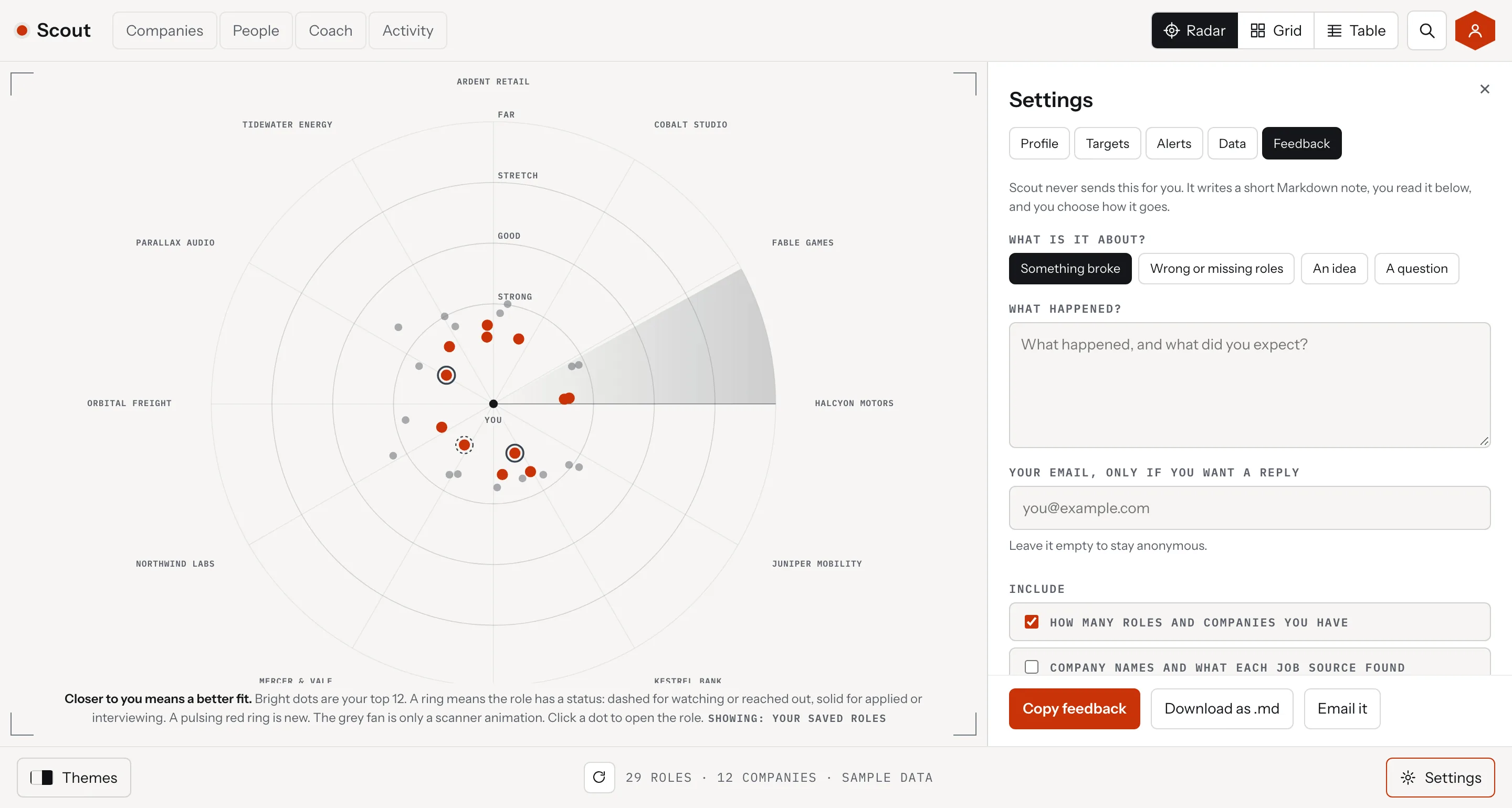
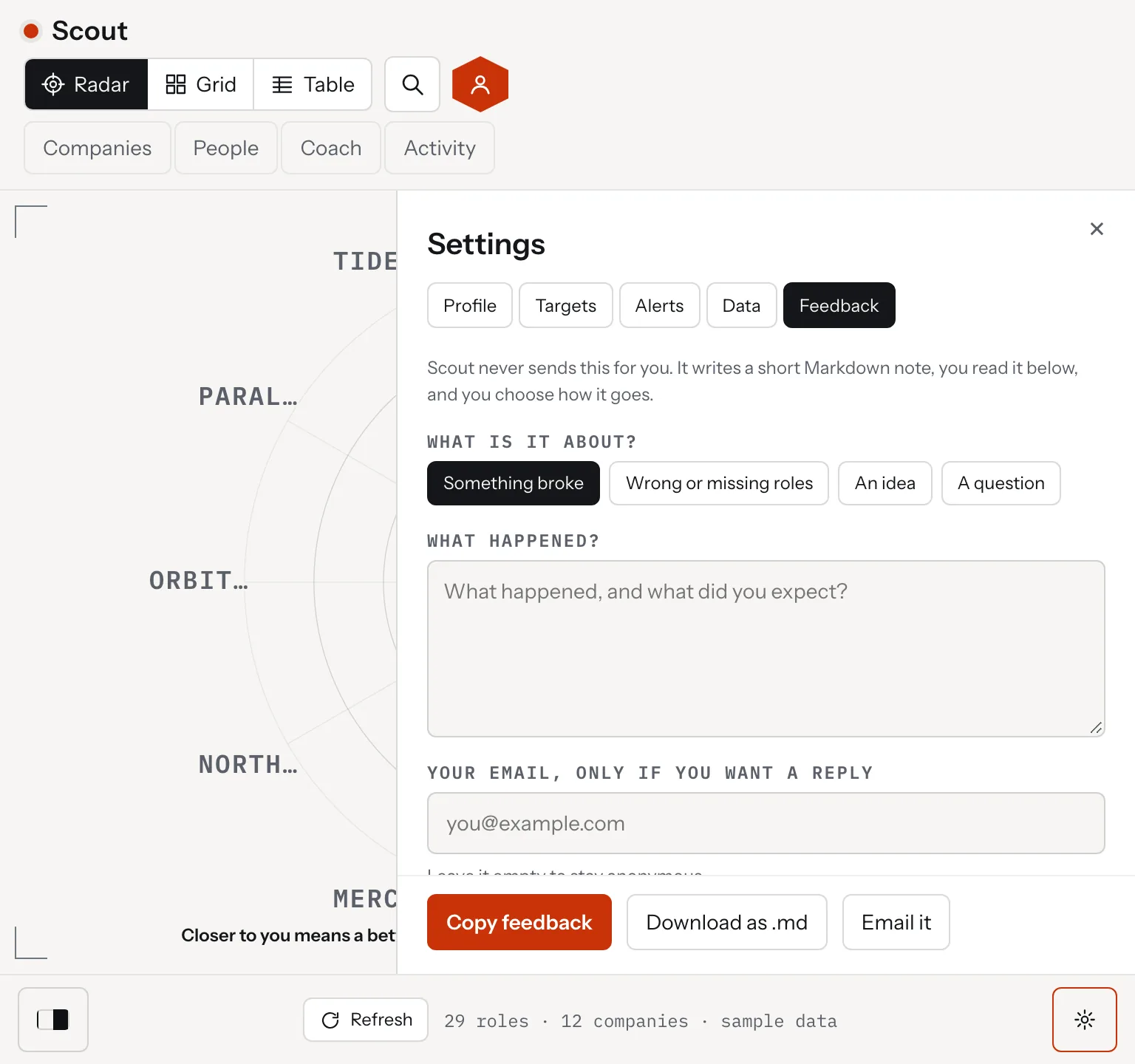
Scout, Settings, Feedback
Scout, the Feedback tab with a note about what happened and buttons to copy, download or email it, desktop view
Scout, the Feedback tab with a note about what happened and buttons to copy, download or email it, tablet view
Scout, the Feedback tab with a note about what happened and buttons to copy, download or email it, mobile view
04. Key Outputs

A Mac app, a web version and a radar you can read
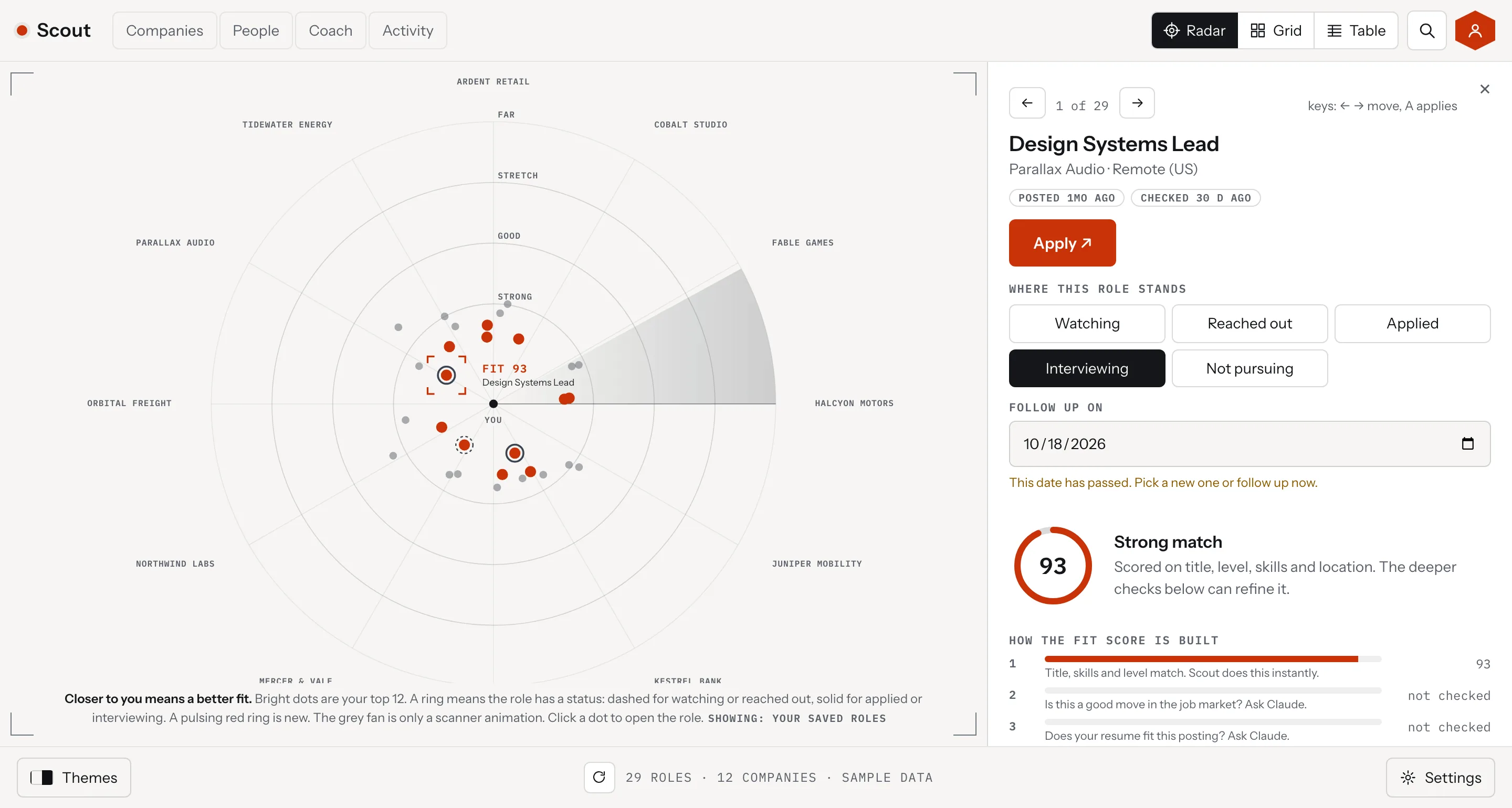
Scout, a role open
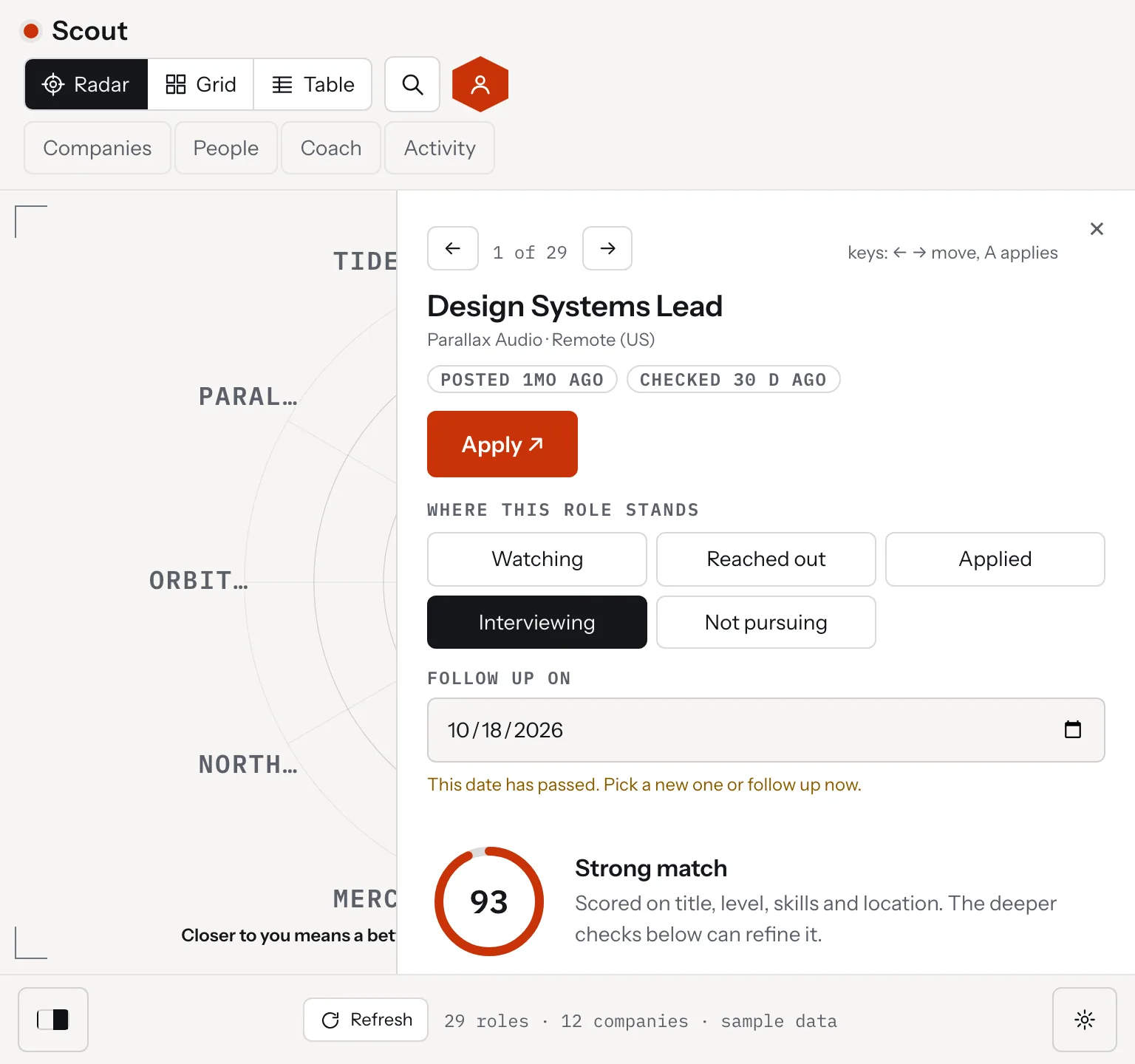
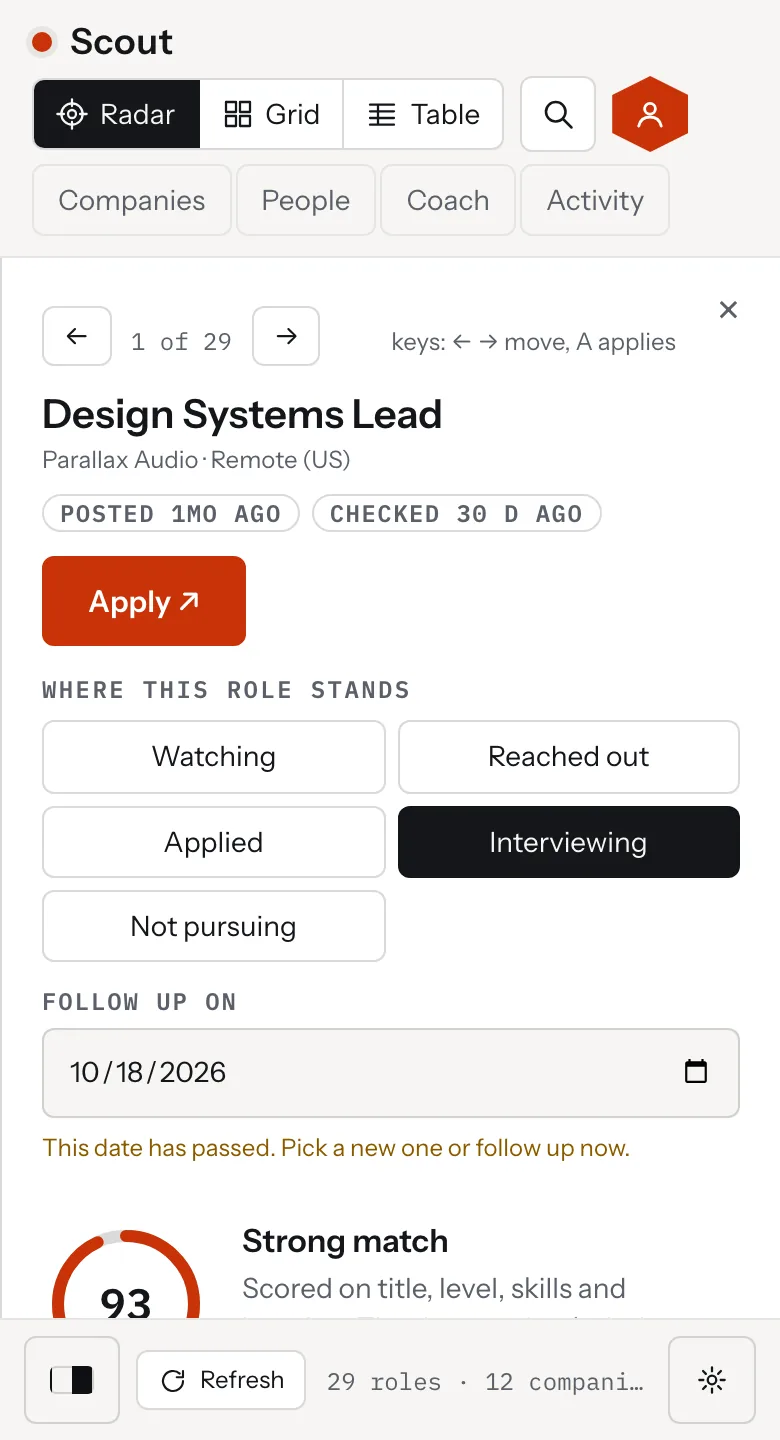
Scout, a role open beside the radar with status buttons, a follow up date and the fit score built in four steps, desktop view
Scout, a role open beside the radar with status buttons, a follow up date and the fit score built in four steps, tablet view
Scout, a role open beside the radar with status buttons, a follow up date and the fit score built in four steps, mobile view

The radar puts every open role on rings: Strong, Good, Stretch and Far. The closer a dot sits to the center, the better the fit. The top 12 stay bright and the rest are dimmer but still there.

Each role has a fit score out of 100, built in four steps: a quick match on the user's computer, then market fit, resume match and a gap plan that run in the Claude app by copy and paste. The Companies panel lists each company's roles with what every source returned. The People panel saves contacts and drafts a short note.

Every theme restyles the same radar, and the settings screens stay plain in all of them. Match device follows the Mac. The Mac app is a 141 MB download for Apple silicon.

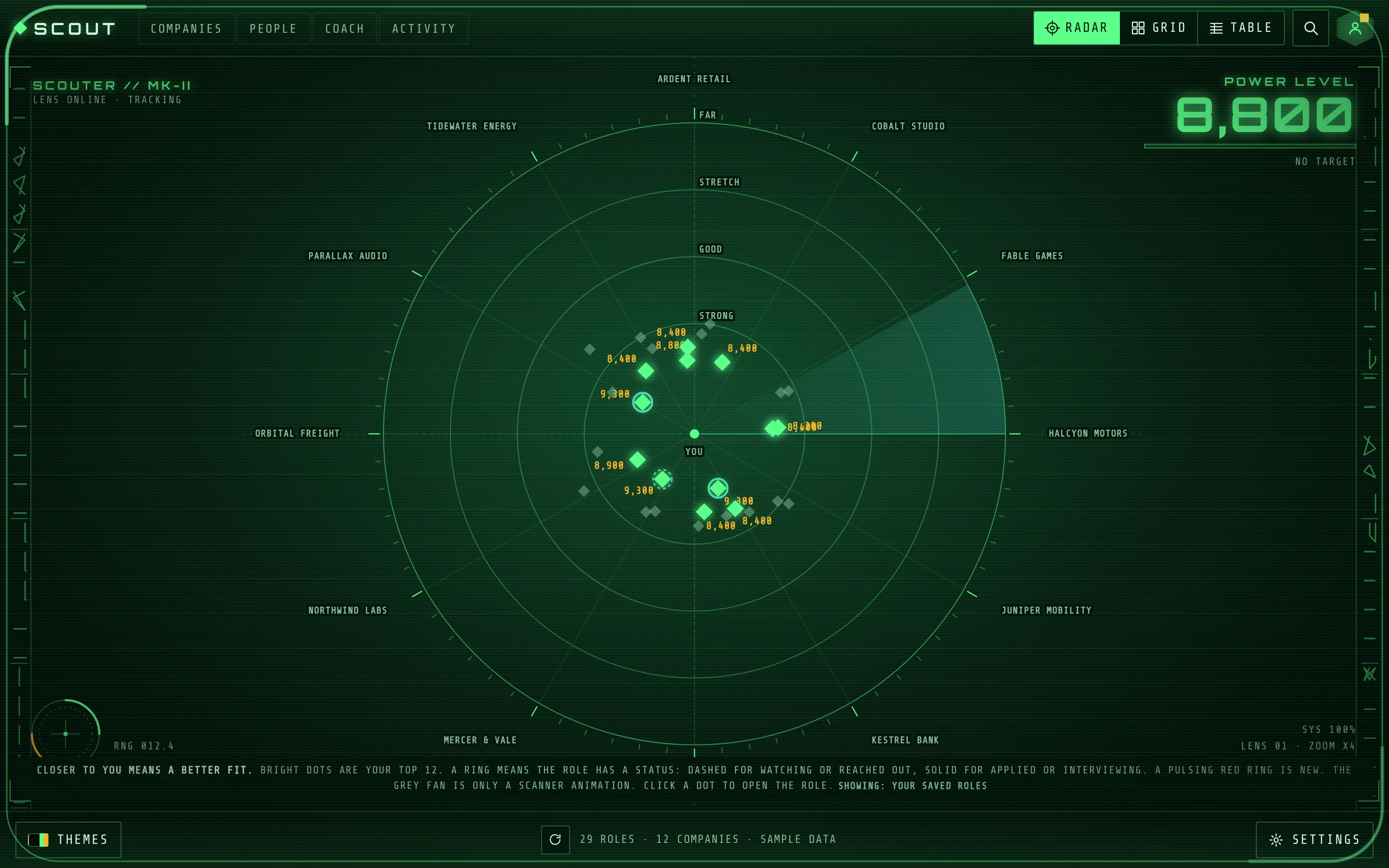
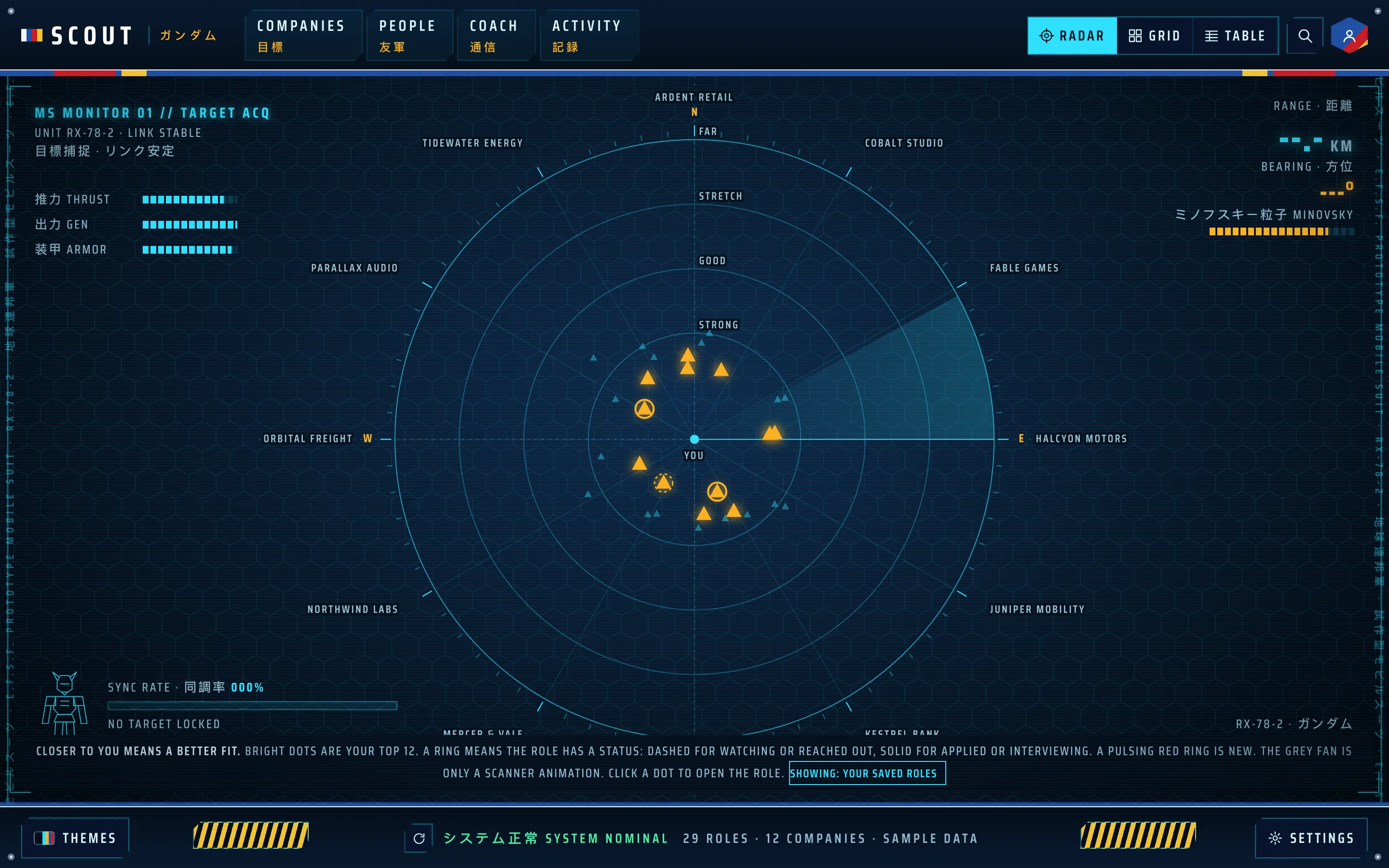
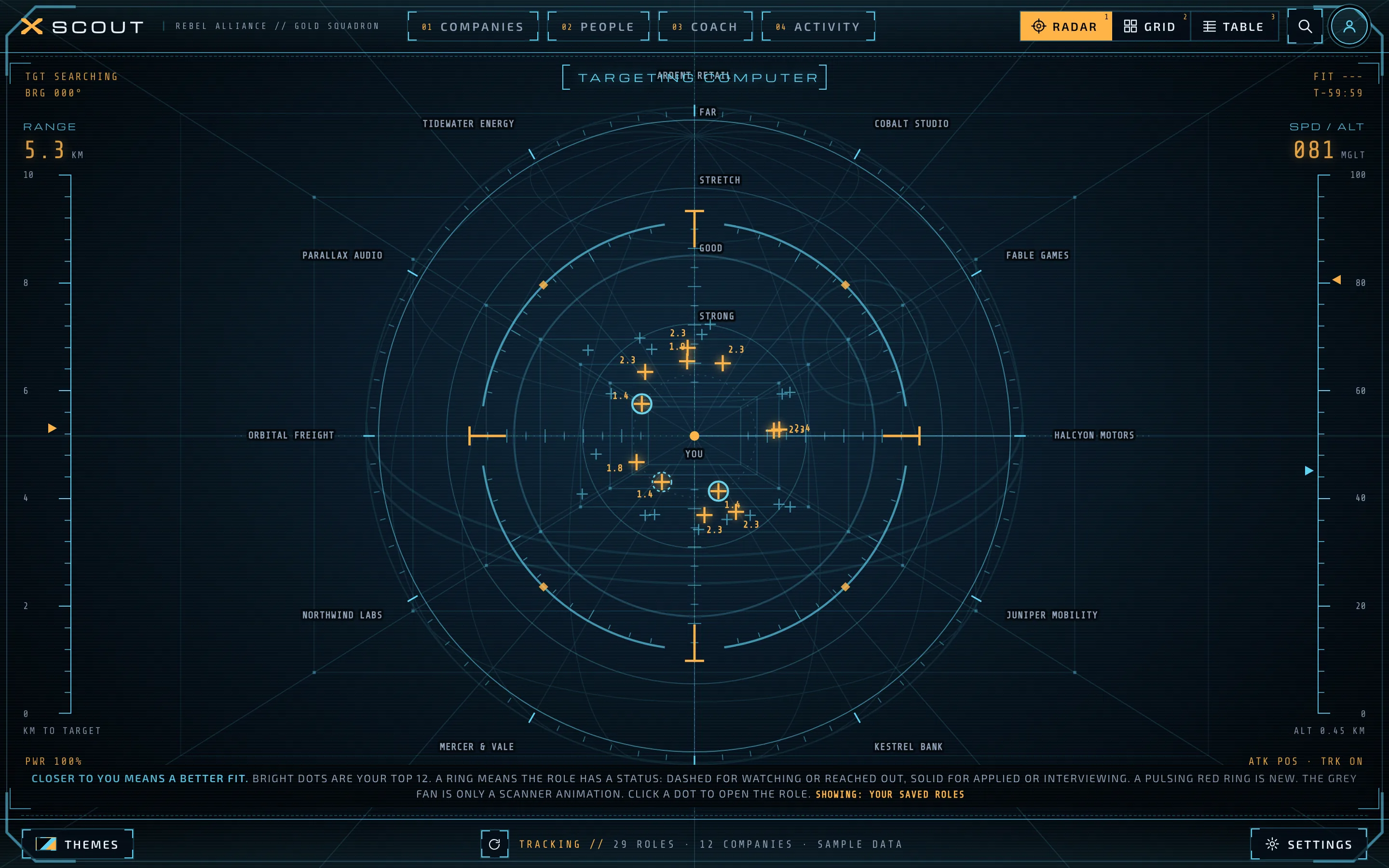
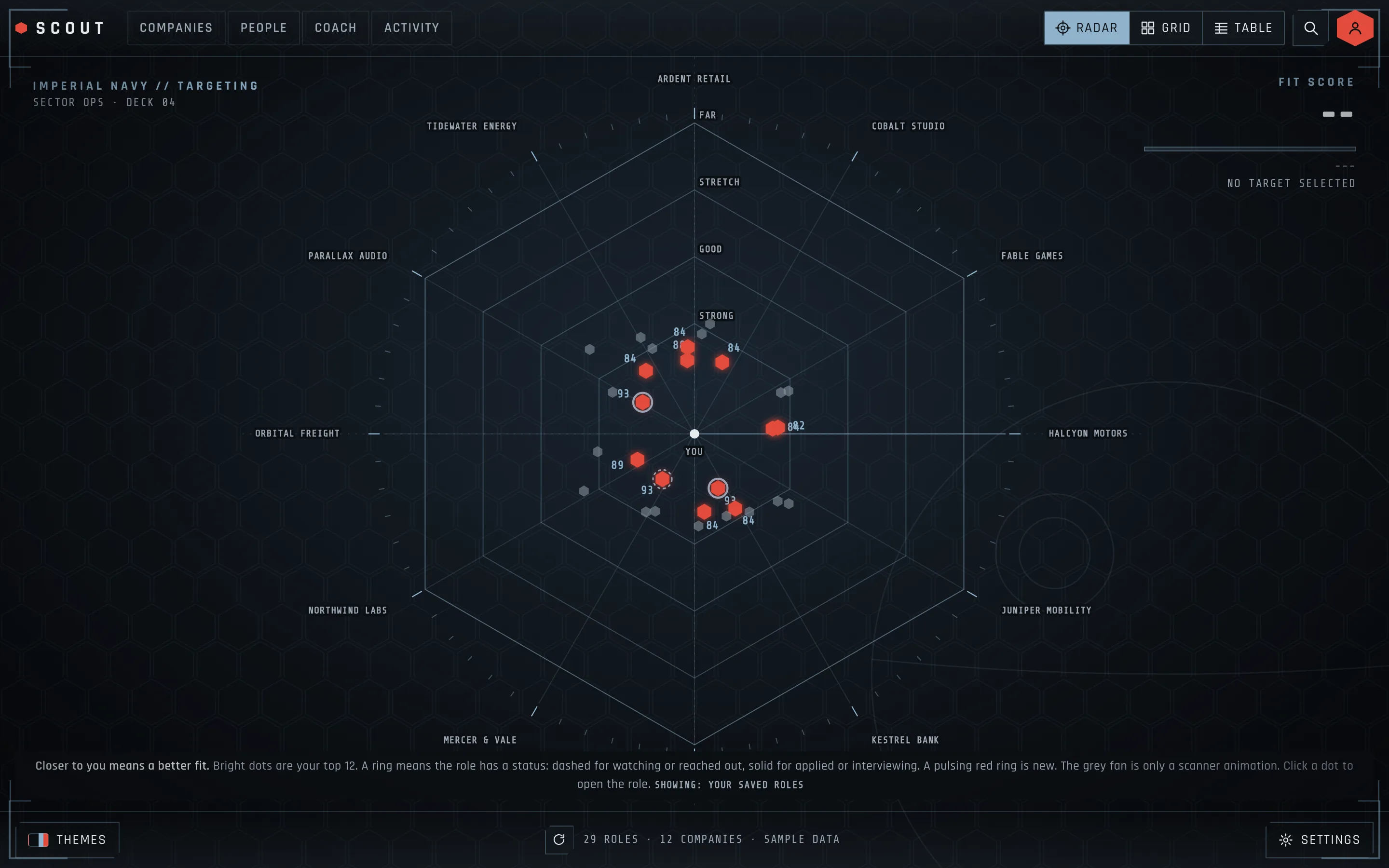
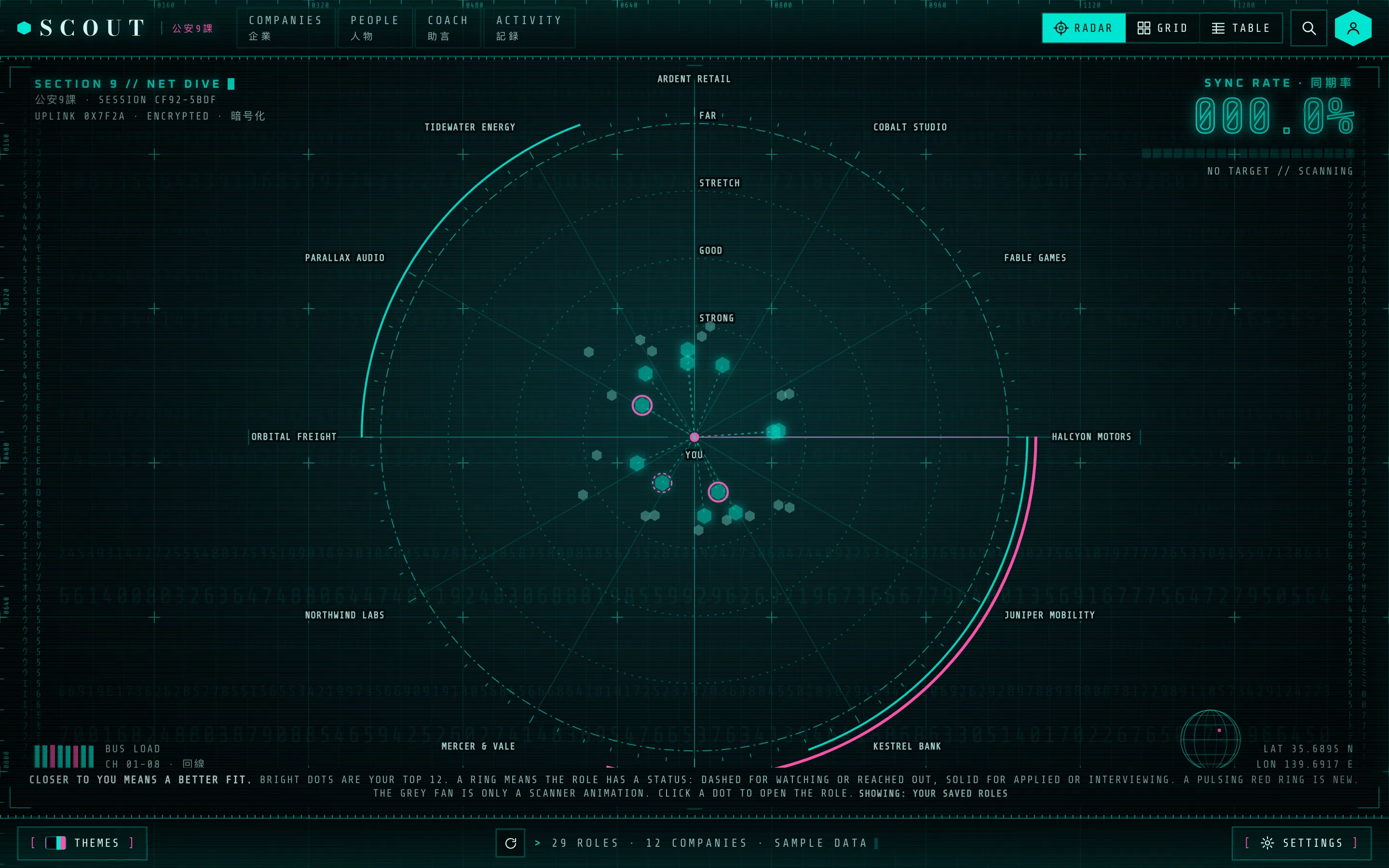
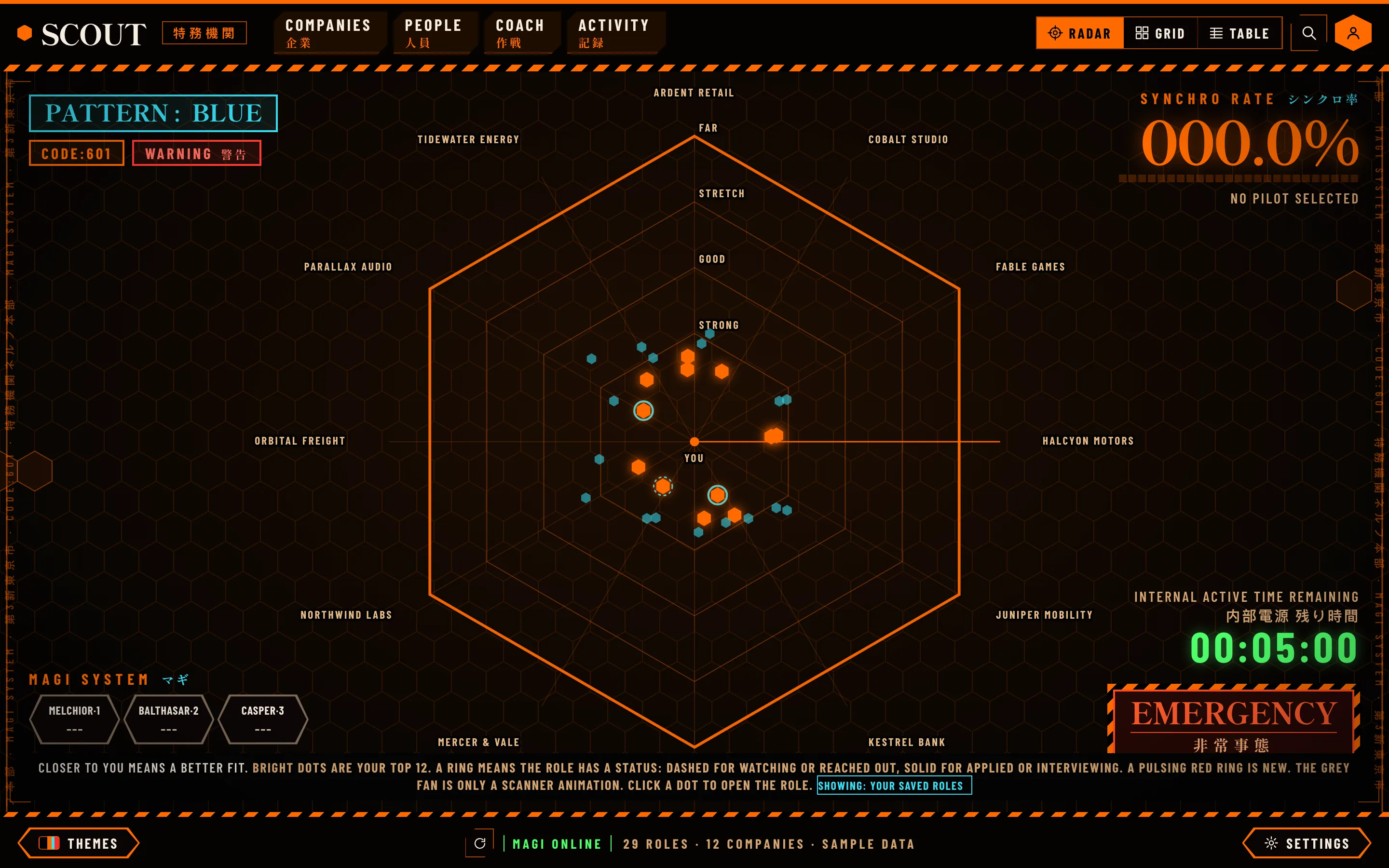
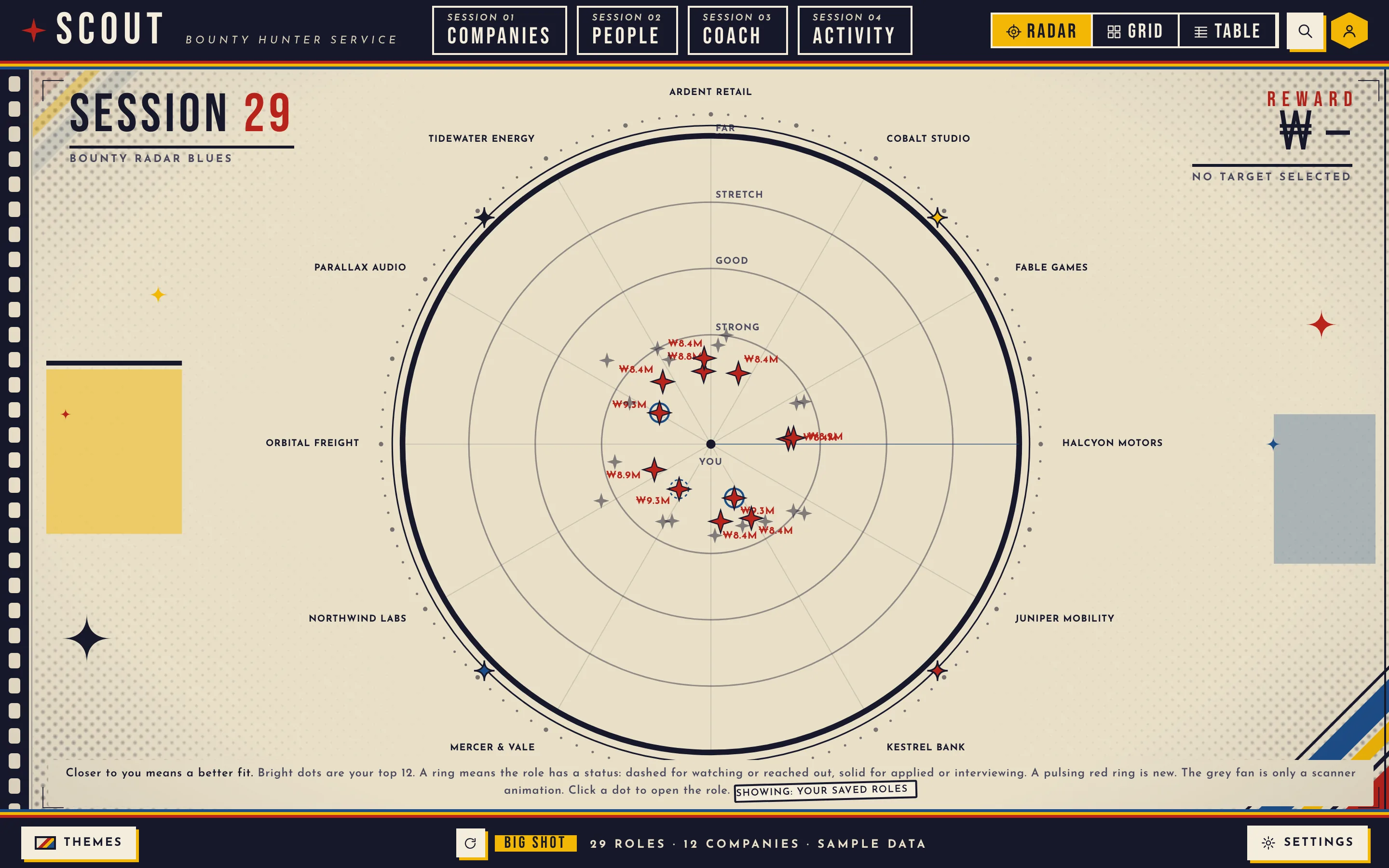
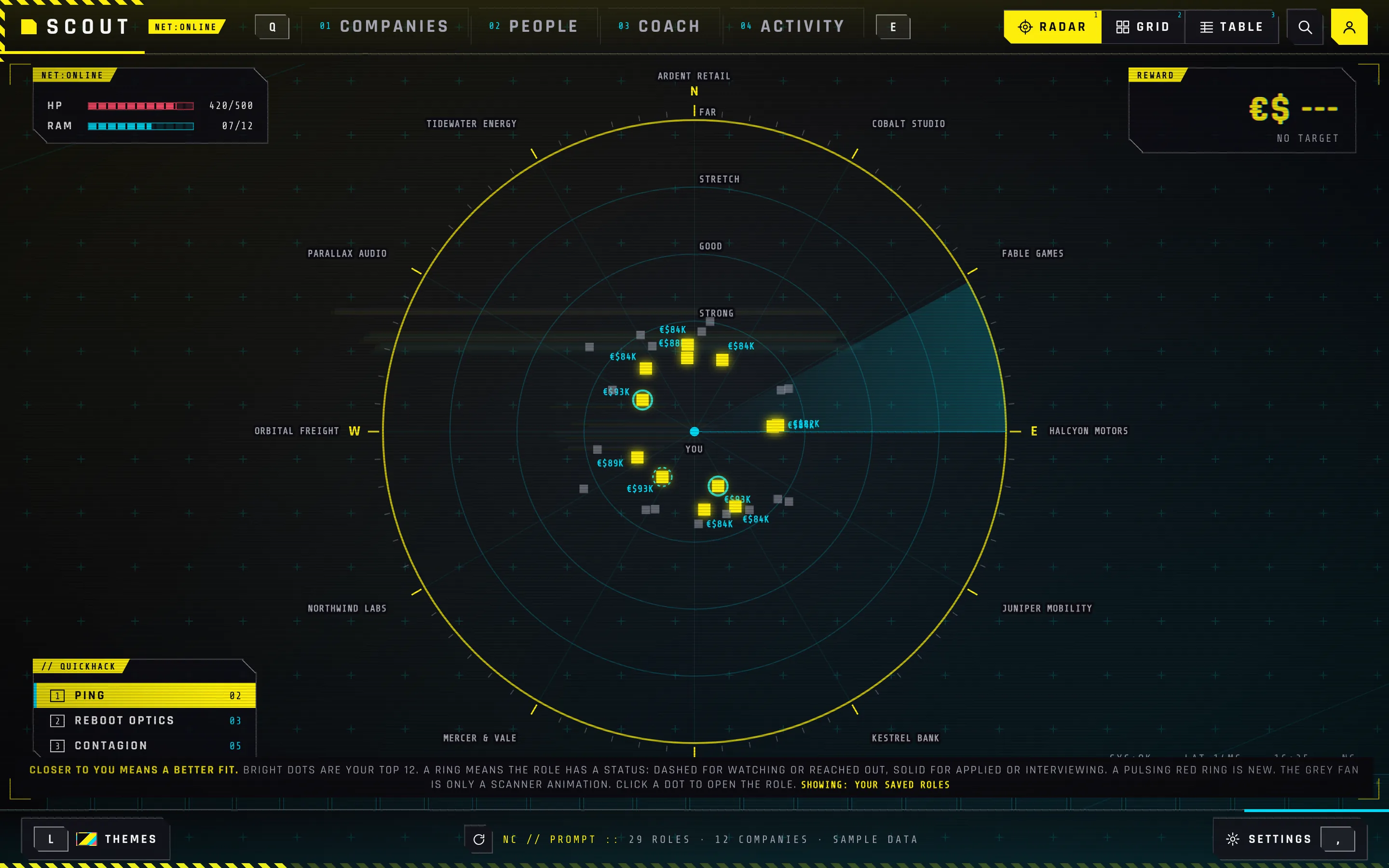
Eleven themes on the same radar: light, dark, one that follows the Mac, and eight modeled on sci fi interfaces
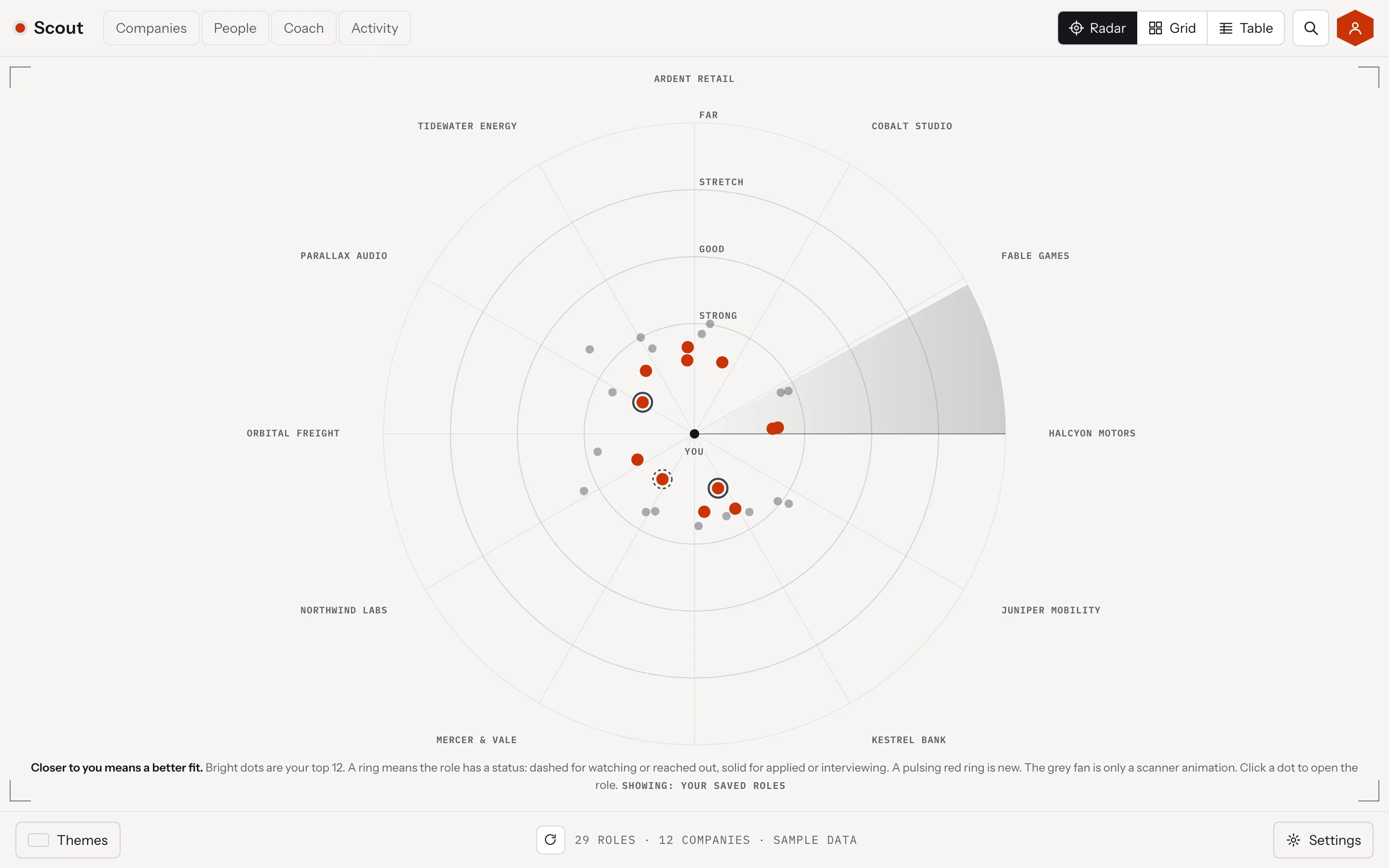
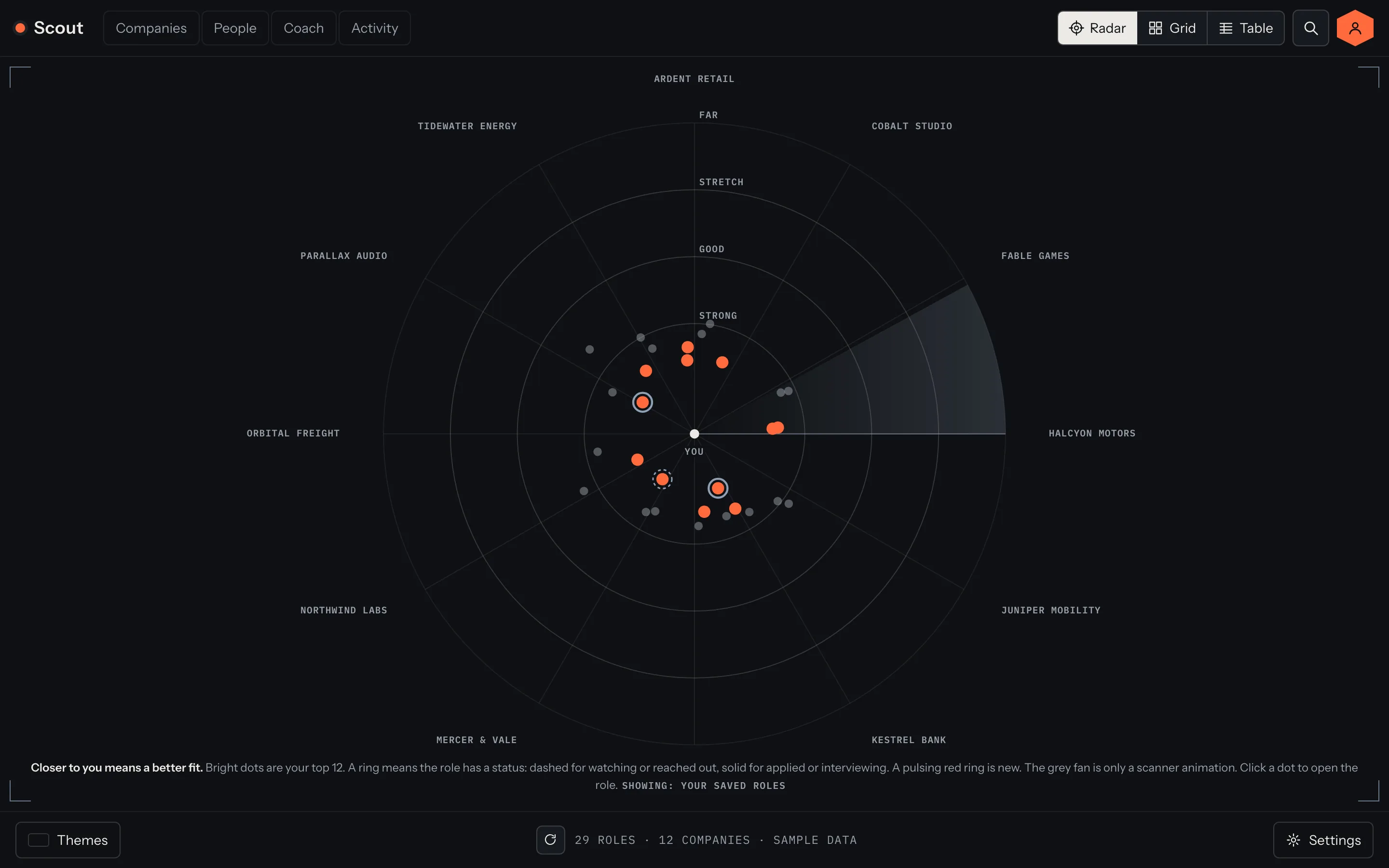
Light: the radar on a pale page.Dark: the same radar at night.Scouter: a green lens with a power level.Gundam: a blue mobile suit target monitor.Rebel HUD: an X-wing targeting computer.Imperial: a Star Destroyer bridge, with a hex target lock.Ghost Shell: a teal net dive console.Eva Unit: orange hex radar and a sync rate.Bebop: a bounty board on cream paper.Night City: yellow on black, with a hack menu.
1 / 10

The application kit: Scout writes the request, the person pastes the answer back, and Scout sends nothing
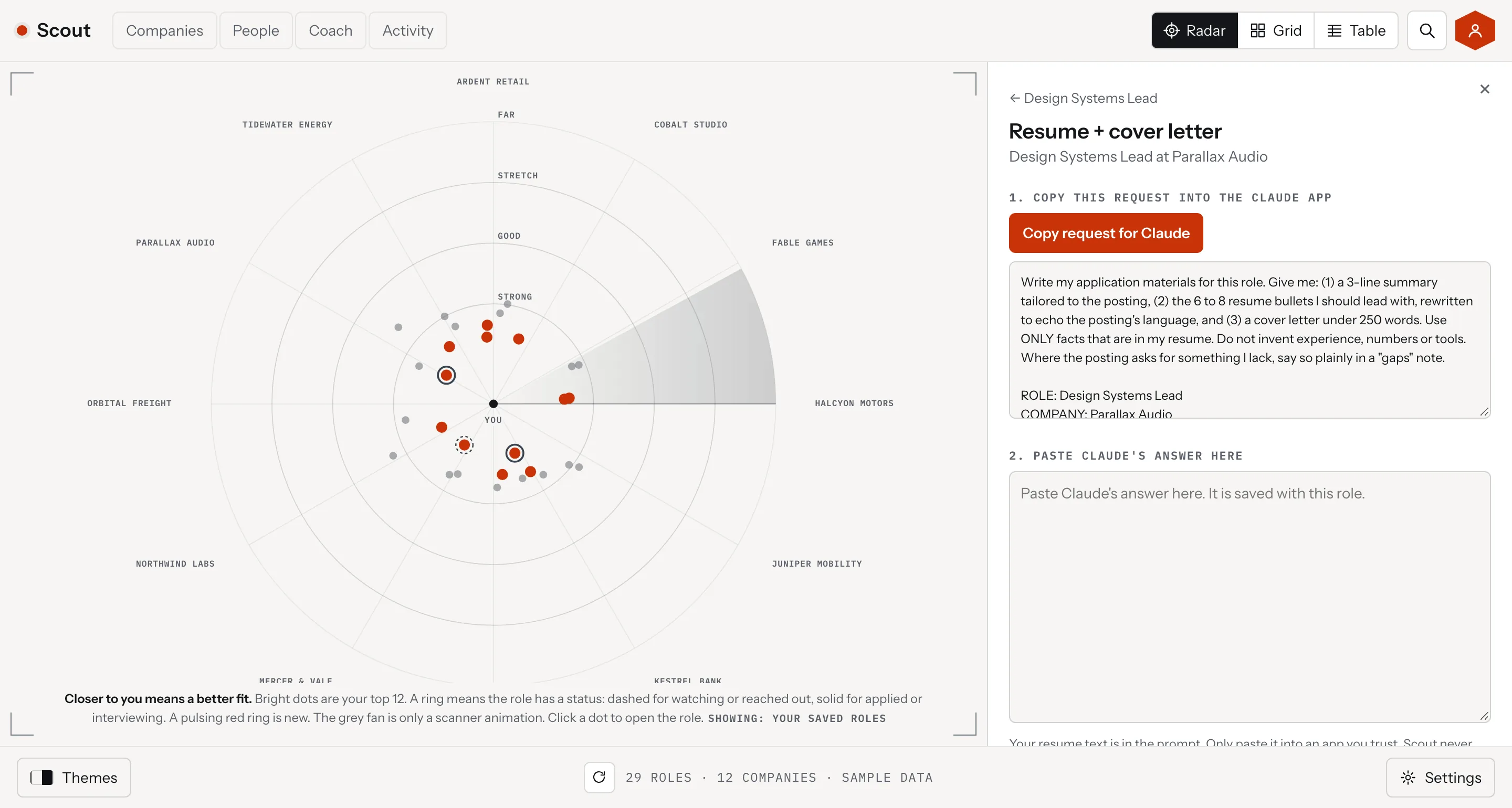
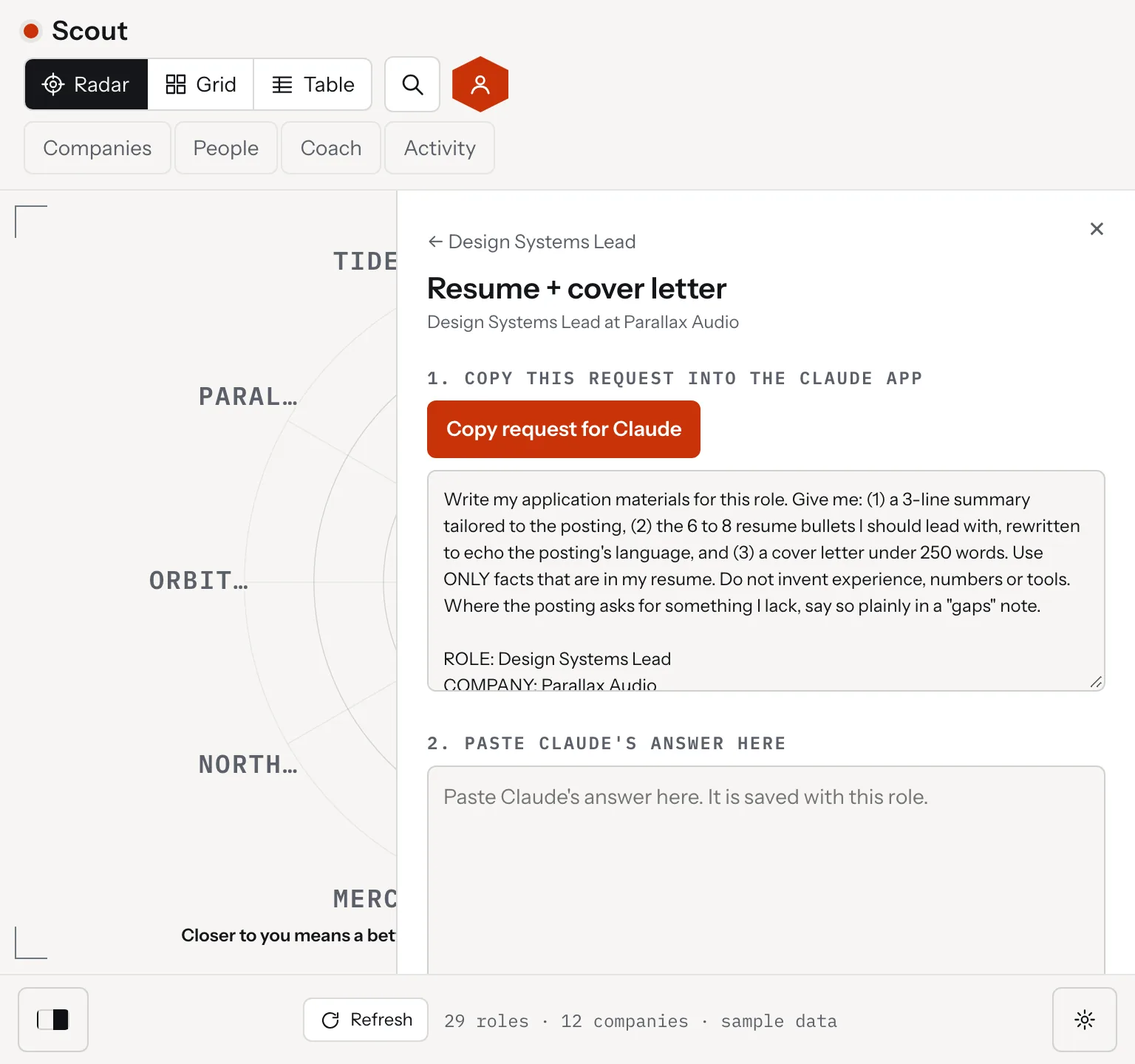
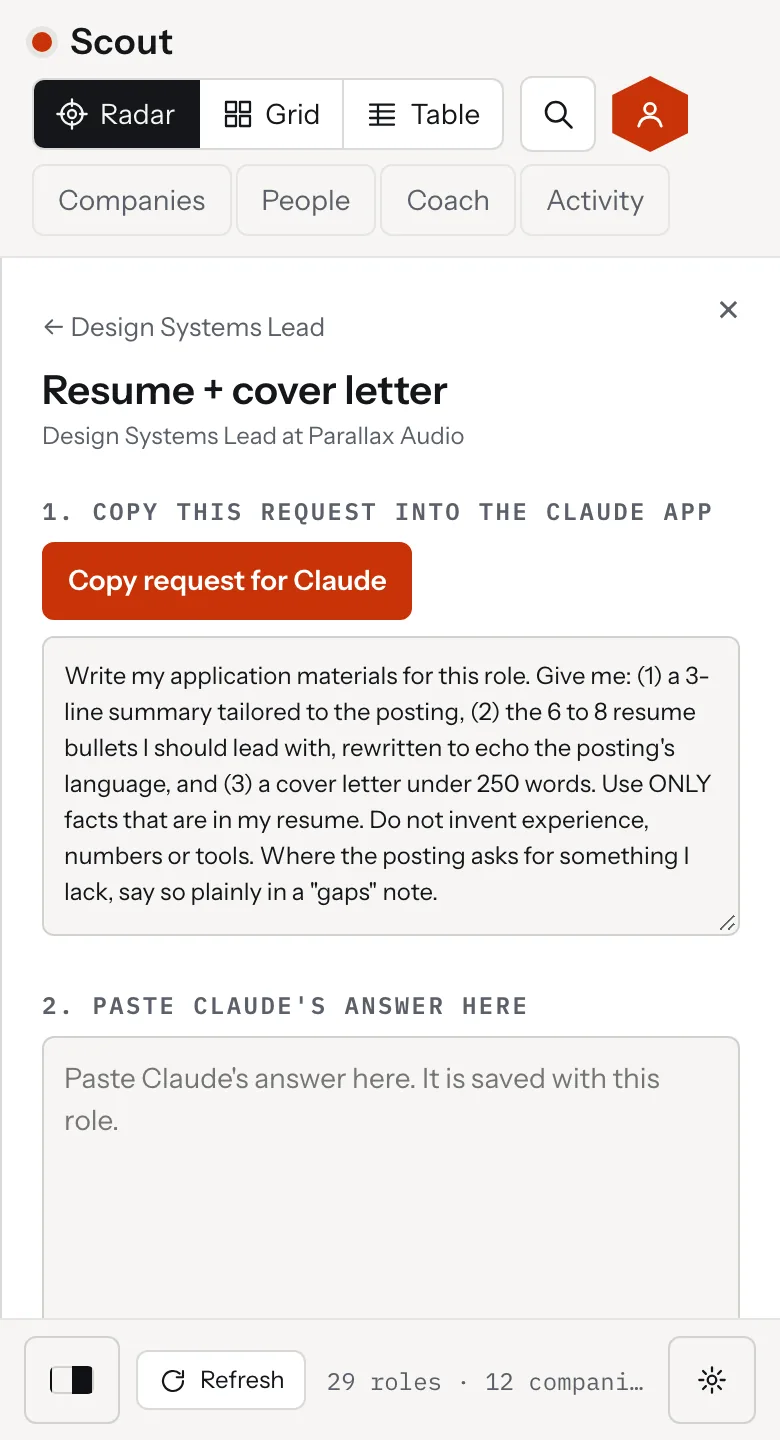
Scout, the application kit
Scout, the application kit for a role with a button that copies a request for the Claude app and a box to paste the answer, desktop view
Scout, the application kit for a role with a button that copies a request for the Claude app and a box to paste the answer, tablet view
Scout, the application kit for a role with a button that copies a request for the Claude app and a box to paste the answer, mobile view

The web version, live: one page that runs from any static host, with the same radar, grid and table

therum.studio/scout/app

Live: the web version, click around.

05. The outcome

Scout 1.0.0 is in beta: built, tested and ready to try

therum.studio/scout

Live: the Scout page, scroll it.

Scout 1.0.0 runs as a Mac app and as a web version, both without an account, and both are a beta. The build passes 14 test suites. The install page passes an automated accessibility check in light and dark, and the security audit findings are closed.

What a beta means here. The matching, the radar, the notes and the install all work today. The fit score past its first step runs in the Claude app by copy and paste until Claude is wired in. A few company sites still refuse to be read, and Scout lists them by name. The Mac app is for Apple silicon only and is not yet signed by Apple.

See how it works on the Scout page, try the web version, or download the Mac app.
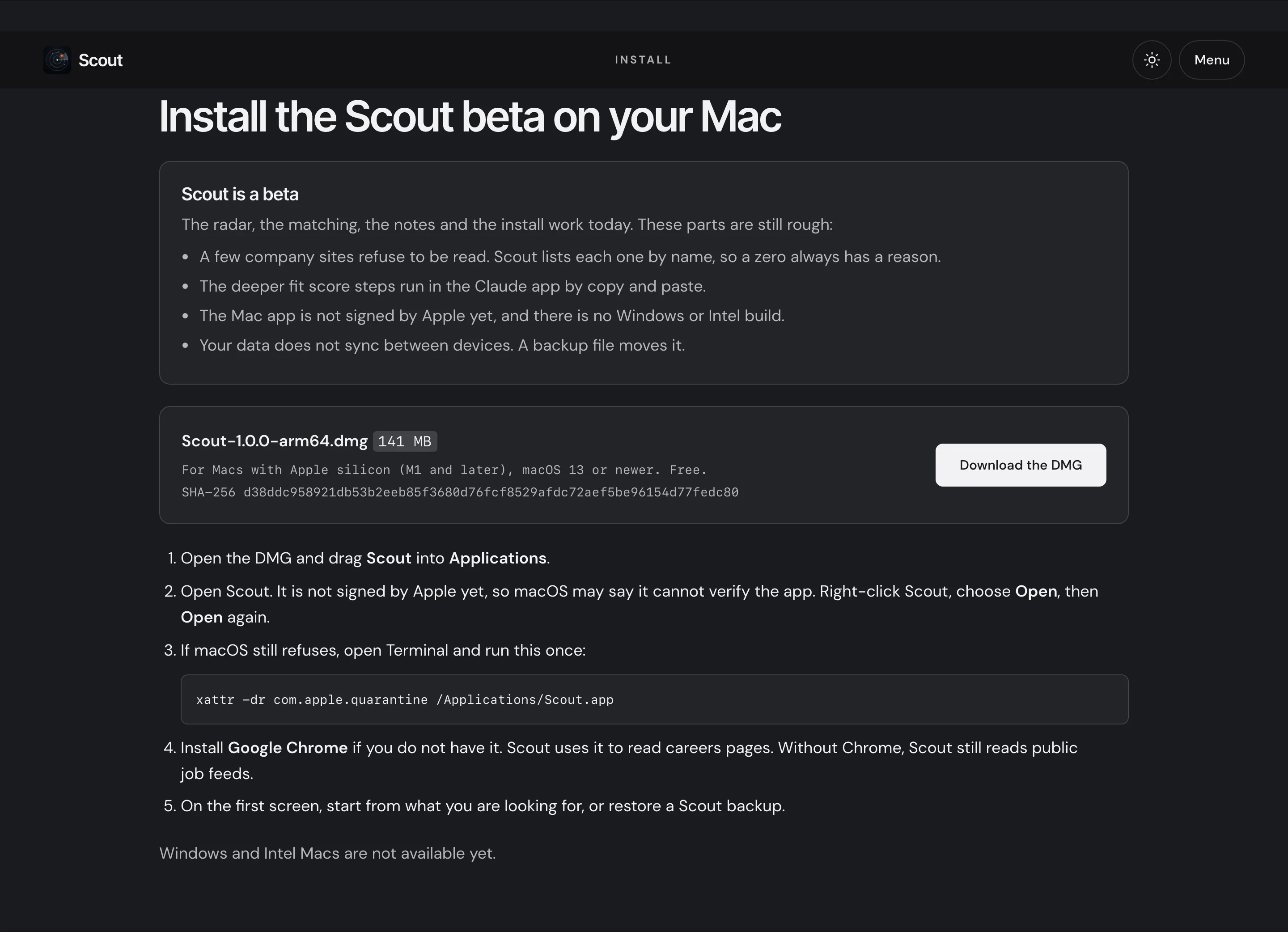
The install section of the Scout page: a note that Scout is a beta, the download and its checksum, and five install steps.
06. Philosophy

Software that holds your career should not send in your name
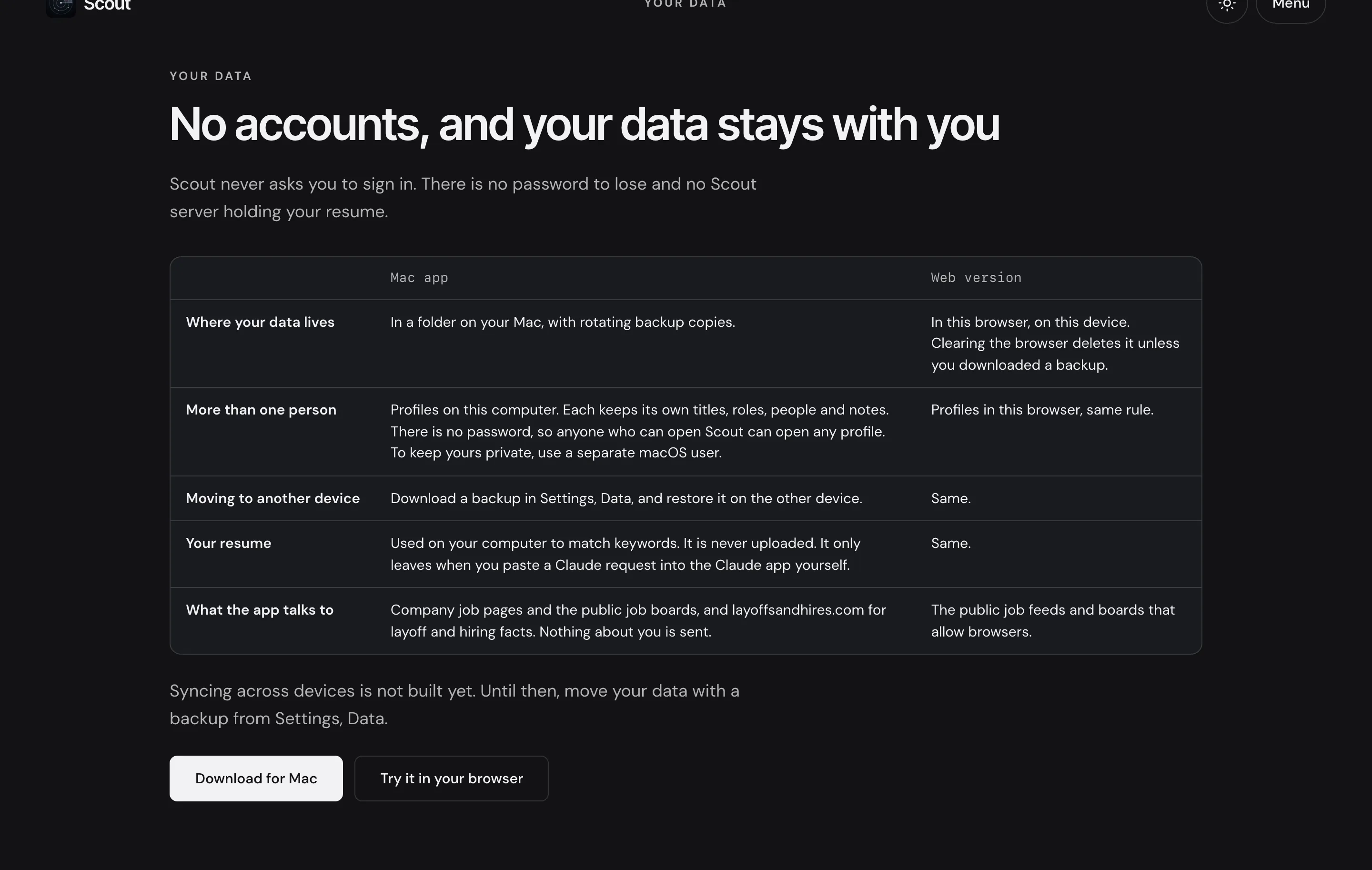
The Scout page section on accounts and data: no sign in, and a table comparing where data lives in the Mac app and the web version.

Scout drafts and the person sends. It keeps data with the person who owns it, so there is no password to lose and no server holding a resume. It says what each source returned, so a zero is never a mystery.

These are the same habits Therum brings to client systems. The tool does the reading and the sorting. The person keeps the decision.

Ready to create something amazing?