In development Mac desktop app, no public download yet
Plan each paycheck against its bills
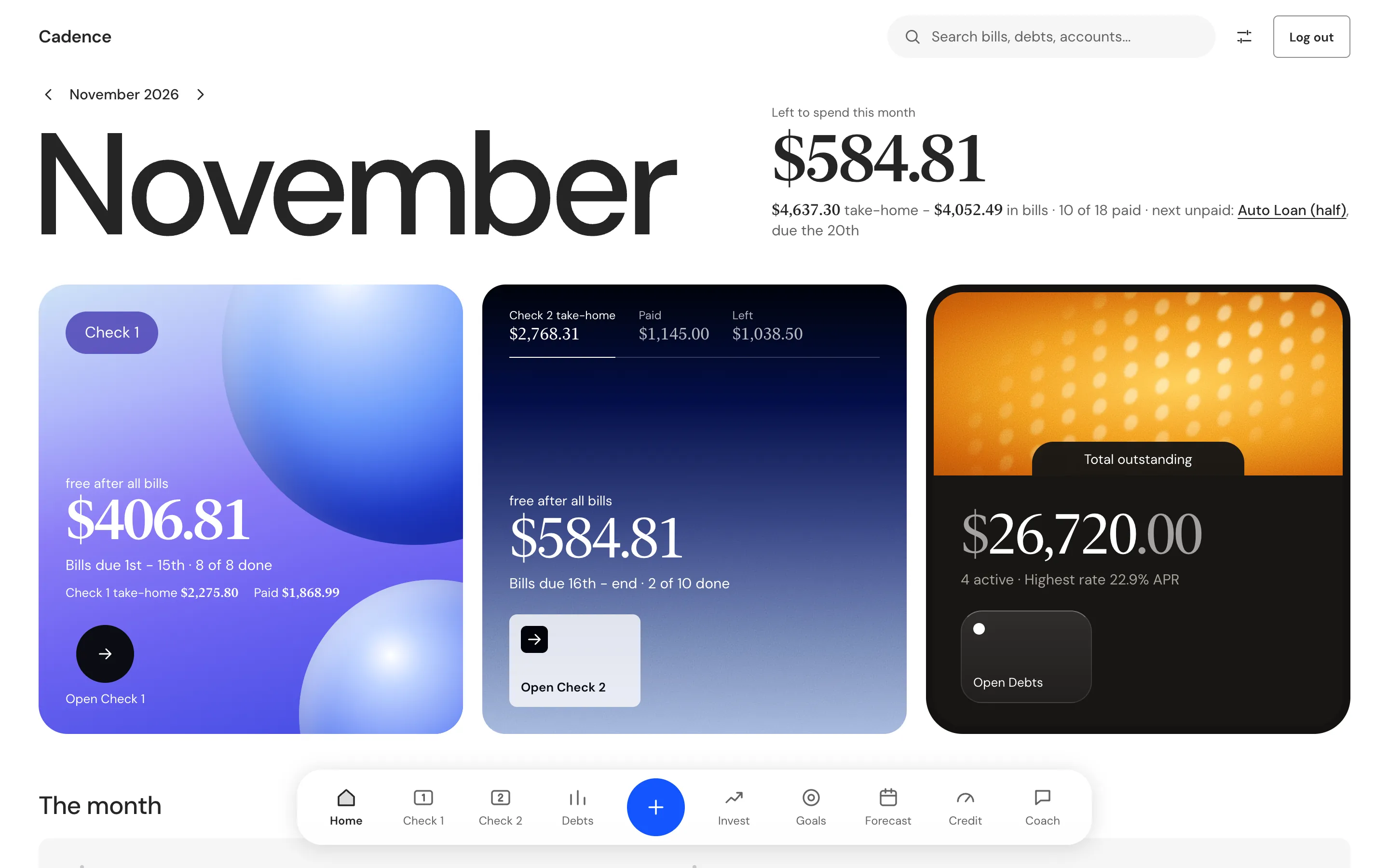
Cadence is a budget for people who are paid twice a month. It splits your month into two paychecks, shows which bills each one has to cover, and tells you what is left after every bill. You see it before you spend it.
Cadence is in development and has no public download yet. It runs on a Mac, and your money data stays on your computer.
How it works
From a paycheck to what is left
You enter the facts only you know. Cadence does the arithmetic and keeps the record.
- Tell itYour pay for each paycheck, your deductions and your bills.
- It splitsBills due the 1st to the 15th go to Check 1. Bills due the 16th to the end of the month go to Check 2.
- It carriesWhat one check leaves over flows into the next. You can override it by hand.
- You payPay a bill in full or in part. Cadence shows owed, paid and left.
- It looks aheadMonths to come show as projected. The forecast shows when each debt clears.
Two paychecks
What is left after every bill
Each check shows its take-home, the bills it covers and the cash left after all of them. Take-home is pay plus extra income plus what the last check left over, minus deductions.
- Check 1 covers bills due the 1st to the 15th. Check 2 covers the 16th to the end of the month.
- A bill you only part paid rolls its balance into the next month.
- The month control runs from June 2026 to December 2027. Months ahead show a Projected badge.
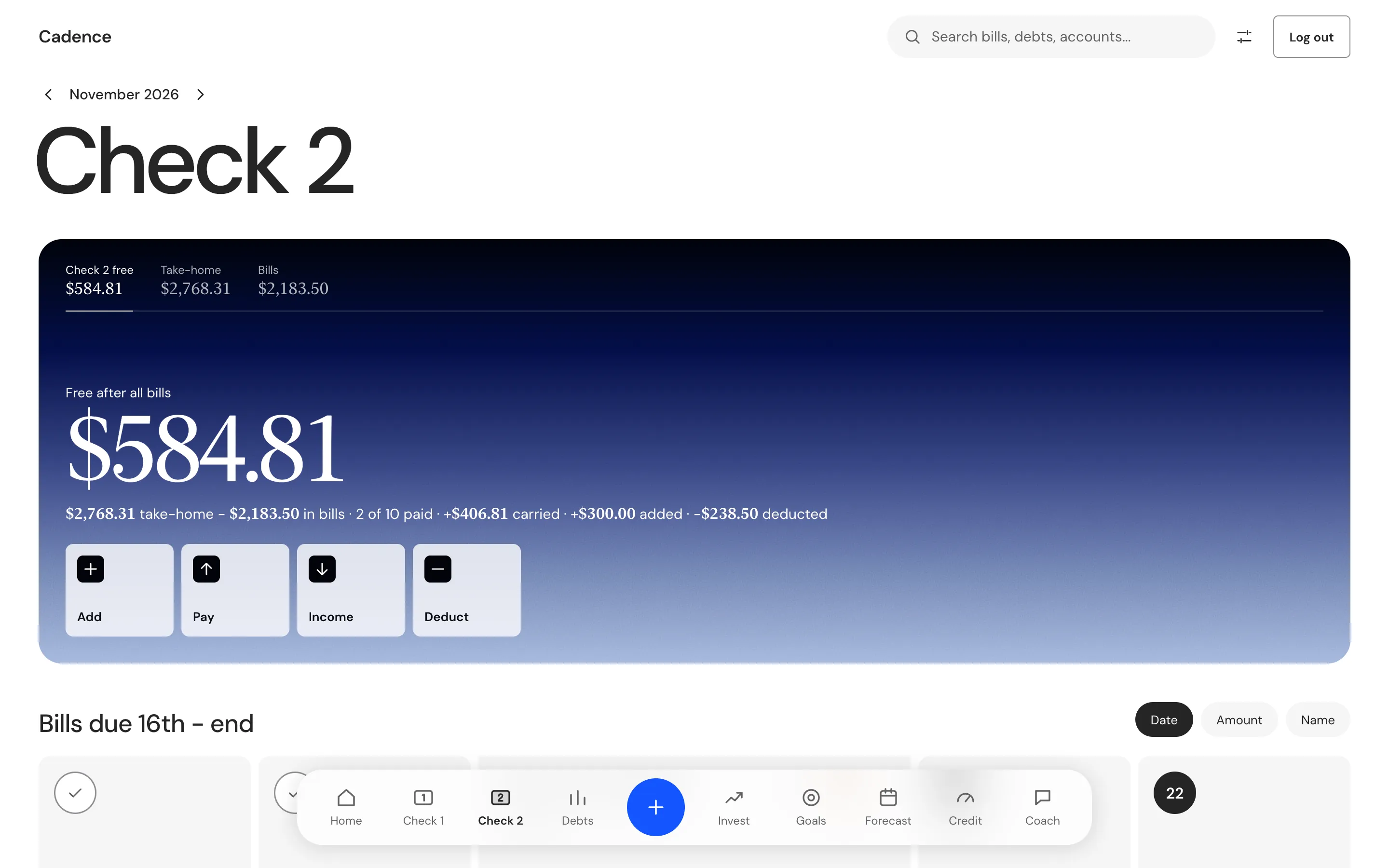
Check 2 in the sample month. Its take-home includes what Check 1 left over.
Bills
Open a bill to see what matters about it
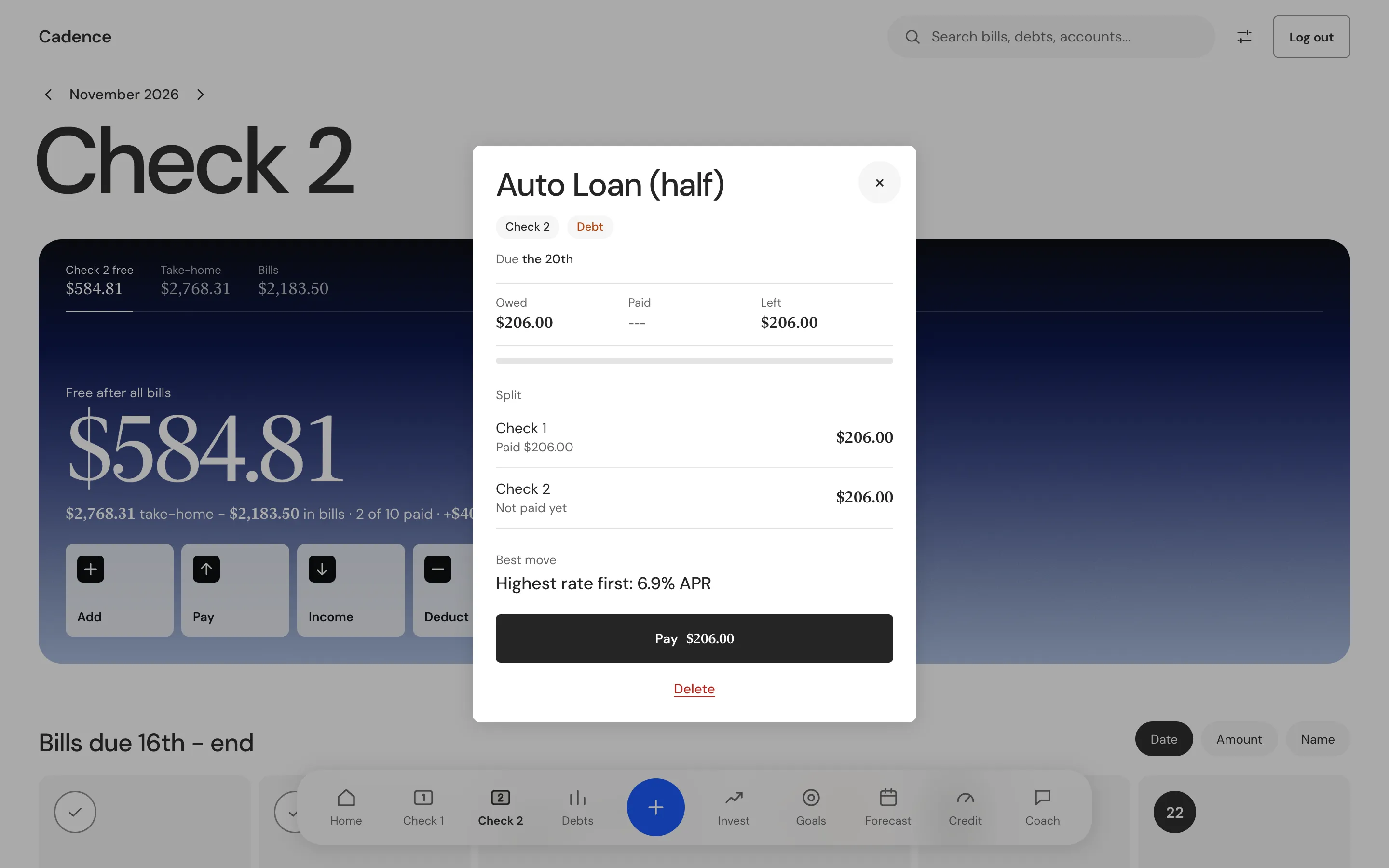
One tap shows when the bill is due, how much is paid, how it splits across the two checks and the best move for that bill.
- Owed is the amount plus any balance rolled over. Paid and left update as you pay.
- A split bill shows each check's share and whether each is paid. A bill that is not split says so.
- Pay, pay the rest, clear a payment or delete the bill.
Choose how bills look
Settings, then Bills, sets one look for every bill: Tile, Paper slip, Solid, Gradient, Illustration, Photo, Biller or List. Photo shows a picture you add to a bill. Figures can be serif or sans.
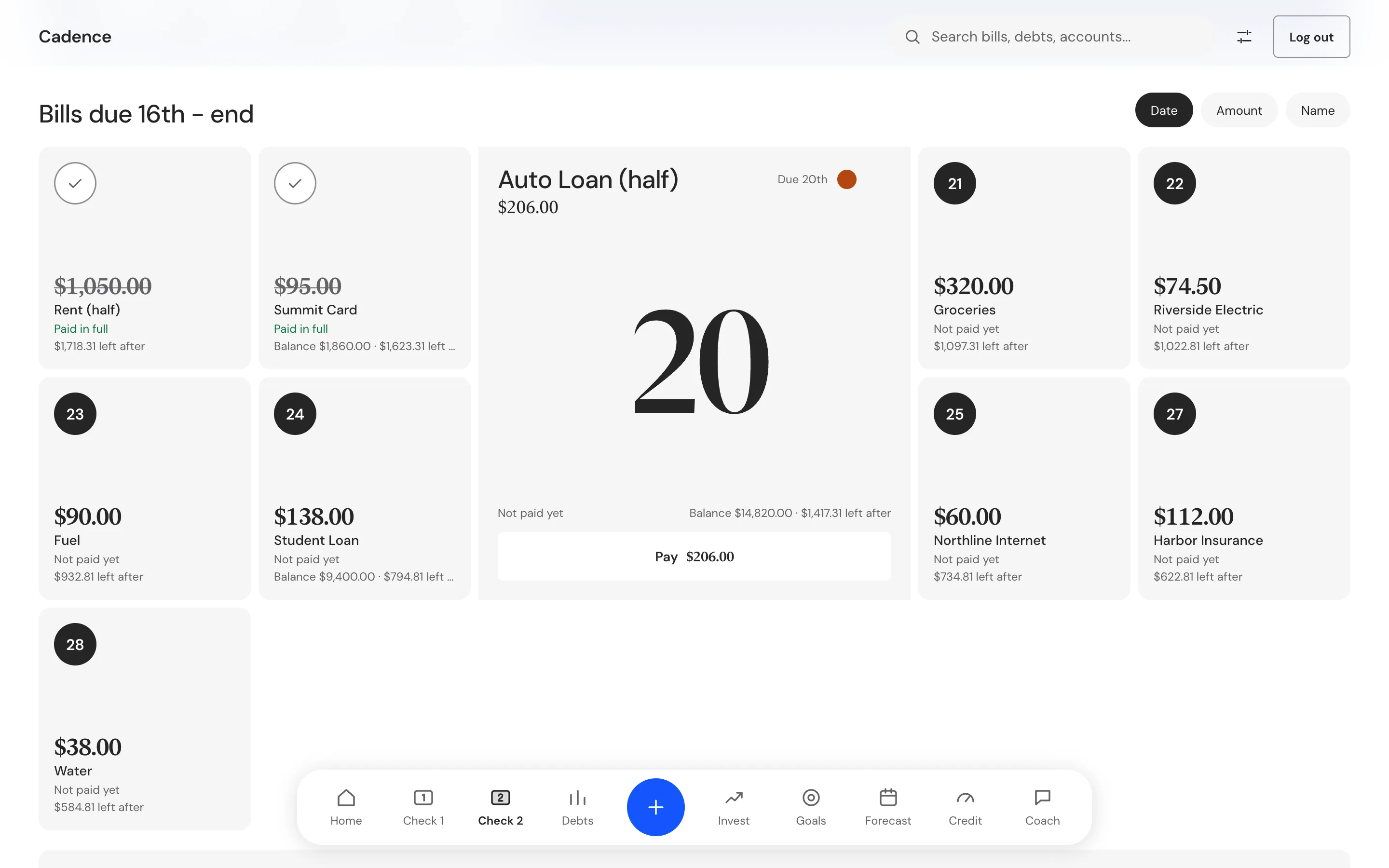
Tile: a grey tile for each bill.
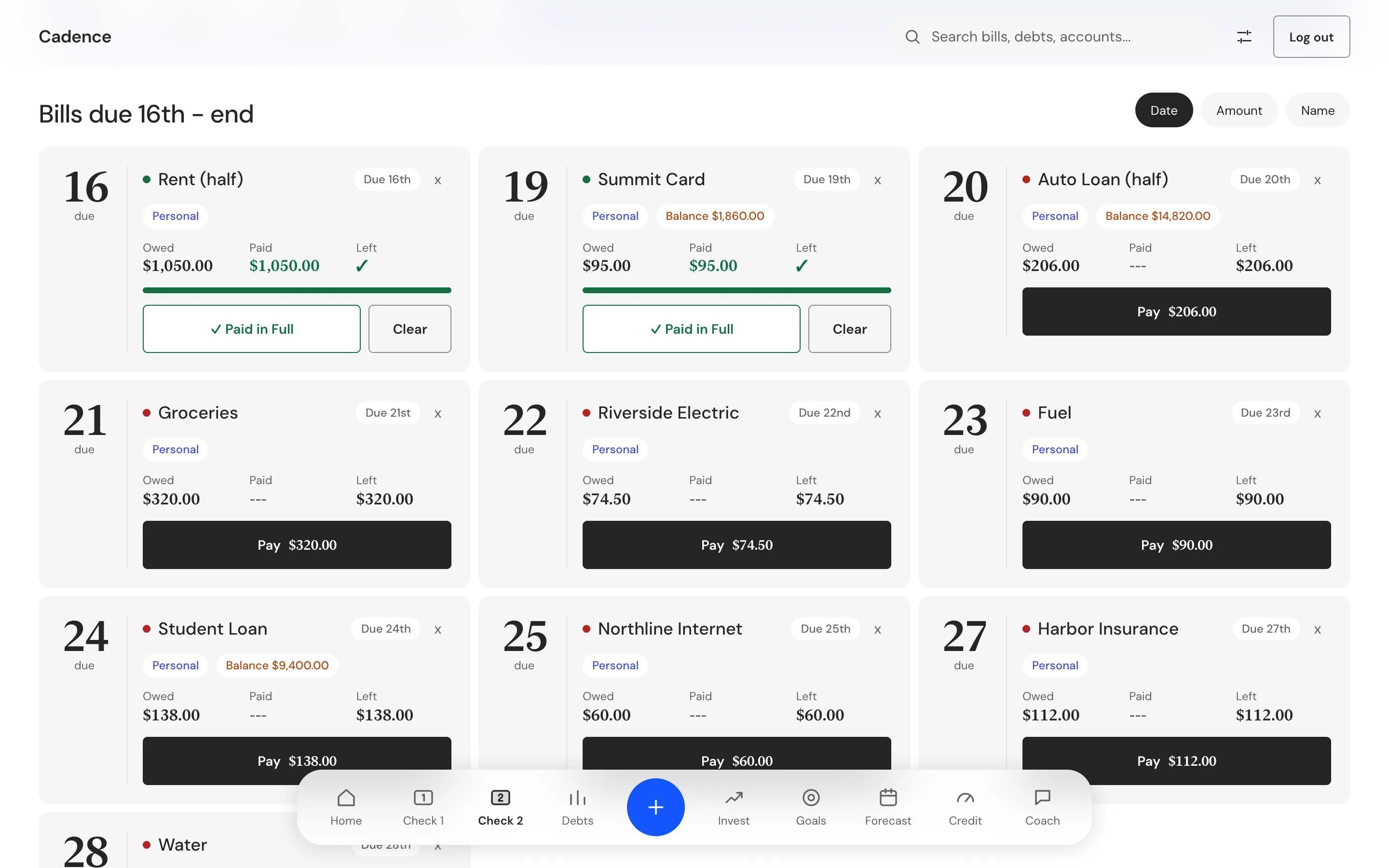
Paper slip: due day, owed, paid and left.
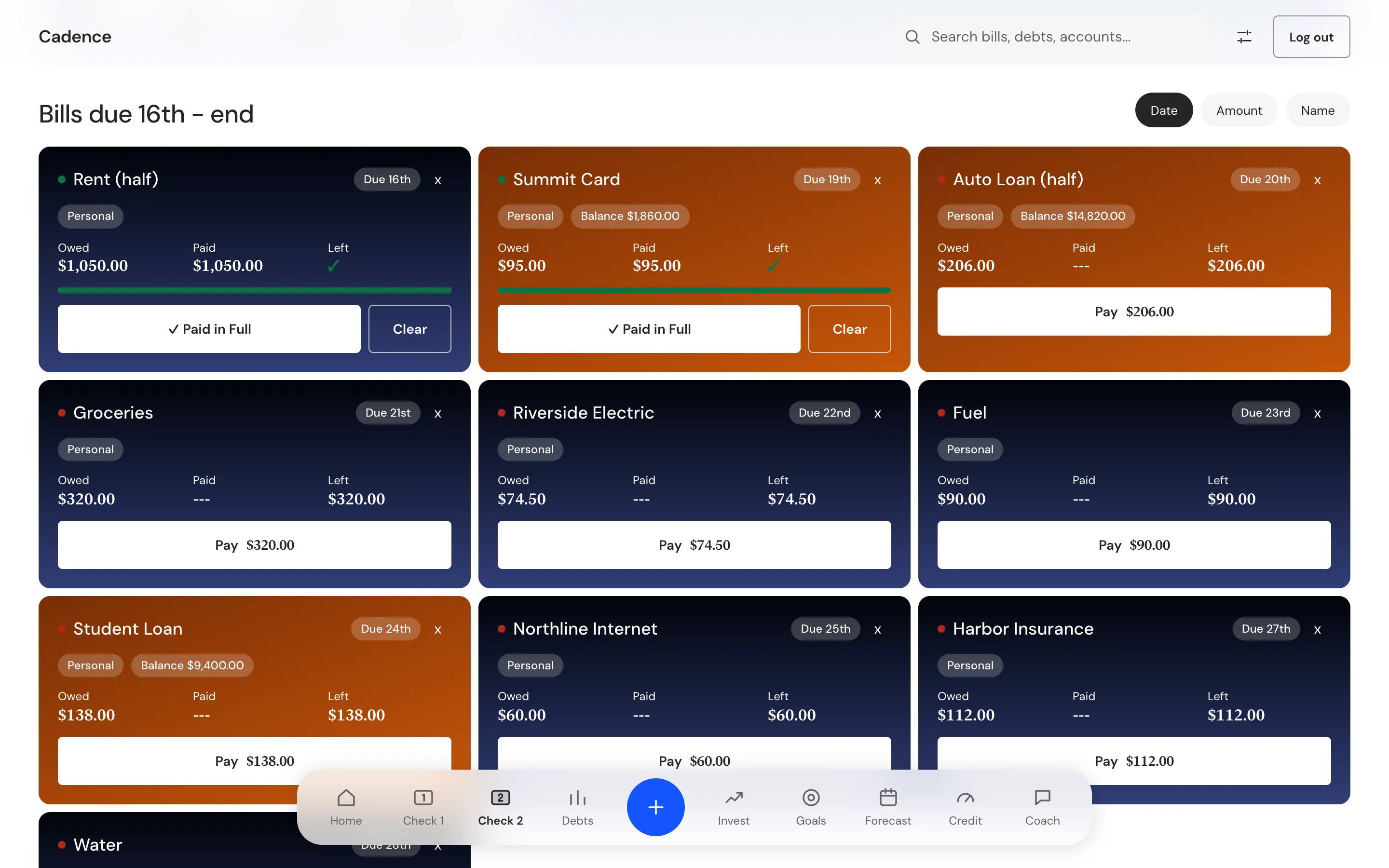
Gradient: each bill in the color of its check.
Debts and forecast
The real payoff date leads
A loan has a date the contract says it ends. Cadence shows that date first and keeps the simulated date small.
Every balance
Debts lists each balance with its payment, rate and share paid, and puts the highest rate first in the payoff order.
The contract date
A loan with a maturity date shows that date as its payoff. The simulated date sits beside it as a small note.
What if
Move the extra monthly payment and see the months saved, the interest saved and the balance over time.
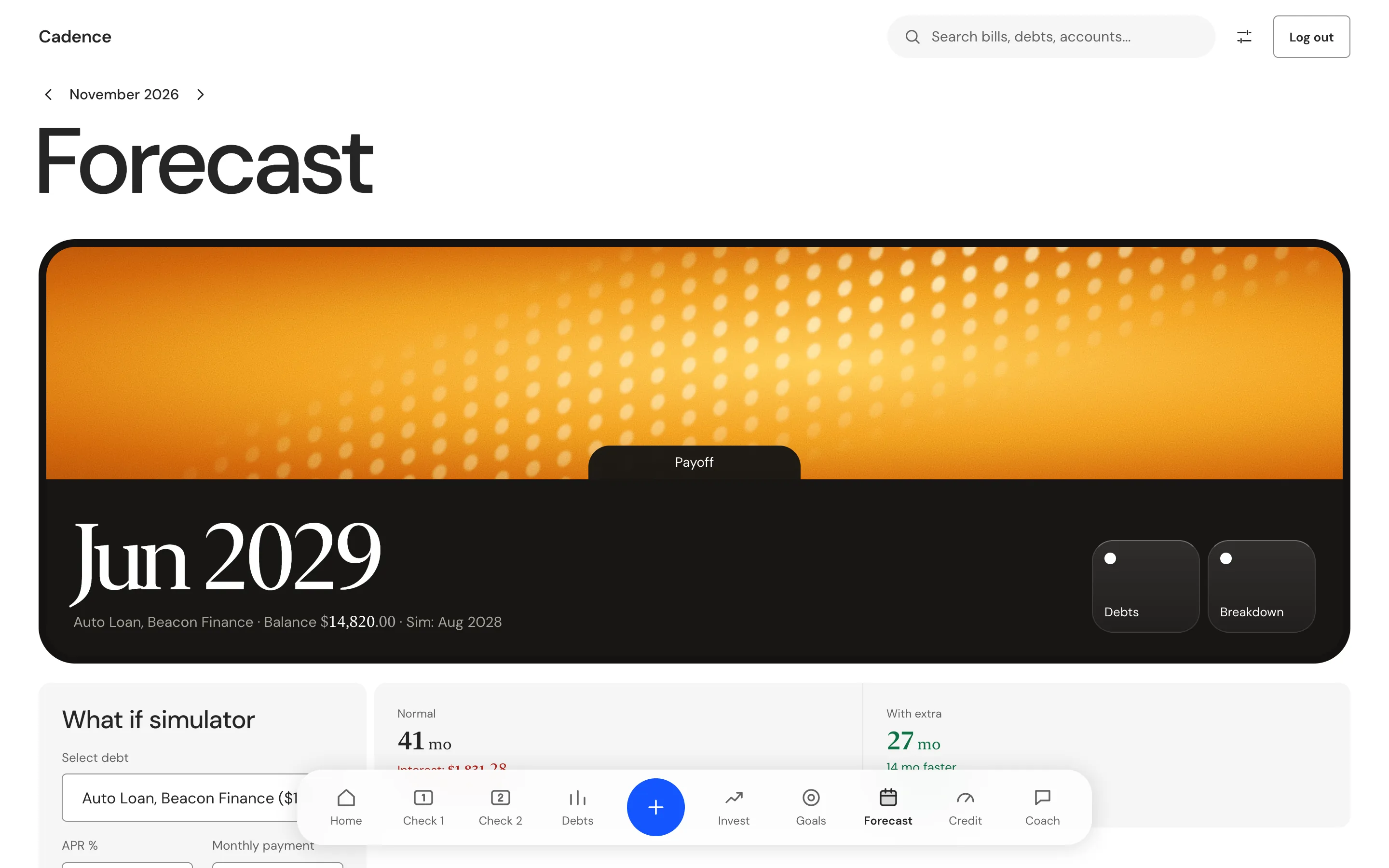
Two dates, one that counts
The large date is the contract date. The small one comes from the what if slider, here with 200 dollars extra a month. A debt without a maturity date shows the simulated date instead.
Every tab
What every part of the app does
The top bar, the floating bar and each tab.
Home
The month and what is left to spend, one tile each for Check 1, Check 2 and Debts, a line of the month's bills, every bill as a tile with filters for Check 1, Check 2, unpaid and debt payments, then net worth and your accounts. A Needs you notice appears only for a real problem, such as an overdrawn account.
Check 1 and Check 2
Each shows its free cash after all bills, its bills in due order, and its take-home with deductions and extra income. Buttons pay the next bill, add a bill or add income.
Debts
Total outstanding, then each debt as a card. Add a debt, record a payment, or open the forecast.
Invest
Holdings grouped by platform, each with its share of the total, and a growth forecast.
Goals
A target, what is saved, what is left, a monthly contribution and the date you reach it. Each goal checks the contribution against your free cash.
Forecast
The payoff date for a debt, the what if slider, the balance over time as a chart and a monthly breakdown.
Credit
Scores by bureau with a history chart, total utilization across your cards, and each card with its limit, balance, rate and due day. Import from screenshot reads a picture of a score page with Claude, and you confirm what it found before anything saves.
Coach
Ask about your budget in plain words. The Coach reads your whole budget and answers with a plan you can apply with one button. Your own Anthropic key or your Claude Code login runs it.
Search
Type a bill, a debt, an account, a holding or a goal, and jump to it.
Settings
Run the setup wizard again, switch the business account on, connect a bank, log out or reset all data. Under Bills: the bill look, serif or sans figures, photo fit and a picture for each bill.
Your data
Your money data stays on your computer
Cadence has no server of its own. It keeps what you enter in a local database on your Mac, and it names each part that can send something out.
| Topic | What happens |
|---|---|
| Where it lives | In a local database on your Mac. Each account in Cadence keeps its own rows. |
| Signing in | Cadence has its own sign in, kept on the computer. The password is stored as a hash. |
| The Coach | When you ask a question, Cadence sends your whole budget and your question to Anthropic, with your own API key or through your Claude Code login. Without either, nothing is sent. |
| Credit screenshot | Import from screenshot sends the picture to Anthropic to read it, the same way. |
| Bank connection | Optional. You bring your own Plaid keys, and Cadence reads your accounts and balances from Plaid. Nothing connects until you add the keys. |
| Keys | Your Anthropic key and your Plaid keys sit in the local database as plain text, not in the Mac Keychain. Moving them to safe storage is on the list. |
Cadence never moves money. You mark a bill paid, and the app records it.
Access
Cadence is in development
What is not finished
The paycheck ledger, debts, the forecast, goals, investing, credit and the Coach all work today. These parts do not:
- Only twice monthly pay works. Weekly and every two weeks have no engine yet.
- Paying a debt bill does not lower the debt's balance yet, because the two ledgers are separate. Debts, Forecast and the contract date can show different months for the same debt.
- Business planning, a nightly scan that ranks savings moves, and the Personal, Business, Couples and Unlocked versions are specified, not built.
- A SwiftUI version for iPhone and Mac is written but has never been built or tested. There is no phone app and no App Store version.
- Light only, with no dark mode.
No public download yet
The current build still opens with the sample accounts of the person who made it, so Therum has not published a file. A public download will come from a build with no personal data in it. The Mac app is for Apple silicon.
Questions
Common questions
What does in development mean?
Cadence runs today on a Mac and covers the whole paycheck ledger, but it has no public download and some parts are not built. The list under Access says which.
Who is it for?
People who are paid twice a month. It has no other pay schedule yet.
Can I try it?
Not as a download yet. Use Ask for access to get in touch.
Does Cadence move money?
No. It plans and records. You mark a bill paid, and Cadence never pays one for you.
Does it connect to my bank?
Only if you bring your own Plaid keys. Then it reads your accounts and balances.
Does it use AI?
Only the Coach and the credit screenshot import, and only after you add your own key or login. Both send your data to Anthropic when you use them.
Where does my data live?
In a local database on your Mac. Cadence has no server of its own. The table under Your data lists what can leave and when.
Is there an iPhone app?
Not yet. A SwiftUI version is written, but it has never been built or tested.