In development Version 0.0.1, not released
One app, one canvas, and tools you swap
Aura brings photo editing, RAW develop, page layout, UI design, vector drawing, motion, animation and AI image making into one window. You pick a mode for the job and the tools change. Your document does not.
Aura is not released. It runs as a Mac app on the studio's own machines. There is no download yet.
How it works
Change the toolkit, not the program
Most creative work moves between apps: a photo in one, the layout in another, the vector mark in a third. Aura keeps all of it in one window.
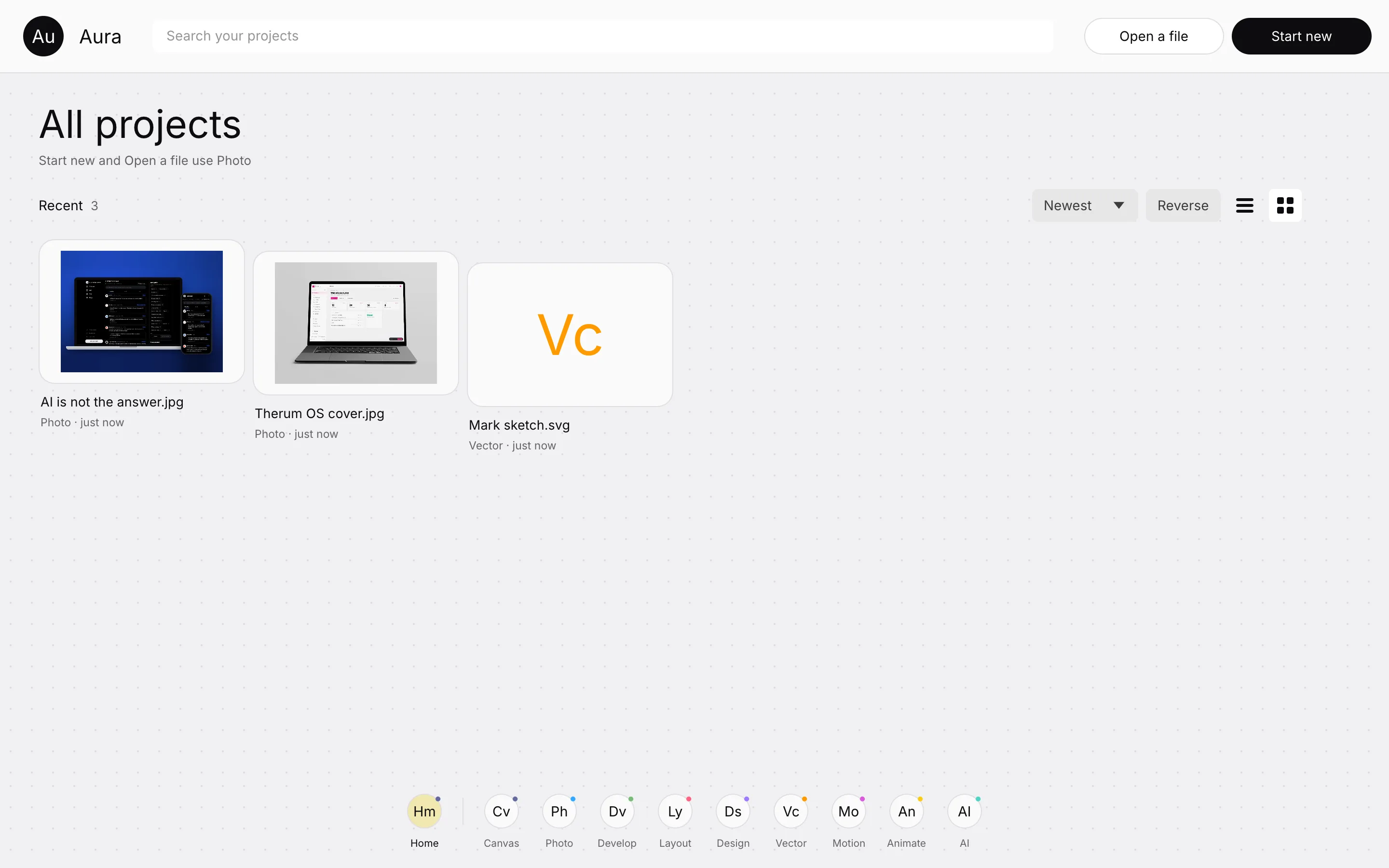
- Start or openHome lists your projects. Start new and Open a file sit at the top right.
- Pick a modeThe dock holds Canvas and eight modes. Choose the one that suits the job.
- Work on a real canvasEach mode keeps the canvas of the engine behind it, so the work is real.
- The tools changeTool, layer and property cards follow the mode. The document stays put.
- Or use Canvas modeOne document where every tool acts on the same layers.
We test the middle step. After a visit to the other seven modes, the Photo window is pixel for pixel the same below the top bar.
The eight modes
Photo, Develop, Layout, Design, Vector, Motion, Animate and AI
Each mode is an open source Rust engine hosted in Aura's window and drawn in Aura's own interface. The engines are published under MIT or Apache 2.0, and each keeps its own licence.
Photo
Raster editing with layers, selections, brushes and adjustments.
Develop
RAW photo development with a library, filmstrip and edit panels.
Layout
Pages with margins, a ruler, text frames and styles.
Design
Frames, pages and components for interface design.
Vector
Paths, shapes and booleans, drawn on an artboard.
Motion
Compositions with layers and keyframes.
Animate
A frame by frame stage with keyframes and tweens.
AI
Prompts that create images, with a sign in to the provider.
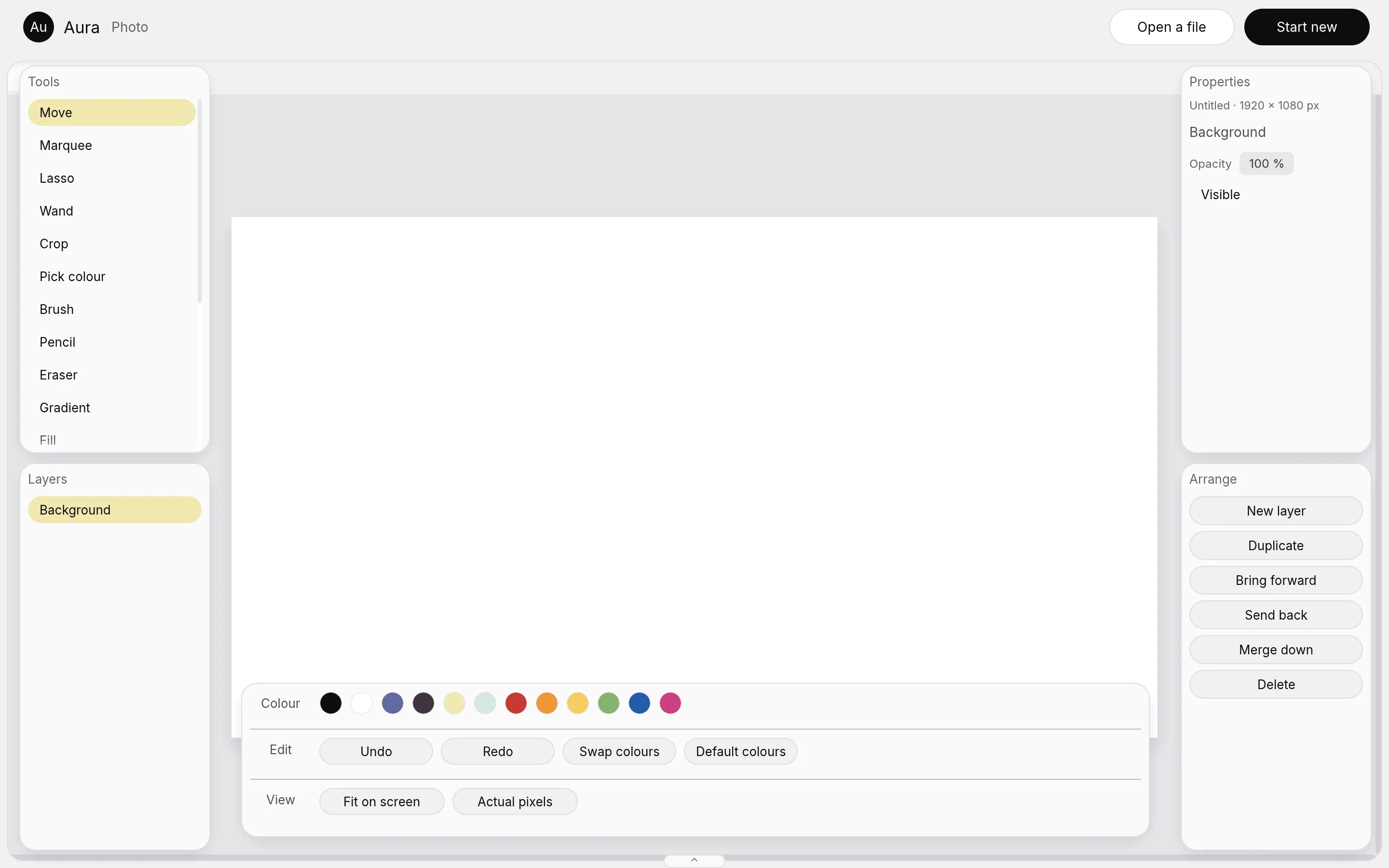
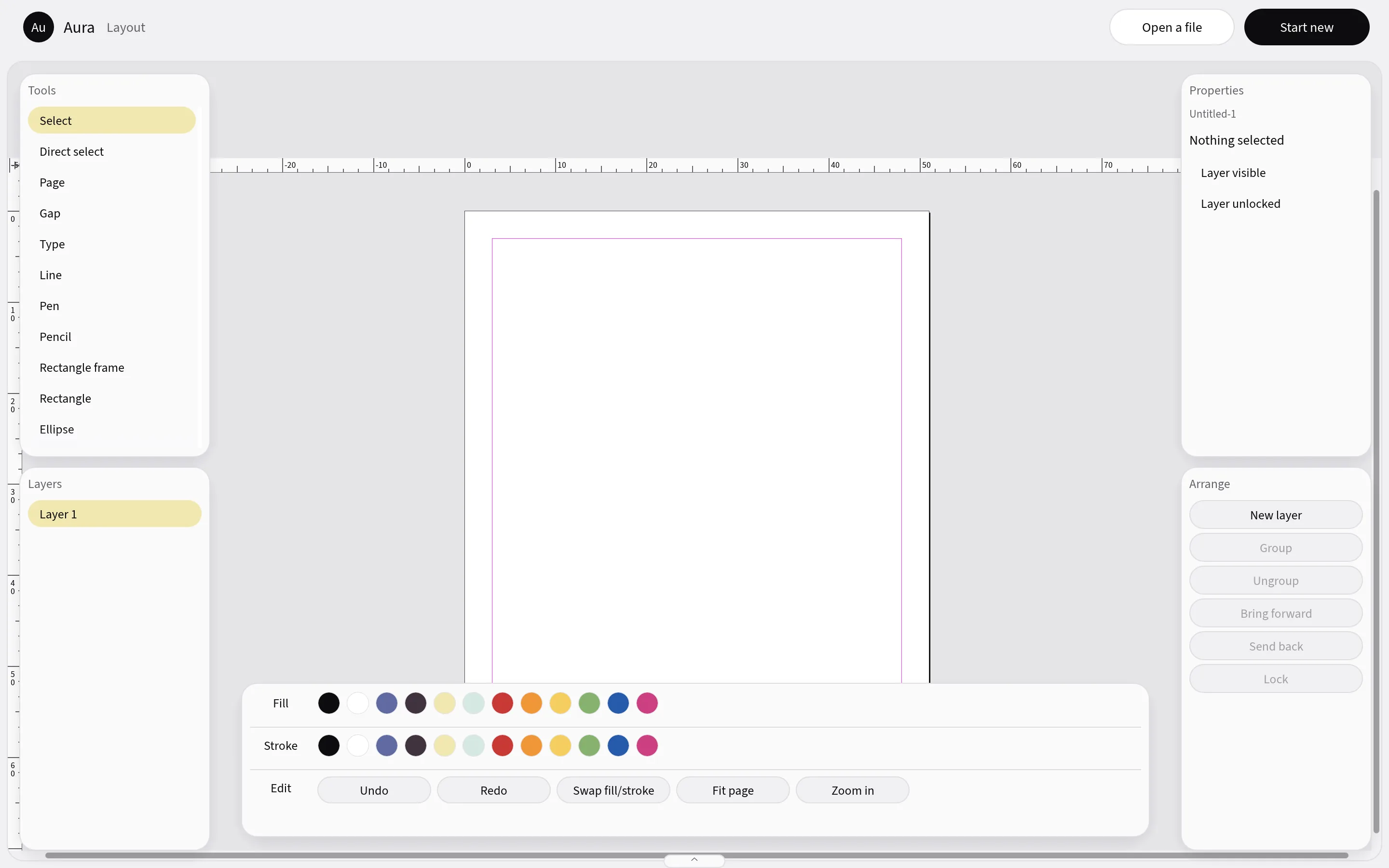
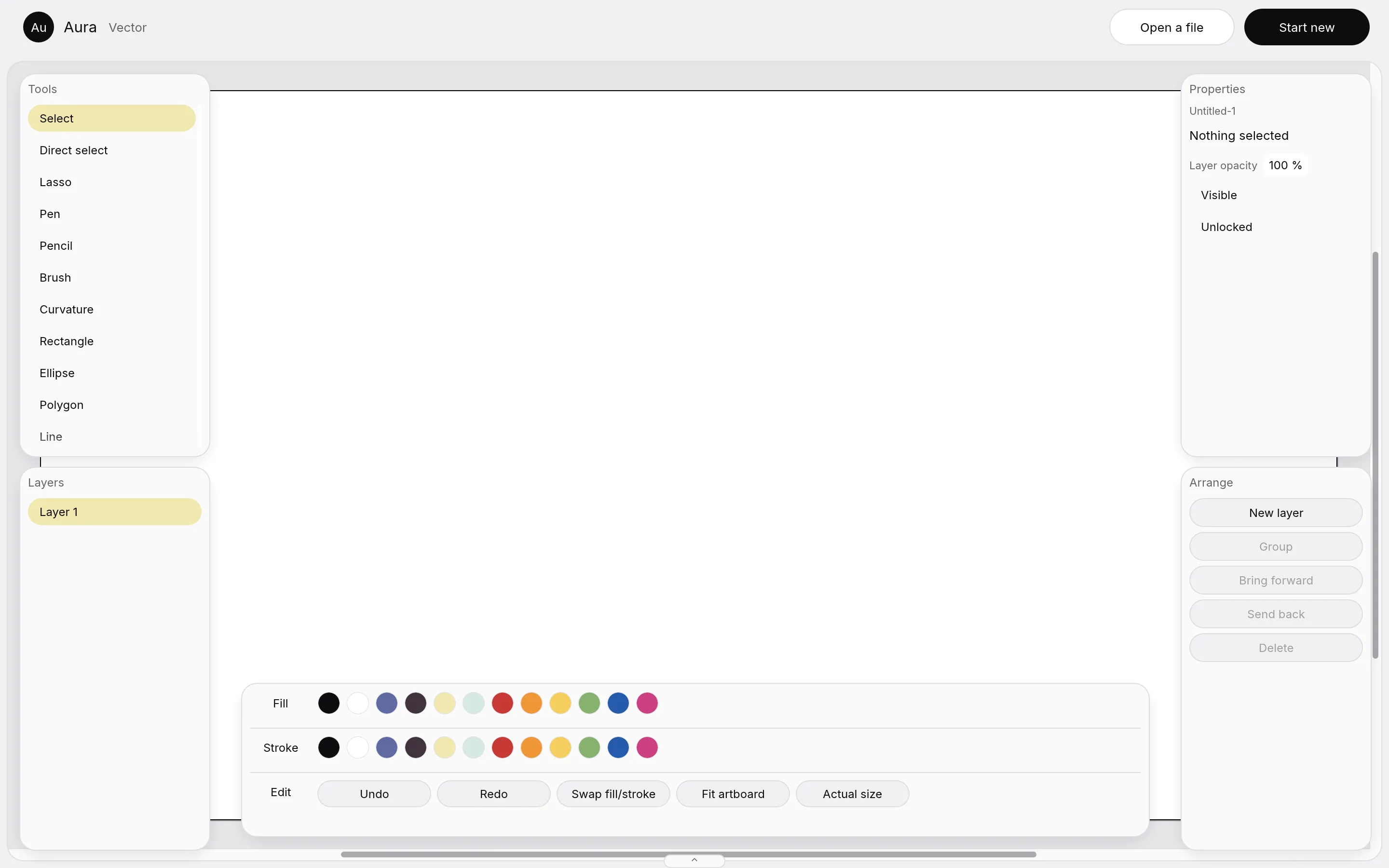
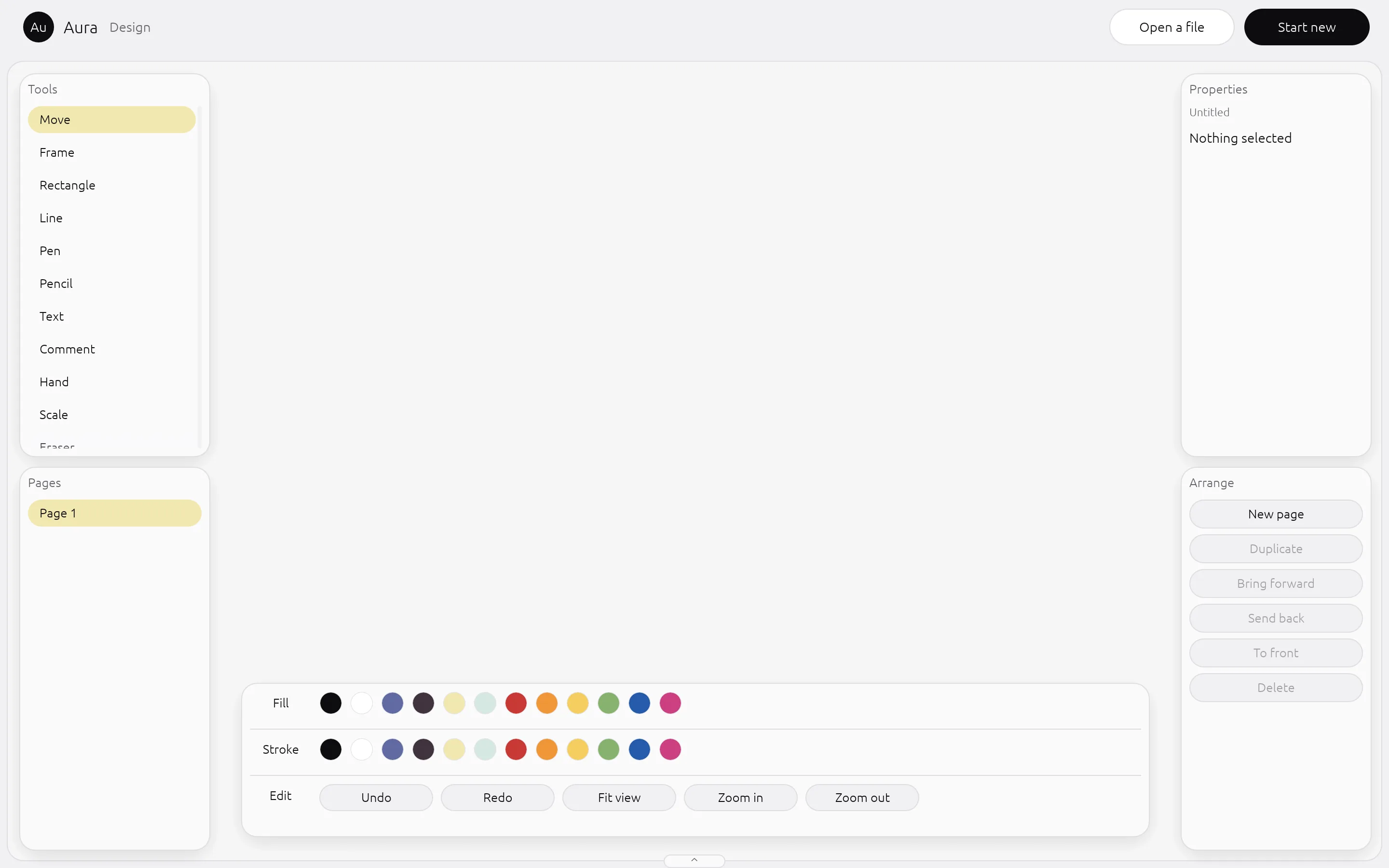
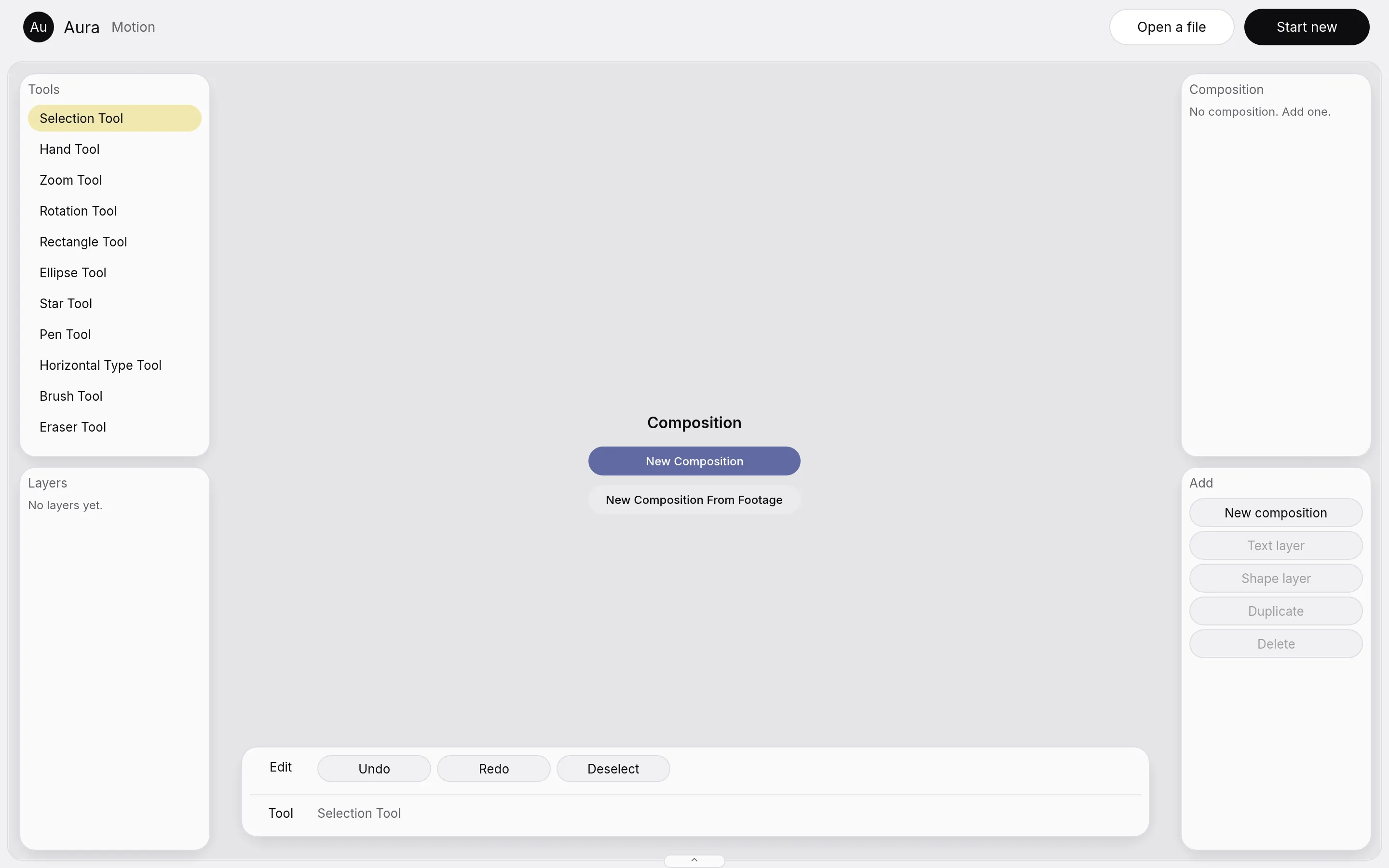
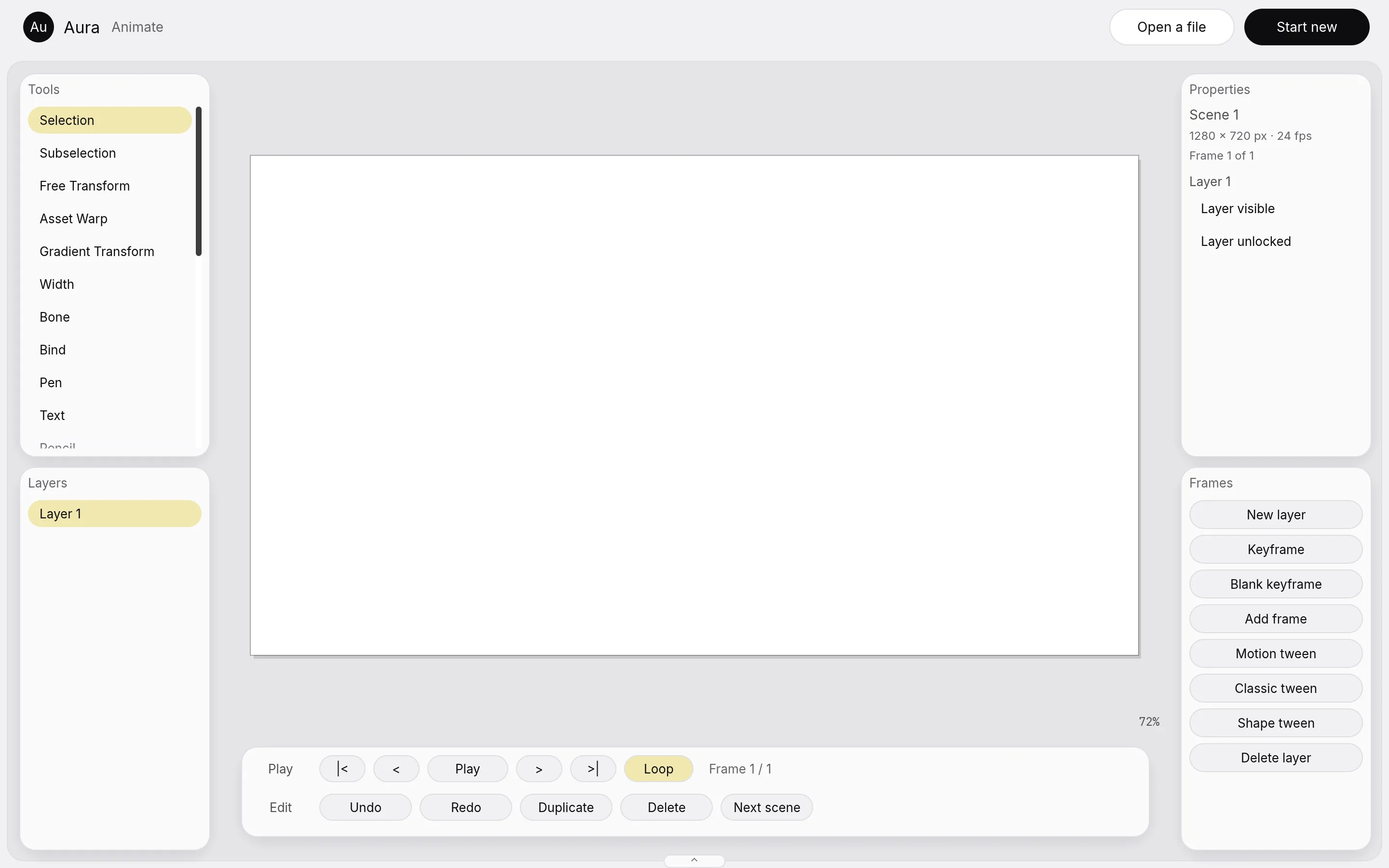
The Develop picture is not shown here: when we took the pictures, its first screen was a disk space warning.
Canvas mode
One document, every tool
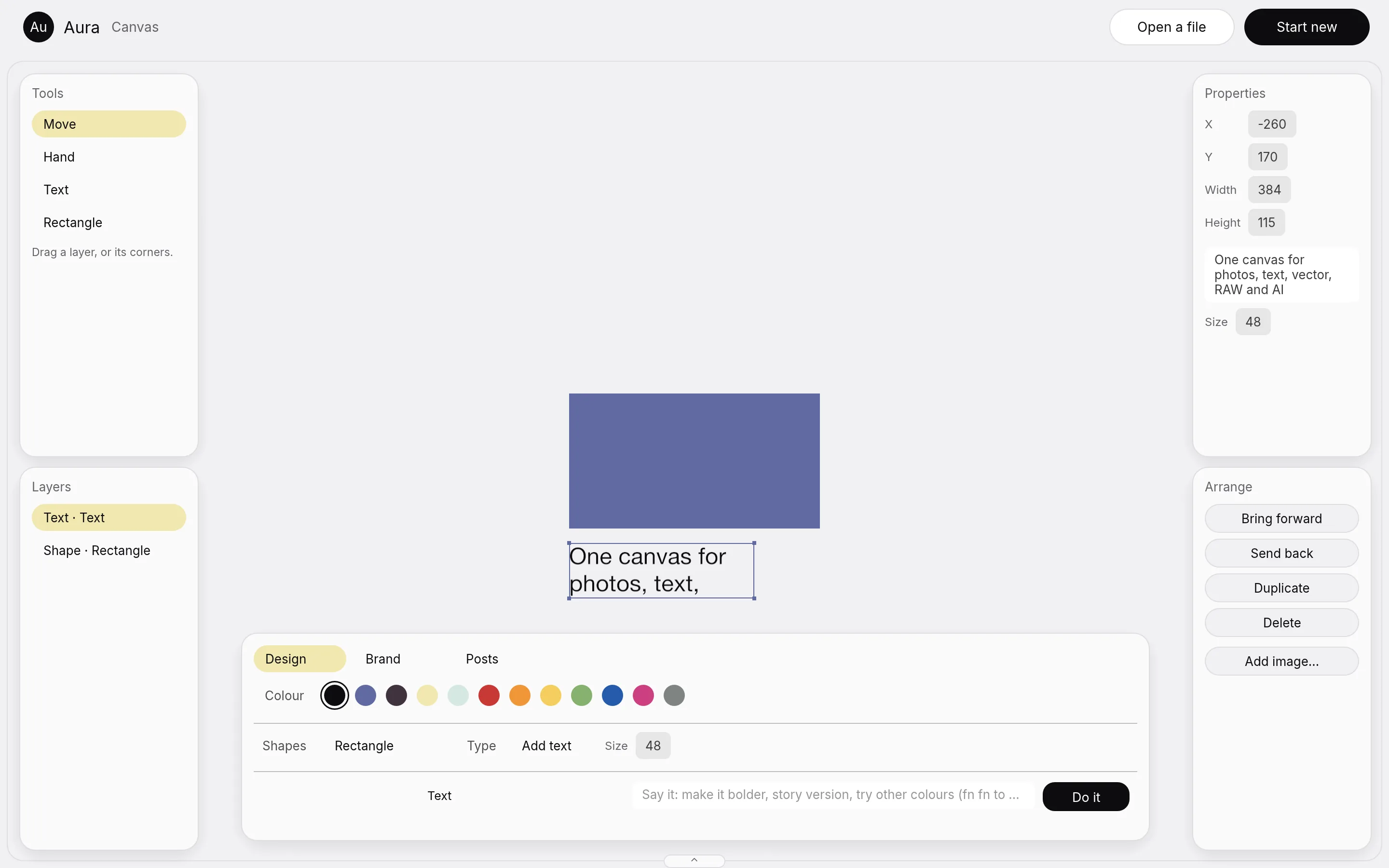
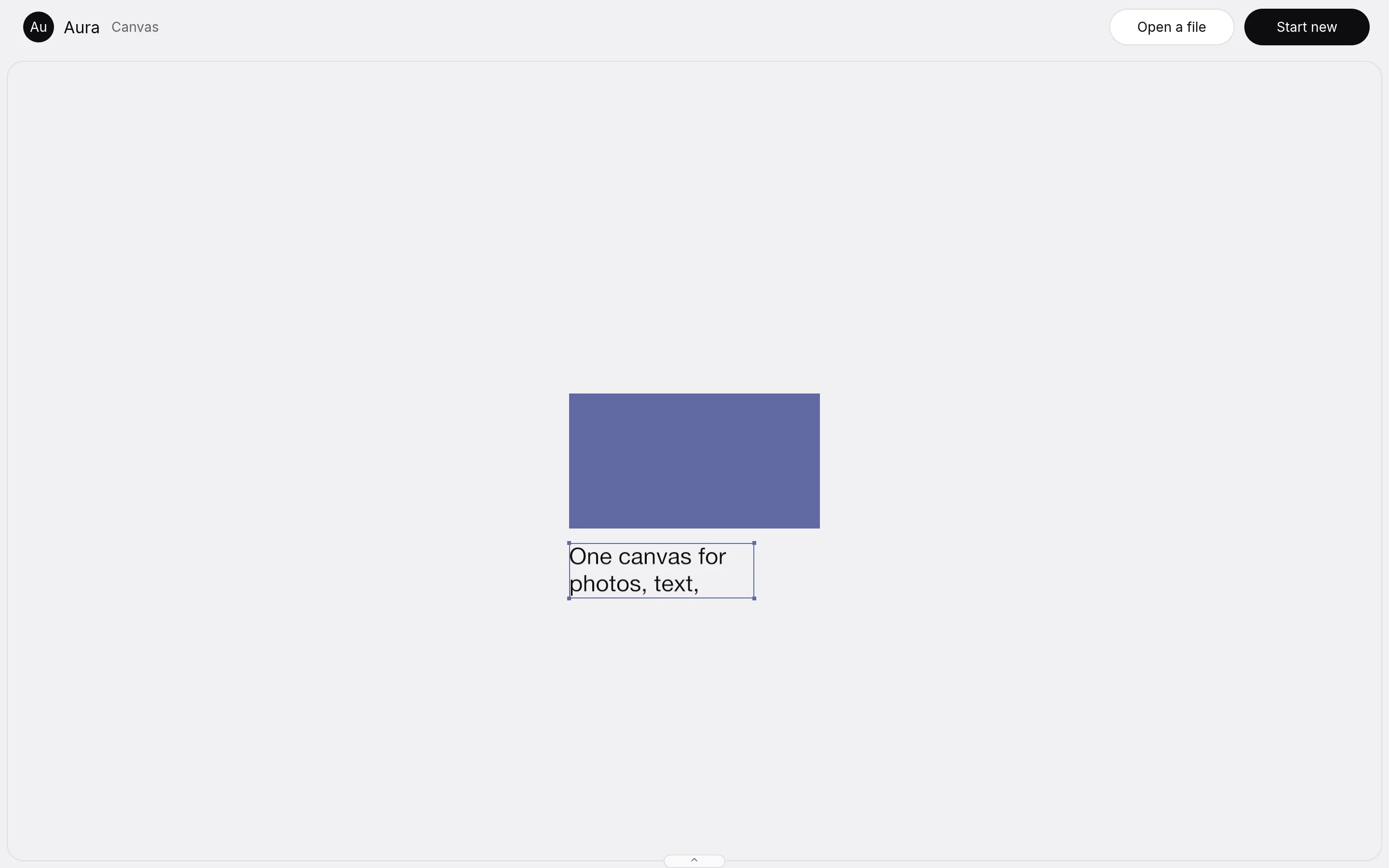
Canvas mode is the idea behind Aura: draw a shape, duplicate it, blend the copy as pixels, give it depth and add motion, all on one canvas, without leaving it.
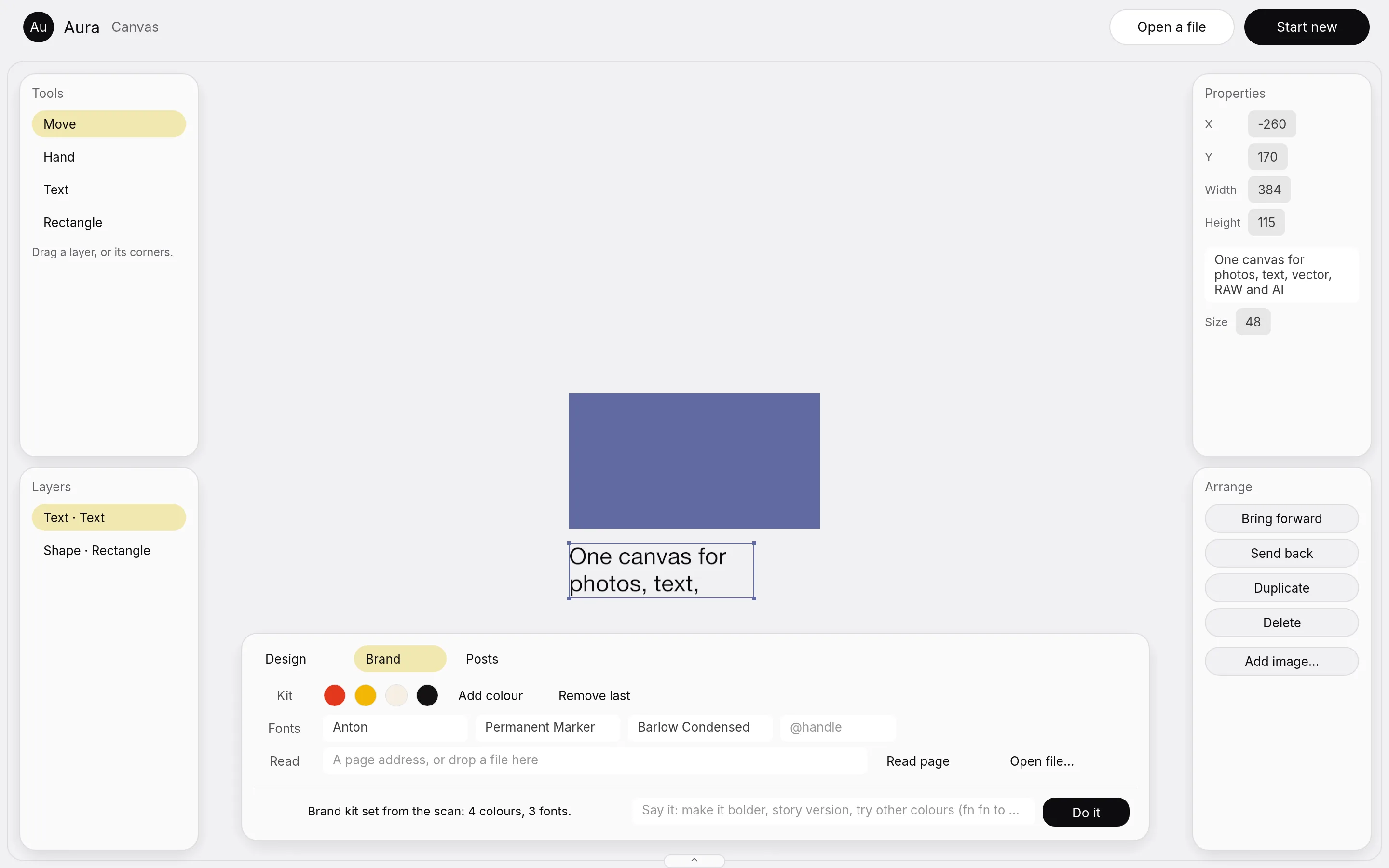
The layout has four floating toolbars, two on each side, one wide bottom panel for colour, shapes and type, and a drawer that switches modes.
- Today the tools are Move, Hand, Text and Rectangle. Drag a layer or its corners to move or resize it.
- Layers can come forward or go back, be duplicated or deleted, and you can add an image.
- Vector, RAW develop, depth and motion layers are not on this canvas yet.
Panels
Panels get out of the way
The cards around the canvas dim while you work on the canvas and come back about a second and a half after you stop. After three idle seconds they fade out. The Tab key hides and shows all of them.
A card under the pointer is fully solid at once. Aura is light only. There is no dark mode.
Posts at scale
A brand kit, resize, variants and bulk posts
Canvas mode can make a set of posts from one design. These parts are built; the two that are only partly built are named below.
Brand kit
Colours and fonts, set by hand or from a scan of a page, an html, css or svg file, a picture or a zip.
Resize
One post becomes the sizes channels ask for: 1:1, 4:5, 9:16 and 1.91:1.
Variants
Variants side by side, by colour or by type style. Pick one by saying "the second one", or by its name.
Bulk posts
A spreadsheet file with one row per post becomes one post per row.
Say it
A box takes plain words such as "make it bolder" or "story version". macOS dictation can type into it.
Partly built
The brand scan does not read a PDF, and there is no microphone code of our own.
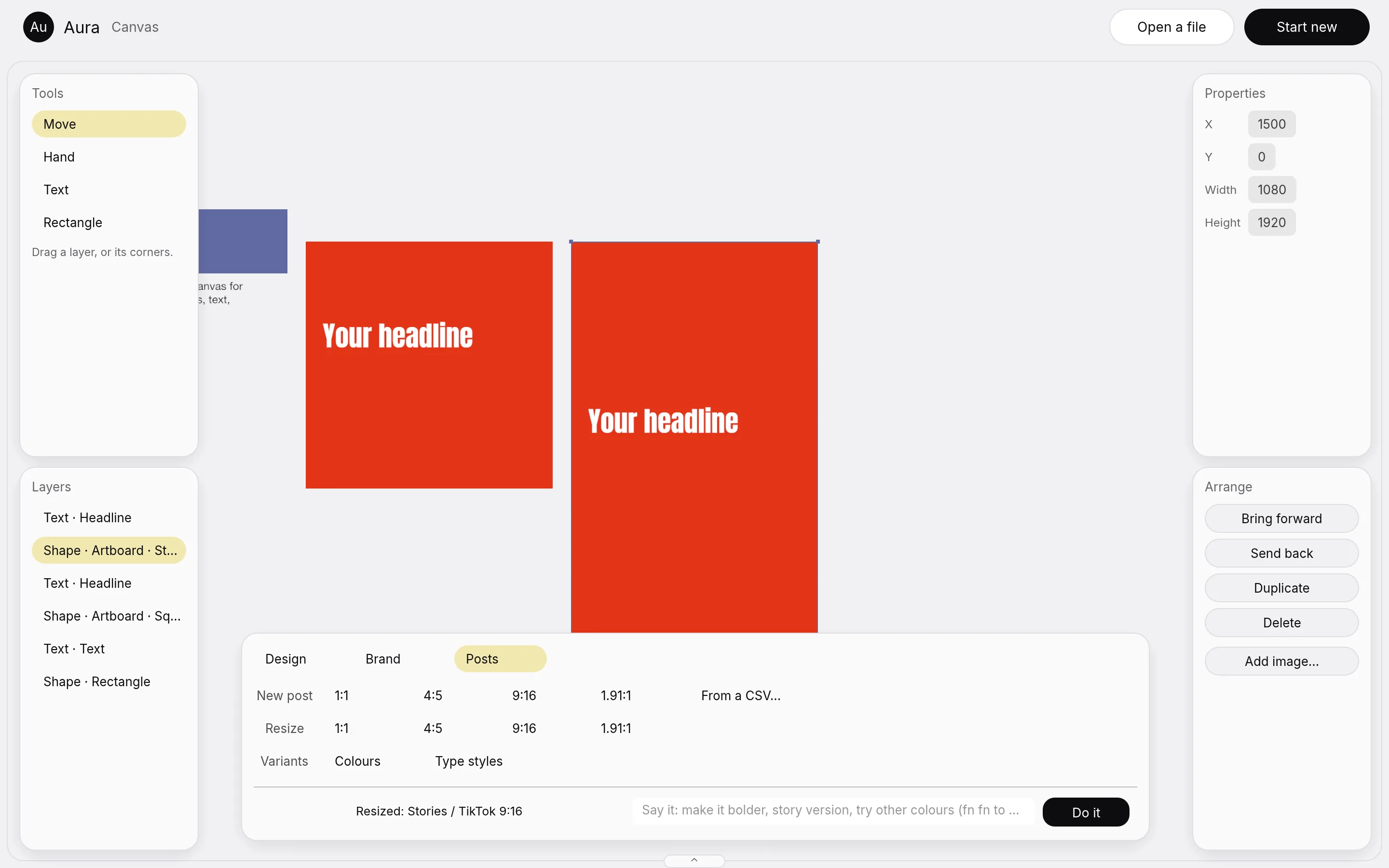
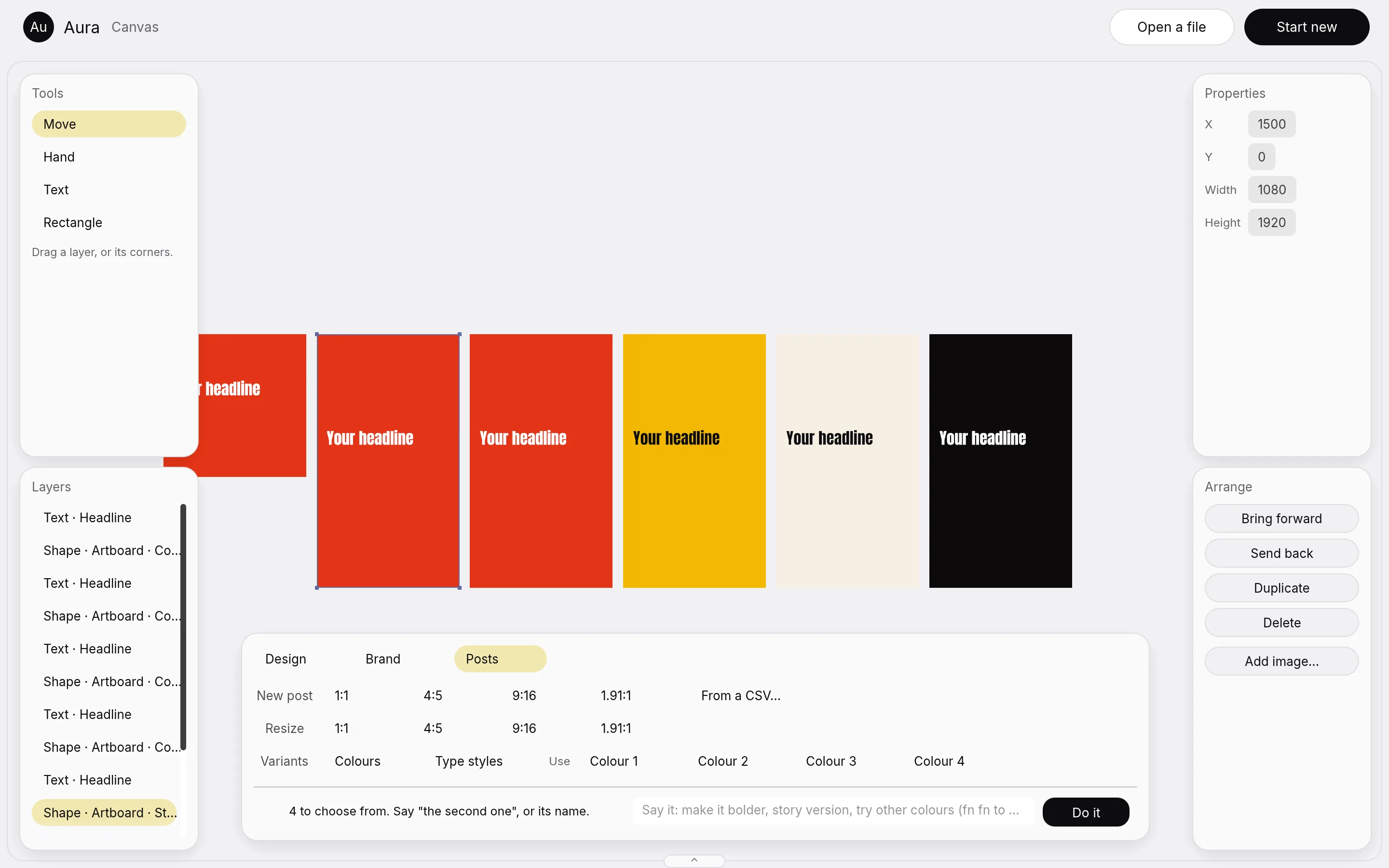
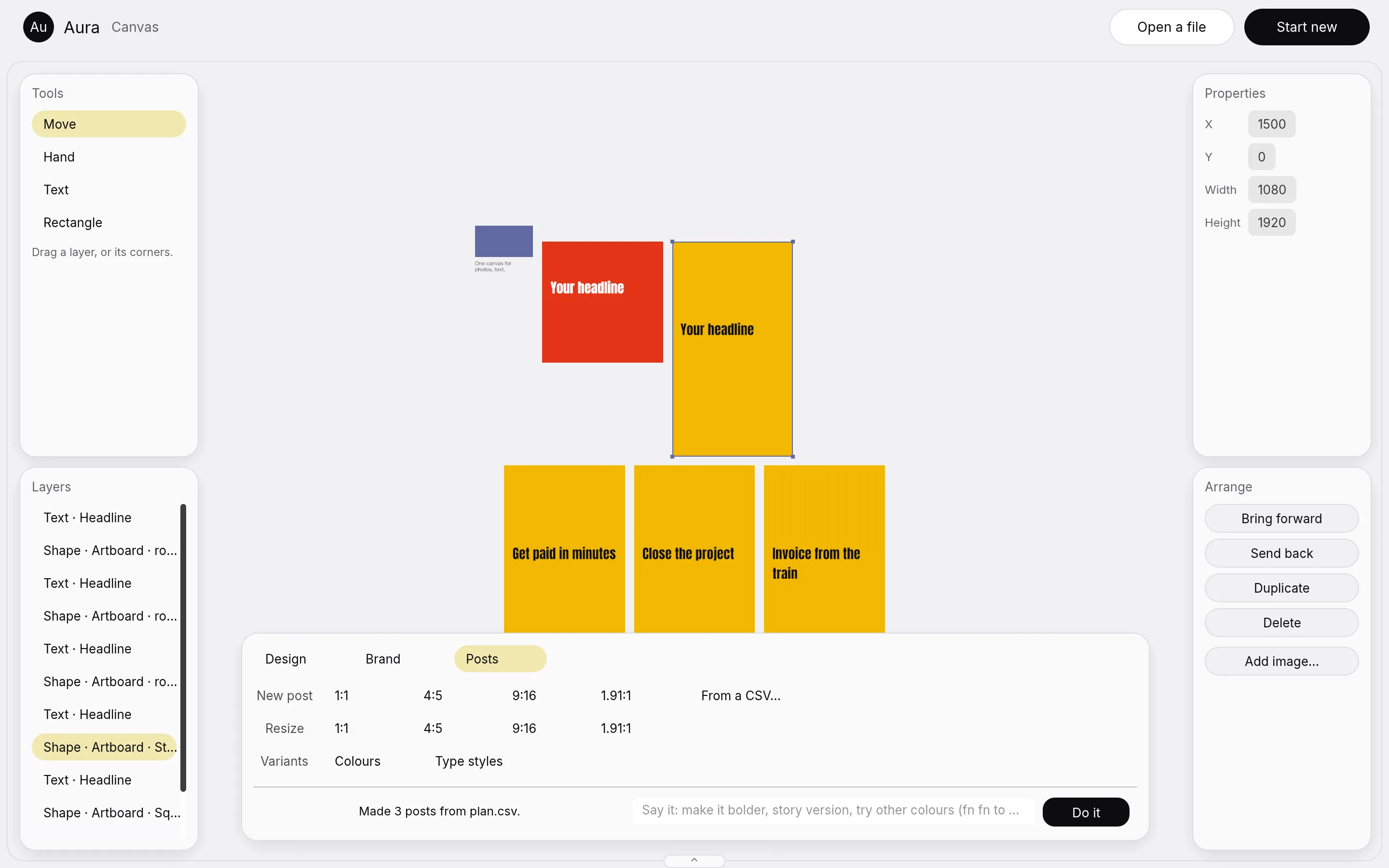
The headlines in these pictures are sample rows.
What is built
What works today, and how we checked it
Aura counts a feature as built only when it acts on a real layer and a picture of the window shows it. Nothing here is a mock.
| Part | What is true today | How we checked |
|---|---|---|
| The canvas | It holds 100,003 layers at 1920 by 1080. 99 frames in 100 took 1.1 milliseconds or less, and the slowest took 11.6. | 900 frames of panning and zooming on an Apple M1 Max, two runs, headless, 17 November 2026. |
| Photo adjustments | All 16 run on the merged engine: levels, curves, exposure, vibrance, hue and saturation, colour balance, black and white, gradient map and others. | 21 tests, one pixel check per adjustment, and 17 canvas frames that all differ. |
| The interface | All eight modes are drawn in Aura's own cards: 56 of 56 parts. | A window picture of each mode, read by eye, from a tour of the built app. |
| Switching modes | It changes the tools and leaves the document alone. | The Photo window below the top bar is pixel for pixel the same after a visit to the other seven. |
| The merge ledger | 1 of 55 rows is proved. All eight engines open in one window. | A ledger row is done only with a picture of the feature acting on a real layer. |
Not built yet
- Canvas mode holds text, shapes and images. Vector, RAW develop, depth and motion layers are not on it yet.
- The Code toolkit does not exist yet.
- AI mode asks you to sign in before it makes anything.
- Text still lacks colour emoji and hyphenation.
- The brand scan does not read PDFs.
Status
Aura is not released yet
In development, version 0.0.1
The studio uses Aura on its own Macs. There is no public download, and no price has been set.
Want to try it when it opens up?
Tell us who you are and what you would make with it.
The case study tells how we are building it. Read the Aura case study.
Questions
Common questions
Is Aura released?
No. It is version 0.0.1 and runs on the studio's own Macs. There is no public download yet.
What does Aura replace?
The jump between a photo editor, a RAW developer, a page layout app, a design app, a vector app, a motion app, an animation app and an AI image tool. Aura puts the eight modes in one window.
Is it built on open source?
Yes. Aura is built on eight open source Rust engines under MIT or Apache 2.0. Each engine keeps its own licence.
Do the tools change when I change mode?
Yes. Photo shows photo tools, Vector shows vector tools, Layout shows page tools. The document stays as you left it.
Is there a dark mode?
No. Aura is light only.
Does Aura need an account?
AI mode shows a Sign in button and asks you to sign in before it creates anything. The other modes show no sign in.
Does it run on Windows or on a phone?
We have only run it as a Mac app so far.